
What is Blue Aadhaar? Here are three ways to download it
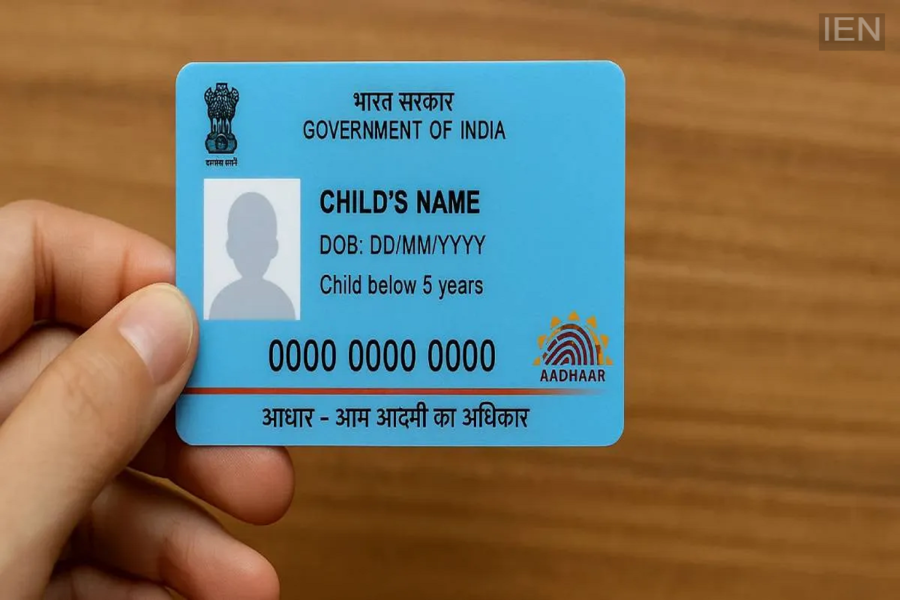
You can download the Aadhaar card for children—also known as the Blue Aadhaar card—in three different ways. This card is required for various purposes, including school admissions and other government-related tasks.
Blue Aadhaar is specifically issued for children under the age of 5.
It does not contain biometric details; it only includes demographic information.
This Aadhaar card can be downloaded in three ways.
The Aadhaar card is a crucial document for Indians and is used for numerous government-related activities. It is required for everything from school and college admissions to booking tickets and opening bank accounts. Apart from the regular Aadhaar, there is also a Blue Aadhaar card. Have you heard about it? For whom does the UIDAI issue this card?
What is the Blue Aadhaar card?
According to the UIDAI website, the Blue Aadhaar card is issued for children under the age of 5. It is used for purposes such as school admissions and other government-related tasks. This card is unique because it does not require fingerprint or biometric scanning; it contains only demographic details and the child's photograph. The card is valid for five years. Once the child turns five, you must apply for a new Aadhaar card, at which point the child's biometric details will be updated.
How to download the Blue Aadhaar?
Just like the regular Aadhaar card, you can download the Blue Aadhaar card using these three methods. You can download its digital version via the UIDAI website, the new Aadhaar app, or the DigiLocker app.
- Via the new Aadhaar app
- Via the UIDAI website
- Via the DigiLocker app
How to download using the Aadhaar app?
- To use the app, you must log in to your profile.
- Next, go to the profile section and select 'Add Profile'.
- Create a 4-digit PIN for the new profile.
- Enter the Blue Aadhaar card number and the parent's registered mobile number.
- Enter the OTP once received. You will be able to download your Aadhaar card once the verification is complete.
Download from the UIDAI website
- First, visit the UIDAI website: myaadhaar.uidai.gov.in.
- Here, you will find the option to download the Aadhaar card.
- Enter your Aadhaar details, registered mobile number, etc.
- Next, request and enter the OTP.
- You can download the Aadhaar card after verification.
How to download using the DigiLocker app?
- Log in to the DigiLocker app.
- You will see the option to download the Aadhaar card in the search tab.
- Grant permission to access the card and fill in the required details.
- Then, click on 'Get Document' and verify the OTP.
- Next, go to the 'Issued Documents' section.
- You can download the Aadhaar card from there.
