
Update Aadhaar Mobile Number from Home: UIDAI Launches New Feature in Aadhaar App
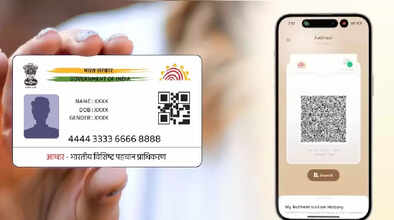
The Unique Identification Authority of India (UIDAI) has introduced a major upgrade to the Aadhaar app, making it easier than ever for users to update their Aadhaar-linked mobile numbers without visiting an enrollment center. With the new feature, residents can complete the update process from home using OTP verification and facial authentication—a move aimed at simplifying Aadhaar-related services for millions across the country.
For years, updating the mobile number linked to Aadhaar required a mandatory visit to the Aadhaar Seva Kendra or an enrollment center. Long queues, token systems, and time-consuming procedures often created inconvenience for users. But the latest Aadhaar app update completely removes this requirement, offering a more seamless and user-friendly experience.
What’s New in the Aadhaar App?
UIDAI has added a dedicated "Mobile Number Update" option to the new Aadhaar app interface. With this feature, users can change their Aadhaar-linked mobile number from anywhere, provided they have an active SIM card for receiving OTPs. Since Aadhaar services rely heavily on OTP authentication, linking a functional mobile number is essential not only for Aadhaar access but also for banking services, government schemes, and digital verification processes.
UIDAI has also confirmed that more update options—such as name, address, and email ID—will soon be integrated into the app. However, the option to update date of birth is not available yet. Additionally, biometric details like fingerprints and iris scans cannot be updated online due to security reasons and must still be done through an Aadhaar enrollment center.
Why This Update Matters
Aadhaar-linked mobile numbers are crucial for most digital services in India, including bank accounts, income tax portals, UPI payments, and government welfare schemes. A missing or outdated mobile number can result in failed OTP authentication and restricted access to essential services.
The new Aadhaar app feature solves this long-standing issue by enabling users to instantly update their mobile numbers without verifying biometrics at a center. The process now relies on facial recognition technology, ensuring both convenience and high security.
Step-by-Step: How to Update Your Mobile Number Through the Aadhaar App
Here’s how you can update your Aadhaar mobile number from the comfort of your home:
1. Download or Open the New Aadhaar App
Make sure you have the latest version of the Aadhaar app installed on your smartphone.
2. Select the ‘Mobile Number Update’ Option
Once you open the app, you'll see a dedicated option labeled "Mobile Number Update" on the dashboard.
3. Complete OTP Verification
Enter your mobile number and verify it using the OTP sent to your current SIM card.
4. Use Face Authentication
The app will prompt you to complete facial authentication using your phone’s camera. This step confirms your identity without needing biometric verification at a center.
5. Submit the Request
After verification, your request will be processed, and your mobile number will be updated in Aadhaar records.
Limitations of the New Feature
While the feature is a major convenience upgrade, a few limitations still apply:
-
Biometric updates (fingerprints and iris) cannot be done through the app
-
Date of birth (DOB) changes are not supported yet
-
Users must have an active SIM card for OTP-based authentication
UIDAI has indicated that more update services will be rolled out gradually to enhance accessibility and user convenience.
Convenience Meets Security
The introduction of mobile number updating through the Aadhaar app marks a significant step in India’s digital identity ecosystem. By combining OTP verification with facial authentication, UIDAI ensures security while eliminating the need for physical visits. This update will especially benefit senior citizens, people in remote areas, and those who face difficulty traveling to Aadhaar centers.
