
UP SIR list Tips: Is your name on the UP SIR list? Check online in minutes..
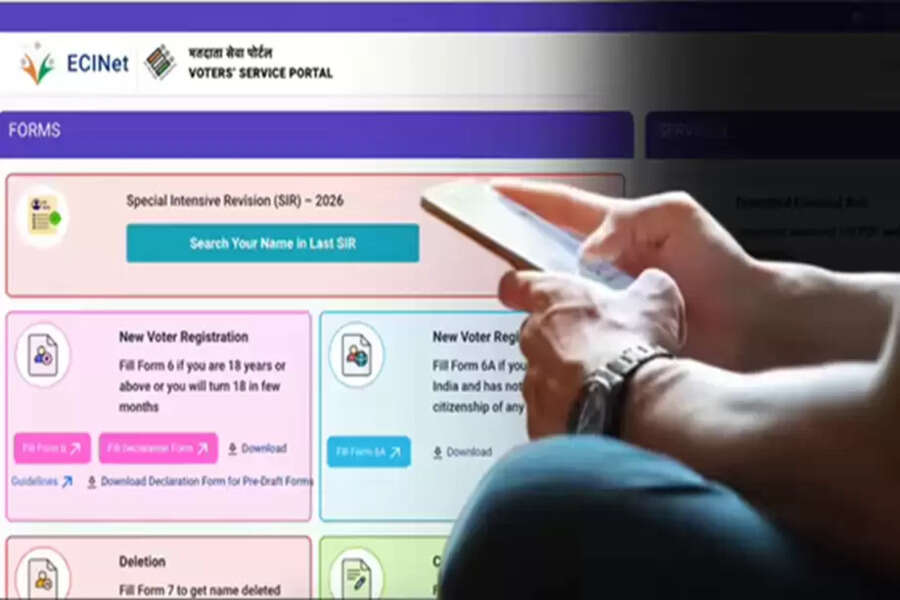
The Election Commission has released the draft voter list for Uttar Pradesh. According to reports, approximately 28.9 million names have been removed during the Special Summary Revision (SSR) process. Therefore, if you are a voter from Uttar Pradesh, it is essential to check if your name is still on the list. You don't need to contact a BLO (Booth Level Officer) or any other official for this. You can check your name in the draft voter list online from the comfort of your home using your phone. You just need to follow a few simple steps. Let's learn in detail how you can check your name in the draft voter list.
How to check your name in the draft voter list?
There are not one or two, but three ways to check your name in the draft voter list. Let's start with the first method. For this, you need to:
Go to the official ECI website. That is, first log in to https://voters.eci.gov.in.
Then click on the search option and select the 'Search your Name in voter list' option.
Once a new window opens, enter your Voter ID card number, also known as the EPIC Number, and then fill in the captcha.
After that, click on search and enter your voter ID number.
Now click on the search button. If your name is in the draft voter list, your details will appear.
The second method to check your name in the draft voter list
If, for some reason, you don't have your voter ID number, you can also check your name in the draft voter list using another method. For this, you have to follow the three steps mentioned above. After that, instead of the voter ID number, you will have to fill in your details to search for your name. Such as name, state, date of birth/age, gender, district, etc. After searching, your details from the draft voter list will appear.
The third method to check your name in the draft voter list
If you are unable to find your name in the draft voter list using the two methods mentioned above, you can also search for your name using your mobile number. For this, you will have to follow the same 3 steps of the method described earlier. After that, you will have to enter your mobile number, and upon searching, your details from the draft voter list will appear on your screen.
Another way to search for your name in the draft list:
Sometimes, due to a heavy load on the ECI website, the method described above doesn't work. In such cases, you can also search for your name by downloading the draft list as a PDF. To do this:
Select the Download Electoral Roll option on the official ECI website.
Then select Uttar Pradesh as the state and 2026 as the year. Remember that you have to select SirDraft Roll 2026 in the Roll Type.
After that, select the district, assembly constituency, and language. Fill in the captcha, select your polling station from the polling stations listed below, and download the PDF.
You will be able to search for your name in the downloaded PDF.
How to get your name added if it's missing?
If your name is not in the draft voter list, there is no need to worry. This is not the final list, and you can get your name added to the list by filling out a form by February 6th. You can also fill out this form online. Remember that if you are a new voter, you will have to fill out Form 6 online, and to register an objection if your name is missing, you will have to fill out Form 7. You will find this form on the homepage of the official ECI website, https://voters.eci.gov.in. By clicking on the correct form and following the instructions, you can easily get your name registered in the final voter list.
Disclaimer: This content has been sourced and edited from Navbharat Times. While we have made modifications for clarity and presentation, the original content belongs to its respective authors and website. We do not claim ownership of the content.
