
PAN Card New Rules: Starting April 1, the PAN cards of these individuals will become invalid; complete this task today itself..
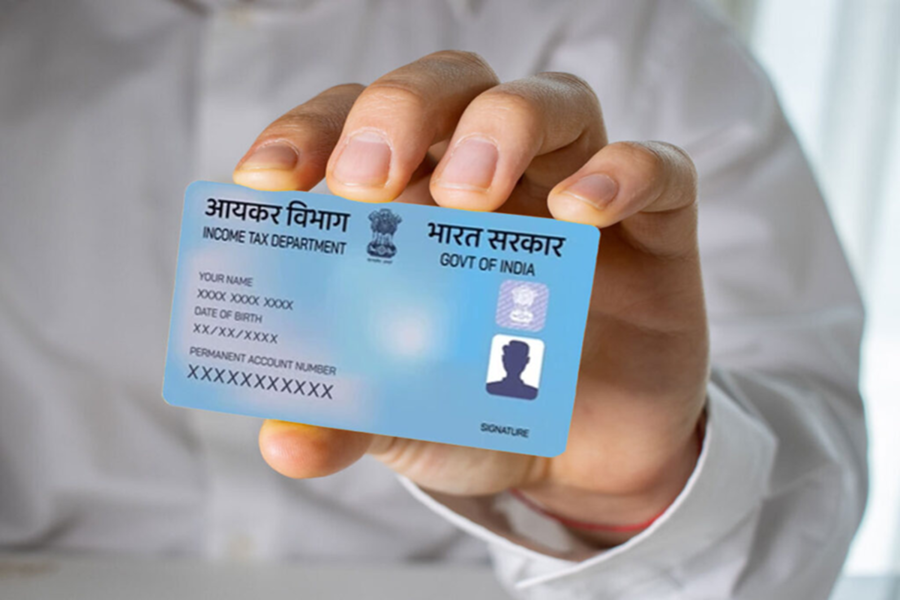
PAN Card Rule Changes: In today's times, Aadhaar and PAN cards are not merely documents; they have become an absolute necessity for us. We require both of these for almost every task we undertake. To ensure their continued usability, it is equally crucial to update them promptly.
Effective April 1st, if an individual's name does not match exactly across both their PAN card and Aadhaar card, their PAN card may be deactivated. Furthermore, this discrepancy could lead to several disadvantages, such as having to pay higher TDS (Tax Deducted at Source) and facing difficulties when attempting to claim income tax refunds.
Therefore, if your name currently differs across these documents, you should rectify it promptly. You will only need to update your name in one of the two cards (either Aadhaar or PAN). We have outlined the procedures for changing your name on both cards below.
**How to Change Your Name in Aadhaar?**
To modify any details associated with your Aadhaar card, you simply need the official Aadhaar app. Through this app, you can easily update your Aadhaar-related information. Today, we will learn how to change your name using the Aadhaar app.
**Step-by-Step Process**
**Step 1:** First, if you do not already have the Aadhaar app installed on your phone, download it from the Play Store.
**Step 2:** Once downloaded, register yourself and then log in. You can log in using your Aadhaar number and the OTP (One-Time Password) sent to your registered mobile number.
**Step 3:** On the dashboard, you will see an option labeled "Update Aadhaar Online"; click on it.
**Step 4:** Next, you will need to select the option specifically for changing your "Name."
**Step 5:** Subsequently, carefully fill in all the required details and upload the necessary supporting documents as requested.
**Step 6:** Finally, you must pay the applicable fee and submit your request.
To track the progress of your request and find out when your updated name will reflect in the system, you can click on the "Status" option. Now, let's look at how you can change your name on your PAN card.
**How to Change Your Name on a PAN Card?**
First, visit the official website of either NSDL or UTIITSL.
On the website, navigate to the section or option labeled "Changes/Corrections in PAN."
Next, you will be required to enter your basic details, such as your PAN number, name, date of birth, and email address. After entering your details, a 15-digit token number will be generated for you.
Next, select the specific details you wish to modify and make the necessary changes.
If any documents are requested, please upload them.
Finally, you will need to pay the applicable fee and submit your application.
Lastly, download the acknowledgement slip; this will allow you to check the status of your application in the future.
Disclaimer: This content has been sourced and edited from Dainik Jagran. While we have made modifications for clarity and presentation, the original content belongs to its respective authors and website. We do not claim ownership of the content.
