
Now You Can Use ChatGPT Even While Driving! Learn About the Technology and How to Use It
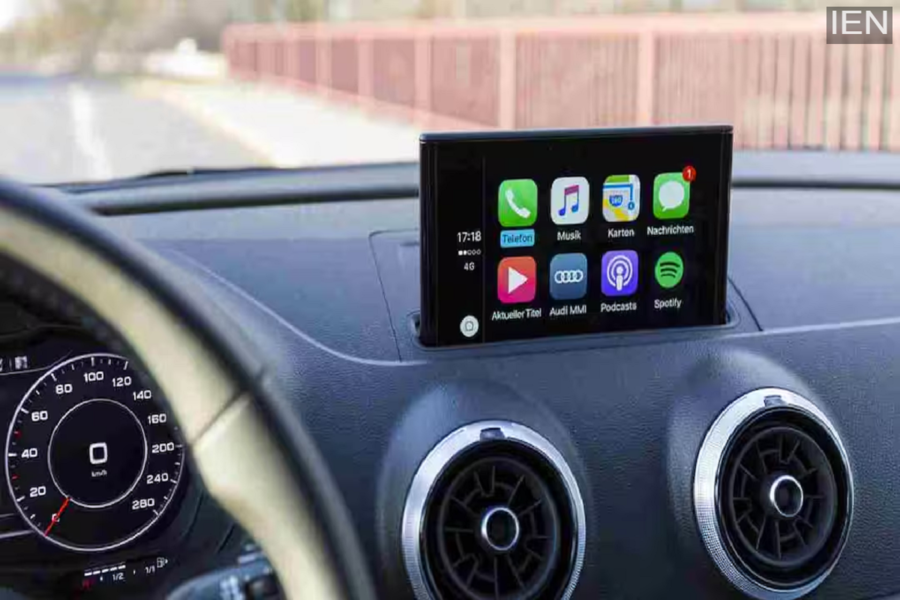
How to Use ChatGPT in the Car: With the iOS 26.4 update, Apple has added AI support for CarPlay. Following this change, you can now use apps in your car that operate via voice commands.
How to Use ChatGPT in the Car: If you use Apple CarPlay in your vehicle, there is great news for you. You can now access ChatGPT directly from your car's dashboard. This means that if you need to ask a question or require information while driving, you can get it done simply by using your voice.
A New Feature Arrives with the iOS 26.4 Update.
In the recently released iOS 26.4 update, Apple has introduced AI support for CarPlay. Thanks to this change, apps that function through voice interaction can now be utilized within the car environment. This is precisely why ChatGPT has become compatible with CarPlay, offering users a brand-new experience.
Technology Controlled Entirely by Voice
Using ChatGPT within CarPlay relies entirely on voice commands. In accordance with Apple's guidelines—designed to prevent driver distraction—such apps do not display text or images on the screen while driving. This means that whatever query you pose will be answered exclusively via audio.
How to Use It?
If you wish to use ChatGPT in your car, you must own an iPhone running on iOS 26.4 or a newer version. Once you connect to CarPlay, you can use your voice to ask ChatGPT questions or have it perform simple tasks.
Which iPhones Support This Feature?
This new update is available on the iPhone 11 and all subsequent models. This means the feature will work on the iPhone 12, iPhone 13, iPhone 14, iPhone 15, iPhone 16, and the new iPhone 17 series, as well as the latest iPhone SE models.
What Else Is New in This Update?
This update introduces not only ChatGPT but also several other new features. Apple Music has now introduced a feature called "Playlist Playground," which allows you to create personalized playlists simply by entering text prompts. Additionally, new emojis have been added, and the "Concerts Near You" feature enables you to discover music events taking place in your vicinity. Furthermore, to enhance iPhone security, "Stolen Device Protection" is now enabled by default.
While the integration of ChatGPT into CarPlay is highly useful, it cannot control your car or your iPhone. Its sole function is to answer questions and provide information, thereby helping to minimize distractions while you are driving.
