
LPG Delivery Update: Booked a Gas Cylinder? Check Your Delivery Status Online in Just a Few Minutes!
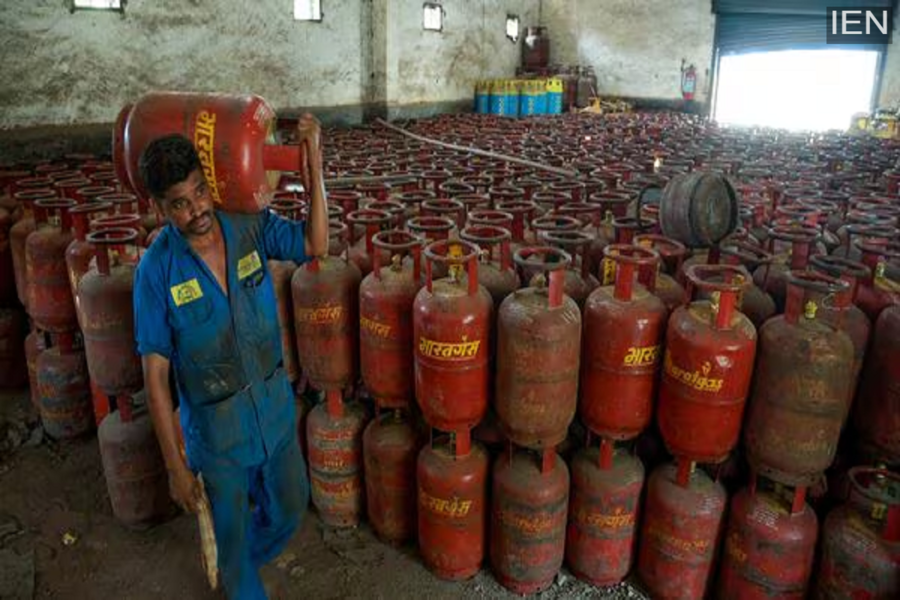
Gas Cylinder Booking Status: These days, people are facing significant difficulties regarding gas cylinder bookings. Here, we explain how to determine your delivery date after booking a gas cylinder.
LPG Booking Confirmation: Due to ongoing tensions between Iran and the US, India has witnessed a shortage of crude oil and LPG. However, the government currently asserts that it is closely monitoring gas supplies and that there is no actual shortage. Nevertheless, people are experiencing delays in receiving their gas cylinders. After booking a cylinder, no one seems able to provide a definitive timeline for its delivery. So, let us show you how you can check the status of your booking.
How to Check Your Cylinder Booking Status?
There are three ways to do this: first, online via a website; second, over the phone; and third, through a mobile app. Let's look at how to determine your confirmed cylinder delivery date using each of these three methods.
Via Online Portals or Websites
Whichever company's gas cylinder you use—such as Bharat Petroleum (Bharat Gas), Hindustan Petroleum (HP), or Indian Oil Corporation (Indane Gas)—visit that specific company's official website. Once there, proceed as follows:
Look for the "Track Order" or "Booking Status" option on the website and click on it.
Next, enter your registered mobile number, your LPG ID, or your order number.
The website will then display your scheduled delivery date.
Additionally, you can check your cylinder's status by visiting the portal mylpg.in.
On this portal, you will need to enter your LPG ID; you will then be able to access details regarding your booking date and information about your next refill.
Via Phone
You can also check your booking status using your mobile phone by calling from your registered mobile number. If you wish, you can also check this information via SMS or WhatsApp. The mobile number for each company is provided below:
Indane Gas: 7588888824
HP Gas: 92222 01122
Bharat Gas: 1800224344
Please note that these numbers can only be contacted using your registered mobile number.
Via Mobile App
Whichever agency or company you use to book your gas, ensure that you have their official mobile app downloaded on your device. You can then obtain your booking details by following these steps:
First, open the app and log in (if you are not already logged in).
Next, navigate to 'My Bookings' or 'Order History' within the app to check your booking status and delivery status.
