
If you want the LPG subsidy, link your connection with Aadhaar before October 1; here is the step-by-step process..
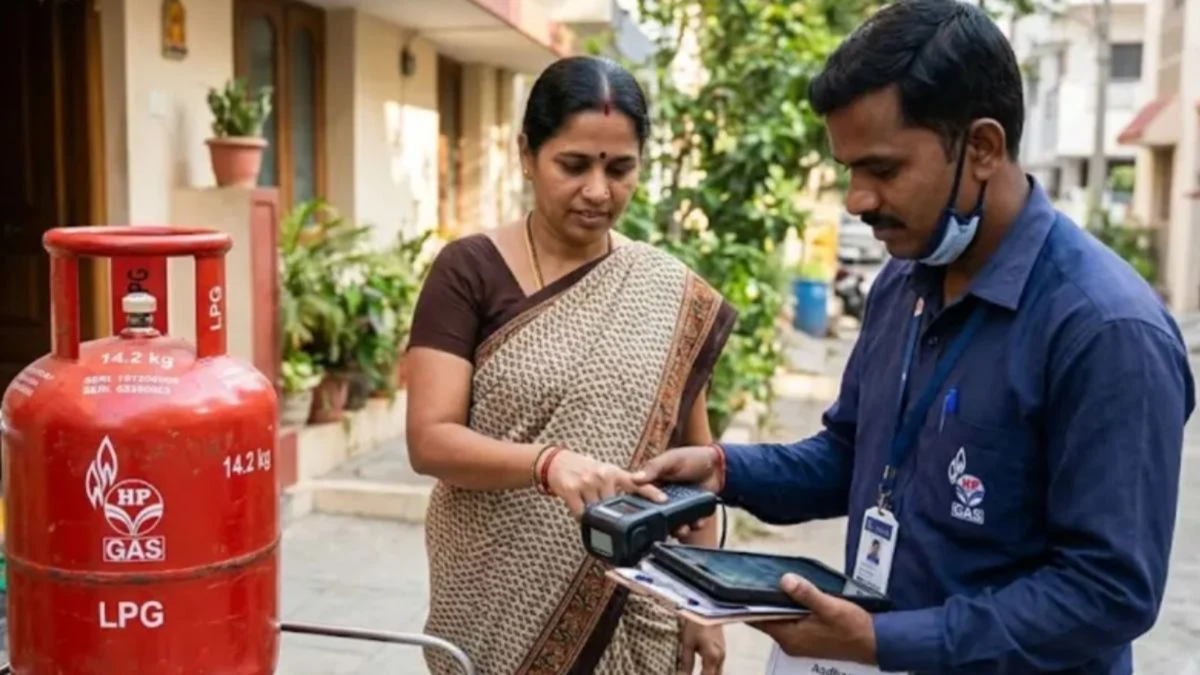
LPG Gas Subsidy Aadhaar Linking Rules: The Union Ministry of Petroleum has made a significant change to the rules regarding LPG subsidies. Biometric Aadhaar authentication has been made mandatory for domestic LPG consumers. The government has clearly directed that, starting October 1st, subsidies will be transferred via DBT (Direct Benefit Transfer) only to the bank accounts of customers who have updated their biometric authentication (KYC).
If you are availing of the government subsidy on gas cylinders, you should update your biometric authentication immediately. Failure to do so will result in having to purchase non-subsidized cylinders at commercial rates (market price). You can complete this process from the comfort of your home using your smartphone or computer, or even through the delivery person.
What happens if KYC is not completed?
If KYC is not completed, your LPG connection will be placed in the 'Non-KYC' category. You will have to purchase cylinders at the market rate (commercial price) without the subsidy, and the subsidy amount will not be credited to your bank account.
How to authenticate from home using the mobile app and Aadhaar FaceRD:
Install your gas agency's official app (such as IndianOil One for Indane, HPGas, or Bharatgas App) and the UIDAI Aadhaar FaceRD app from the Google Play Store on your phone. Log in to the app using the mobile number registered with your gas connection. Navigate to the 'Profile' section or 'Services' menu within the app and select the 'Aadhaar e-KYC' or 'Biometric Authentication' option. Once the camera opens, position your face in good lighting and blink as instructed. Upon successful verification, an OTP will be sent to your registered mobile number; enter it to submit the form. How to authenticate online via the mylpg.in portal:
Visit the official website, mylpg.in. Select your gas company from the images of Indane, Bharat Gas, or HP Gas cylinders shown on the right. Log in to the portal using your consumer number and registered mobile number. Navigate to the dashboard and click on the 'Biometric Authentication' or 'e-KYC' section. Enter the OTP received on your registered mobile number, verify your Aadhaar details, and submit the request.
**Complete authentication at your doorstep during delivery**
If you are unable to use the online portal or app, there is no need to visit an office. You can request biometric authentication from the delivery person when the LPG cylinder is delivered to your home. Authentication can be completed instantly via a fingerprint or face scan using the POS machine or the official mobile app carried by the delivery person.
If your mobile number has changed, your name or fingerprints are not updated in your Aadhaar records, or online verification keeps failing, you will need to visit your nearest gas agency to update your biometric and Aadhaar details in person. However, 27.43 crore consumers—representing 89 percent of the total—have already completed this process and do not need to take any further action.
Disclaimer: This content has been sourced and edited from NDTV India. While we have made modifications for clarity and presentation, the original content belongs to its respective authors and website. We do not claim ownership of the content.
