
How to log in to the new IRCTC website? Do you need to create a new ID?
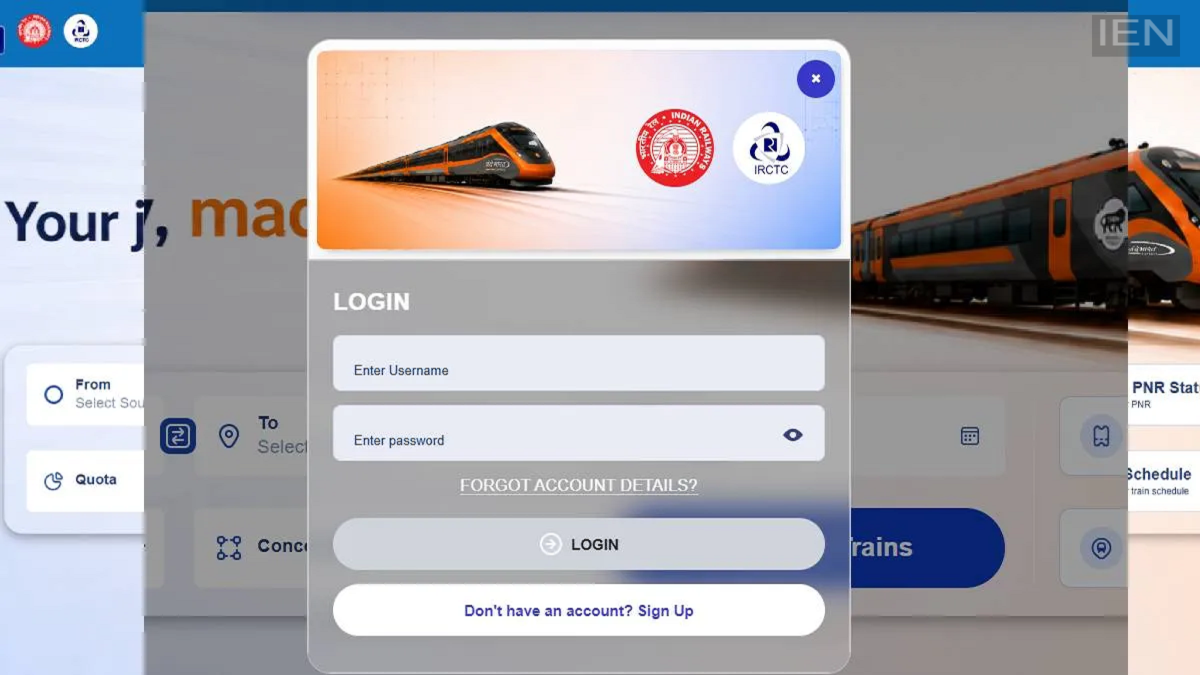
Indian Railways has launched the beta version of the new IRCTC website for online railway reservations. The full version is set to go live in the coming weeks. Several changes have been incorporated into it.
IRCTC has launched the beta version of its new website. This new website offers better features compared to the old ticket booking site. It features an improved user interface and a new color theme. The original IRCTC website was launched in 2002; the railway reservation website has undergone a complete upgrade after nearly 24 years.
How to log in to the new website?
- To log in to the new website, you need to visit irctc.co.in.
- On the homepage, you will see a banner at the top inviting you to use the beta version.
- Clicking on this banner will redirect you to the new beta version of the website.
- You will find the option to book reservation tickets right on the homepage.
- You can check seat availability directly on the homepage.
- Additionally, you can access information regarding PNR status and train schedules here.
- To book a ticket via the website, tap the 'Login' button located at the top.
- Next, enter your IRCTC user ID and password.
- You will then be able to log in to the website.
- If you are a new user, tap the 'Create ID' option available on the login page.
Will the old ID work?
Yes, you can use your existing ID and password to log in to the new IRCTC website. There is no need to create a separate new user ID. Just as you can log in to the RailOne app using your old IRCTC ID, you can use the same ID to log in to the new website. However, ensure that your ID is linked to your Aadhaar and that you have completed the OTP authentication. You can book your travel tickets after logging into the new website. Like the old one, the beta version of the new IRCTC website will also facilitate ticket booking. However, the beta version has currently been launched for testing purposes; further changes may be introduced in the future based on user feedback.
