
EPFO E-Nomination: How to Update Your PF Nominee Online from Home in Just a Few Minutes
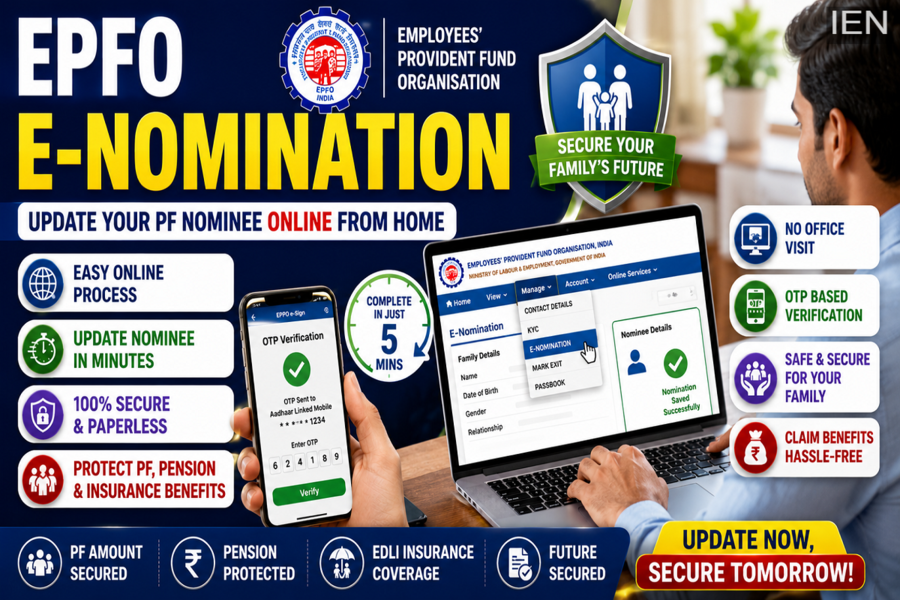
The Employees' Provident Fund Organisation (EPFO) has significantly simplified the process of updating nominee details for Provident Fund (PF) account holders. With the introduction of the digital e-Nomination facility, employees no longer need to visit EPFO offices or coordinate with their employers to add or modify nominee information.
Today, PF subscribers can complete the entire nomination process online using a smartphone, laptop, or desktop computer. Keeping nominee details updated is one of the most important steps for safeguarding your family's financial future, as it ensures smooth access to PF savings, pension benefits, and insurance claims in case of an unforeseen event.
If you have not yet completed your EPF e-Nomination, here is a complete guide to help you update your nominee details quickly and easily.
Why Is EPF E-Nomination Important?
Nomination allows EPFO to transfer benefits to the designated family member or beneficiary without unnecessary legal complications.
An updated nomination helps ensure smooth settlement of:
-
Provident Fund (PF) balance
-
Employees' Pension Scheme (EPS) benefits
-
Employees' Deposit Linked Insurance (EDLI) benefits
-
Other EPF-related claims
Without a registered nominee, family members may face delays and additional documentation requirements during claim settlement.
Step-by-Step Process to Complete EPFO E-Nomination
EPFO offers a fully online process through its Member Unified Portal.
Step 1: Visit the EPFO Member Portal
Open the EPFO Unified Member Portal and log in using:
-
Universal Account Number (UAN)
-
Password
-
Captcha code
Ensure your UAN is activated before proceeding.
Step 2: Access the E-Nomination Section
After logging in:
-
Click on the "Manage" tab.
-
Select "E-Nomination" from the dropdown menu.
This will open the nomination dashboard.
Step 3: Update Profile Information
You may be prompted to verify or update your profile details.
Check and save:
-
Permanent address
-
Current address
-
Personal information
Click "Save Profile" after verifying the details.
Step 4: Add Family Details
The portal will ask whether you have a family.
Select "Yes" and provide the nominee's details, including:
-
Aadhaar number
-
Full name
-
Date of birth
-
Gender
-
Relationship with the member
You may also upload a passport-size photograph of the nominee if required.
Step 5: Add Multiple Nominees (Optional)
If you wish to nominate more than one family member:
-
Click "Add Row"
-
Enter details for additional nominees
-
Save the information
After entering all nominee details, click "Save Family Details".
Step 6: Allocate PF Share Percentage
You must specify how much of your PF balance each nominee will receive.
For example:
-
Spouse – 50%
-
Child 1 – 25%
-
Child 2 – 25%
Once allocation is complete, click "Save EPF Nomination."
Step 7: Complete E-Sign Verification
The final step is digital authentication.
-
Click on "E-Sign"
-
An OTP will be sent to your Aadhaar-linked mobile number
-
Enter the OTP
-
Submit the verification
After successful authentication, your e-Nomination will be registered with EPFO.
Things You Should Keep Ready Before Starting
To avoid interruptions during the process, make sure you have the following:
Activated UAN
Your Universal Account Number should be active and accessible.
Correct Aadhaar Details
Ensure your:
-
Name
-
Date of birth
-
Aadhaar details
match the information available in your EPF profile.
Aadhaar-Linked Mobile Number
OTP verification is mandatory, so your mobile number must be linked with Aadhaar.
Nominee Documents
Keep the following ready:
-
Nominee's Aadhaar number
-
Passport-size photograph
-
Personal details
Accurate information helps prevent claim-related issues in the future.
What Happens If You Don't Update Your Nominee?
Many employees overlook nomination updates, which can create serious challenges later.
Without a valid nominee:
-
PF withdrawal claims may become complicated
-
Family members may face delays in receiving benefits
-
Pension-related claims may be affected
-
Additional legal documentation may be required
In some cases, family members may need to obtain succession certificates or other legal documents before receiving EPF benefits.
EDLI Insurance Benefit Could Also Be Affected
One of the biggest reasons to complete e-Nomination is the Employees' Deposit Linked Insurance (EDLI) Scheme.
Eligible EPF members are covered under this scheme, which can provide insurance benefits of up to ₹7 lakh to nominees in case of the member's death during service.
An updated nomination ensures that the insurance claim process remains smooth for beneficiaries.
Final Thoughts
EPFO's online e-Nomination facility has made it easier than ever for employees to secure their family's financial future. The process takes only a few minutes and can be completed entirely from home.
By updating nominee details on time, PF account holders can ensure hassle-free access to Provident Fund savings, pension benefits, and insurance coverage for their loved ones. If you haven't completed your e-Nomination yet, now is the right time to do it.
