
e-PAN: Get a PAN card in minutes from the comfort of your home; learn the easiest way to apply via the Income Tax Department's website.
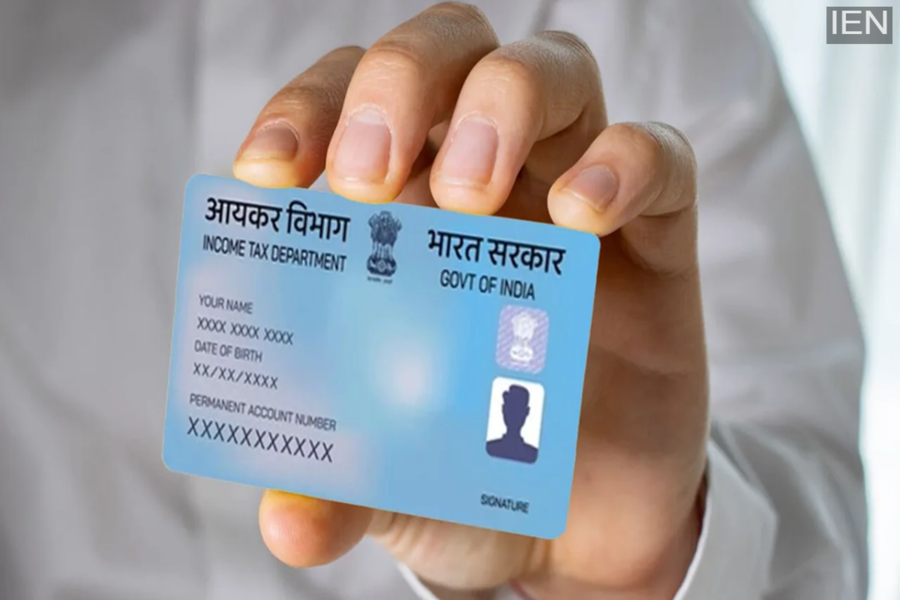
PAN Card Online: Do you want to get a PAN card made from the comfort of your home? If so, you can apply through the Income Tax Department's website. Here is how you can easily get a PAN card.
e-PAN: The PAN (Permanent Account Number) card is a crucial document in India, issued by the Income Tax Department. It is used for various financial transactions and tax-related activities. A PAN card is required for tasks such as opening a bank account, filing income tax returns, and obtaining loans. Nowadays, the process of obtaining one has become simple, allowing people to apply online from home.
Why is a PAN card important?
The PAN card is an essential document used for identity verification and financial transactions. Banks and government offices use it to verify information regarding your taxes and finances. It is utilized for activities like opening bank accounts, securing loans, and filing income tax returns, ensuring your financial data is accurately recorded. There is no strict age limit for obtaining a PAN card, so young people can also apply for it.
Learn the easy way to generate an e-PAN
If you need a PAN card immediately, you can apply for an e-PAN from the comfort of your home. This is done through the Income Tax Department's website; the entire process is online, and the e-PAN is generated within minutes.
• First, visit the official Income Tax Department website.
• Select the "Instant e-PAN" option. Then, click on "Get New e-PAN" and enter your Aadhaar number.
• Next, an OTP is sent to the mobile number linked to your Aadhaar. Enter this OTP to complete the verification.
• Your basic details are automatically retrieved by the system; you simply need to review them.
• If all the information is correct, you can submit the application.
• Upon submission, you will receive an acknowledgment number. Using this number, your e-PAN is generated within minutes, and you can also download it online.
You can also apply via the Protean website:
• First, visit the official Protean (formerly NSDL) website.
• Select the “New PAN – Indian Citizen (Form 49A)” option.
• Next, select the “Individual” category.
• Carefully fill in all the required details in the application form.
• Complete the verification process by entering the captcha code.
• Now, choose your preferred method for submitting the application.
• If you wish to have a physical PAN card delivered to your home, pay the prescribed fee.
• Complete the verification using your Aadhaar number and OTP.
• You will receive an acknowledgment number after the payment.
• You can use this number to track the status of your application.
• Additionally, you can download your digital PAN card (e-PAN).
Important points to remember:
When applying online, ensure that your Aadhaar card details are accurate and up-to-date, and that your mobile number is linked to your Aadhaar.
Keep all necessary documents ready before filling out the form to avoid any issues. Providing accurate information ensures the PAN card is processed quickly and simplifies the procedure.
