
Could replying ‘NO’ on WhatsApp drain your bank account? Beware of such messages.
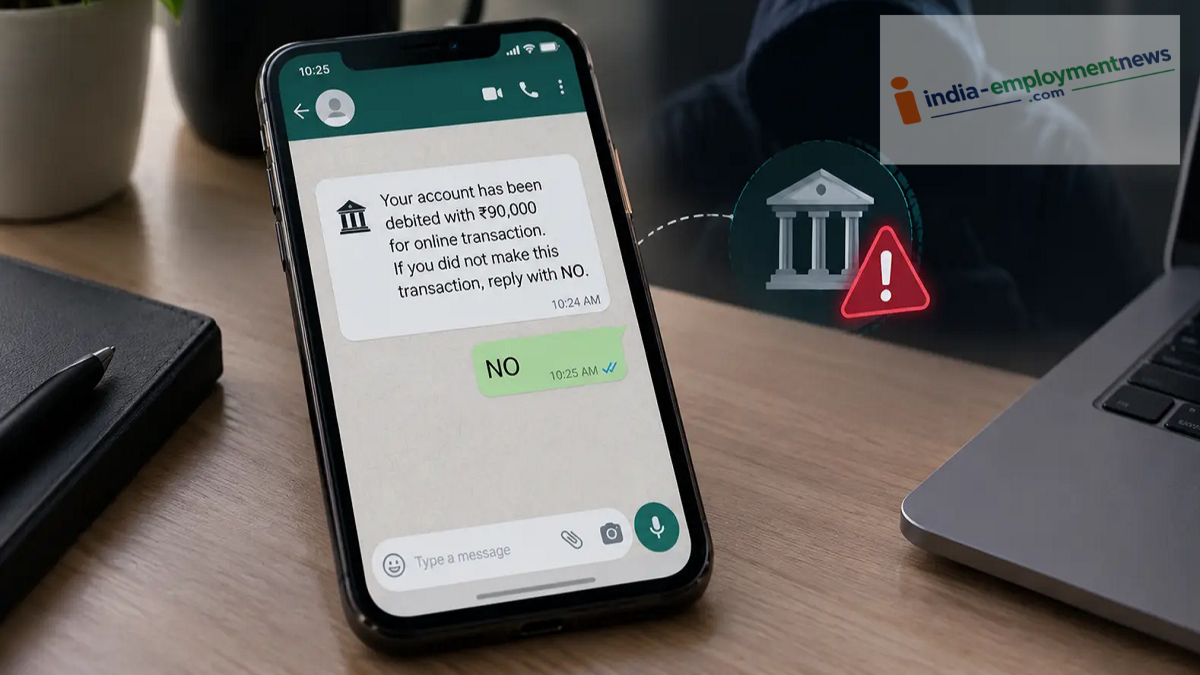
Beware of the ‘NO’ scam on WhatsApp. Can sending ‘NO’ in response to a bank alert empty your bank account? Learn the truth and how to protect yourself.
When using WhatsApp, you need to be cautious not only of suspicious links but also of fake bank alerts. Following a warning from Hyderabad Police Commissioner VC Sajjanar, there is talk of a so-called ‘NO’ scam on WhatsApp. It is claimed that in this scheme, fraudsters do not ask users to share an OTP or click on any links. This raises the question: how does this scam work, and what risk does it pose to your bank account?
What is the WhatsApp ‘NO’ scam?
In this alleged scam, fraudsters may send a message to individuals regarding a bank transaction, claiming that a payment has been made or money has been deducted. The user is then asked whether they initiated the transaction. If not, they are instructed to reply with ‘NO’.
Seeing such a message can cause panic, especially if the user believes that money has been deducted from their bank account without their knowledge. Fraudsters may attempt to exploit this fear and the resulting sense of urgency.
However, the claim that simply replying ‘NO’ on WhatsApp can lead to your phone being hacked or your bank account being emptied requires independent technical verification. Generally, merely responding to a message does not grant anyone full access to your phone. Therefore, it would be unwise to accept this claim as true without verification.
How can a scam occur without an OTP or a link?
Cybercriminals target individuals using various methods. These can include sending fake bank alerts, tricking users into downloading suspicious files, installing malicious apps, or obtaining sensitive permissions on the user's phone. If a user downloads an unknown file or grants sensitive permissions to a suspicious app, their phone and personal information could be at risk. In some cases, this could even be used to steal banking-related information.
However, it is important to clearly understand the connection—if any—between sending a "NO" response and the activation of malware on a phone. Without confirmation of a specific technical mechanism, it would be inaccurate to claim that simply replying to a message can lead to a bank account being emptied.
How can WhatsApp users stay safe?
Keep the following points in mind to protect yourself from such scams:
If you receive a suspicious alert related to your bank, do not respond via WhatsApp; instead, check your transactions through your bank's official app.
Do not download APKs or any other files sent from unknown numbers.
Do not install apps on your phone—or grant them unnecessary permissions—at the request of an unknown person.
Report and block suspicious messages or numbers on WhatsApp.
If an unauthorized transaction occurs on your bank account, notify your bank immediately and contact the cybercrime helpline at 1930. You can also file a complaint through the national cybercrime portal.
Not every bank-related alert received on WhatsApp is genuine. Therefore, rather than panicking or acting hastily upon receiving such a message, take the time to verify it. Most importantly, there is no need to fear the word "NO" itself; rather, you should remain cautious of suspicious messages, files, and apps.
