
Ayushman Card: No more running around to get an Ayushman card made; easily create it right on WhatsApp..
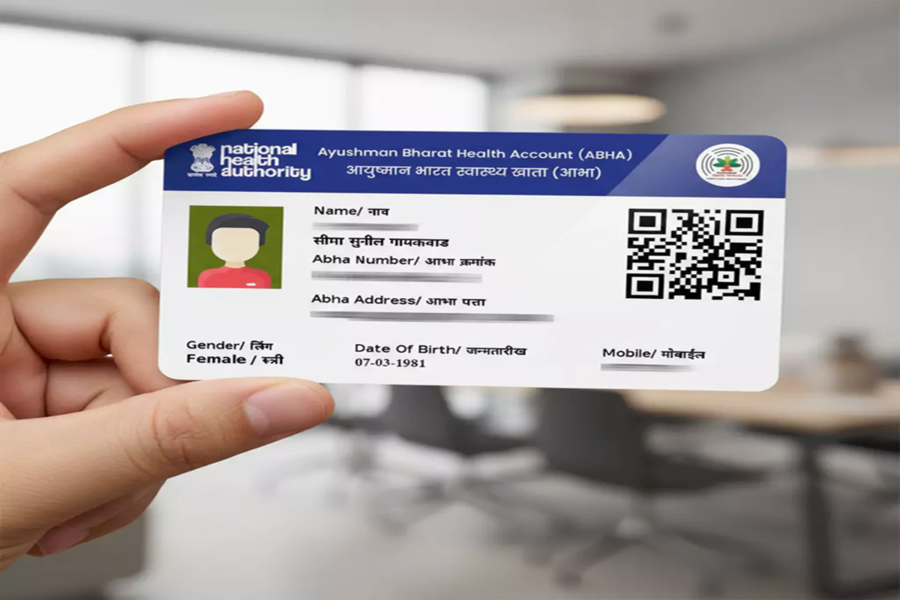
Obtaining an Ayushman Card has traditionally been a cumbersome process for the general public, often requiring multiple visits to government offices. However, a new government initiative has made the process much easier, eliminating the need to visit government offices or call helplines. The government has launched a special WhatsApp chatbot named 'Ayushman Sarathi,' enabling users to access key services of the 'Ayushman Bharat Pradhan Mantri Jan Arogya Yojana' (AB PM-JAY) around the clock.
Developed by the National Health Authority (NHA), this chatbot utilizes API-based integration with the scheme's digital system to provide secure, real-time access to PM-JAY services via WhatsApp.
**How it works and available services on WhatsApp**
According to the Ministry of Health, beneficiaries can use 'Ayushman Sarathi' to check their eligibility under PM-JAY, apply for and download their Ayushman Card, complete eKYC, link their Aadhaar, lock or unlock their PM-JAY card, and access services related to the 'Ayushman Vayo Vandana Card' for senior citizens aged 70 and above.
Users can also view their wallet balance and treatment history, locate nearby empanelled hospitals, register, track, or withdraw grievances, request a callback, and provide feedback after hospital discharge.
The Ministry stated that the objective behind creating this chatbot is to enhance immediate access to PM-JAY services, transparency, and citizen engagement via WhatsApp, while reducing reliance on physical visits and call centers. The Ministry further noted that this platform would strengthen grievance redressal through beneficiary feedback and continuous monitoring of healthcare service delivery, thereby facilitating data-driven governance.
How to create an Ayushman Card on WhatsApp
First, save the WhatsApp number +91 72908 23838 on your mobile. After saving the number, send "Hi" to it via WhatsApp. You will then receive a list of options from the chatbot; select the "Create Ayushman Card" option. Next, you will need to enter details such as your mobile number and Aadhaar number. Complete the eKYC process after verifying via OTP. Your Ayushman Card will then be generated, and you can download it directly from there.
Disclaimer: This content has been sourced and edited from NDTV India. While we have made modifications for clarity and presentation, the original content belongs to its respective authors and website. We do not claim ownership of the content.
