
YouTube Introduces Picture-in-Picture for All Users, Lets You Multitask While Watching Videos
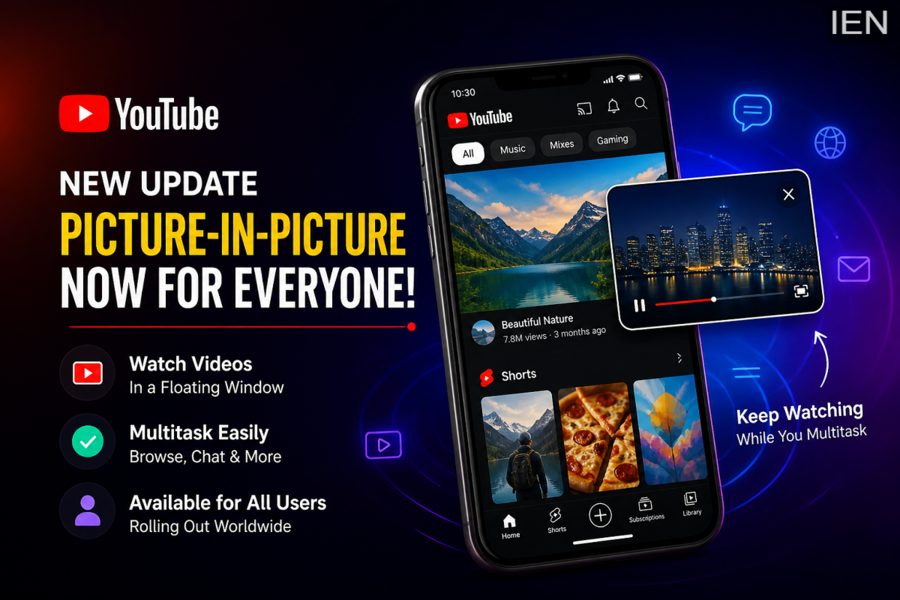
In a move aimed at enhancing user convenience, YouTube has started rolling out its much-awaited Picture-in-Picture (PiP) feature to a wider global audience. This update allows users to continue watching videos in a floating window while using other apps on their smartphones—making multitasking smoother than ever.
With increasing demand for seamless mobile experiences, this feature is expected to significantly improve how users interact with video content on their devices.
What Is Picture-in-Picture (PiP) Mode?
Picture-in-Picture, commonly known as PiP, is a functionality that enables videos to play in a small, movable window on your screen even after exiting the app. Instead of stopping playback when you switch apps, the video continues running in a mini-player.
This floating window can be resized and repositioned anywhere on the screen, allowing users to chat, browse, or perform other tasks simultaneously without interrupting their viewing experience.
Now Expanding Beyond Premium Users
Previously, the PiP feature was limited to select regions and mostly available to premium subscribers of YouTube Premium. However, YouTube has now announced a broader rollout, bringing this feature to all users worldwide in phases.
There is, however, a distinction in availability:
- Non-Premium Users: Can use PiP for standard (non-music) videos
- Premium Subscribers: Can access PiP for both music and non-music content
This change marks a significant step toward making advanced features more accessible to a wider audience.
How the Feature Works
Using Picture-in-Picture is simple and intuitive. When you are watching a video on YouTube, you just need to exit the app—either by pressing the home button or switching to another application. The video will automatically shrink into a floating window.
You can drag this window across your screen, resize it, or pause/play content directly from the mini-player. This allows uninterrupted viewing even while sending messages, checking emails, or browsing social media.
How to Enable or Disable PiP
For users who want to manage this feature, YouTube provides easy control options:
- To Enable PiP:
Go to your phone’s settings, open app settings for YouTube, and turn on the PiP option - To Disable PiP:
Open the YouTube app, head to settings, and switch off the Picture-in-Picture feature
Keep in mind that the availability of settings may vary slightly depending on your device and operating system.
Why This Update Matters
With smartphones becoming the primary device for content consumption, multitasking features like PiP are increasingly essential. Whether you're replying to messages, checking emails, or scrolling through social media, this feature ensures your video keeps playing without interruption.
The rollout also reflects YouTube’s strategy to stay competitive in the fast-evolving digital ecosystem, where user experience plays a critical role in engagement.
Final Thoughts
The expansion of the Picture-in-Picture feature marks a notable improvement in YouTube’s mobile experience. By allowing users to watch videos while performing other tasks, the platform is aligning itself with modern user habits and expectations.
As the feature continues to roll out globally, more users will soon be able to enjoy uninterrupted viewing alongside seamless multitasking—making everyday smartphone use more efficient and convenient.
