
You can still get a confirmed train ticket for Diwali and Chhath; just make this small preparation before attempting a 'Tatkal' booking..
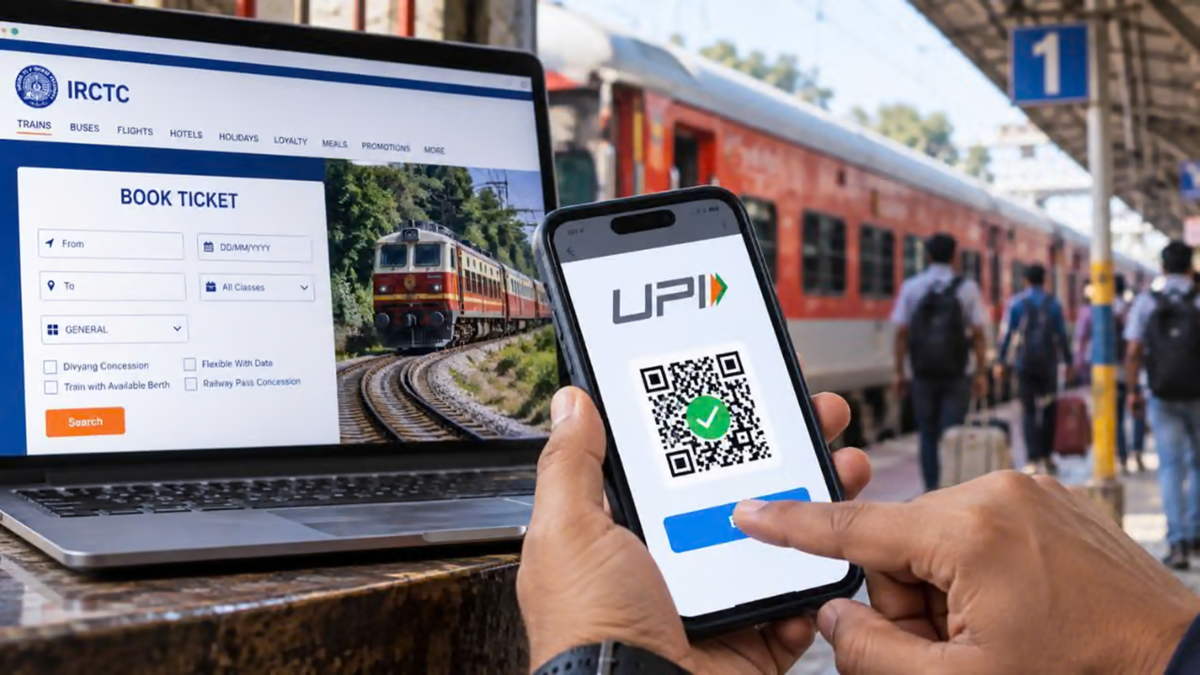
IRCTC Tatkal Ticket: During the festive season, the number of passengers traveling home by train increases significantly. Especially during major festivals like Diwali or Chhath, everyone wishes to be with their family. Due to this heavy rush, securing a confirmed seat on a train becomes a major challenge. Often, even those who book their tickets months in advance fail to get a confirmed berth. If you are facing a similar situation, the Indian Railways' 'Tatkal' (urgent) ticket quota can be a great help. Under this quota, the Railways releases a limited number of seats exactly one day before the date of travel. By booking at the right time and making some prior preparations, your chances of securing a confirmed ticket increase significantly.
When does the Tatkal ticket window open?
To book a Tatkal ticket, it is essential to know the correct timing. According to Railway rules, the booking window for Tatkal tickets opens exactly one day before the train's departure from its originating station:
AC Class: Booking begins at 10:00 AM.
Sleeper (Non-AC) Class: The booking window opens at 11:00 AM.
For instance, if your train is scheduled to depart from its originating station on October 28, you must book your Tatkal ticket one day in advance—on the morning of October 27.
Make these smart preparations before booking
When it comes to Tatkal tickets, every second counts. To avoid last-minute hassles—such as struggling to enter passenger details or facing payment failures—complete the following three tasks at least half an hour before the booking window opens:
Keep a 'Master List' ready: Entering passenger names, ages, and genders during the booking process is the most time-consuming part. To avoid issues, go to the ‘My Profile’ section on the IRCTC app or website and save the details of all passengers in the ‘Master List’ in advance. This allows you to add these passengers with just a single click during the booking process.
Keep funds in your IRCTC eWallet: A major reason for missing out on a Tatkal ticket is a delay during the payment process. Using third-party UPI apps, net banking, or cards can often lead to the loss of precious time due to bank server issues or the need to switch between different apps. The most reliable solution is the IRCTC eWallet; ensure it is pre-loaded with sufficient funds. This eliminates the need for third-party apps, allowing payment to be deducted instantly from your IRCTC eWallet with a single click at the time of booking.
Account and Aadhaar verification: Check your user ID and password beforehand. Additionally, ensure your IRCTC account is linked (verified) with your Aadhaar to prevent any technical hurdles when booking a higher number of tickets per month.
Understand the complete booking process step-by-step:
Once you have completed the preparations mentioned above, follow these steps during the booking process:
Log in at the right time: Log in to the IRCTC app or website at 9:57 AM for AC classes and 10:57 AM for Sleeper class. (Logging in too early may cause your session to time out.)
Select stations and quota: Enter the ‘From’ and ‘To’ station names, choose your date of travel, and set the quota to ‘Tatkal’. As soon as the clock strikes 10:00 AM or 11:00 AM, click on ‘Search Train’.
Select the train and class: Click on the desired class (e.g., 3AC or Sleeper) for your chosen train and immediately press ‘Book Now’. Select names from the 'Master List': As soon as the passenger details page opens, instead of typing in the information, select the passengers by ticking the boxes next to their names in the 'Master List' pop-up. All the details will be filled in automatically in an instant.
Make sure to select this option: When scrolling down, ensure you check the box labeled 'Book only if confirmed berths are allotted.' This ensures that if no confirmed seats are available, your money will not get tied up in a waitlisted ticket.
Pay instantly using 'IRCTC eWallet': After entering the CAPTCHA code, proceed to the payment page. Instead of searching for UPI or card payment options, select 'IRCTC eWallet.' Once you enter your OTP/PIN, the payment will be processed in seconds, and your confirmed ticket will be generated.
Important rules for Tatkal booking
Maximum passengers: Under the Tatkal quota, a maximum of 4 passengers can be booked on a single PNR.
Additional charges: A 'Tatkal charge' is added to the base fare for Tatkal tickets. Therefore, ensure your IRCTC wallet has an extra ₹400–₹500 per passenger over and above the base fare.
Refund policy: If your Tatkal ticket is confirmed and you subsequently cancel it, no refund is provided as per railway rules. Therefore, double-check your travel date and train number carefully before booking.
Disclaimer: This content has been sourced and edited from TV9. While we have made modifications for clarity and presentation, the original content belongs to its respective authors and website. We do not claim ownership of the content.
