
You Can Now Add Fun Thumbnails to YouTube Shorts via Desktop; New Features Are Here
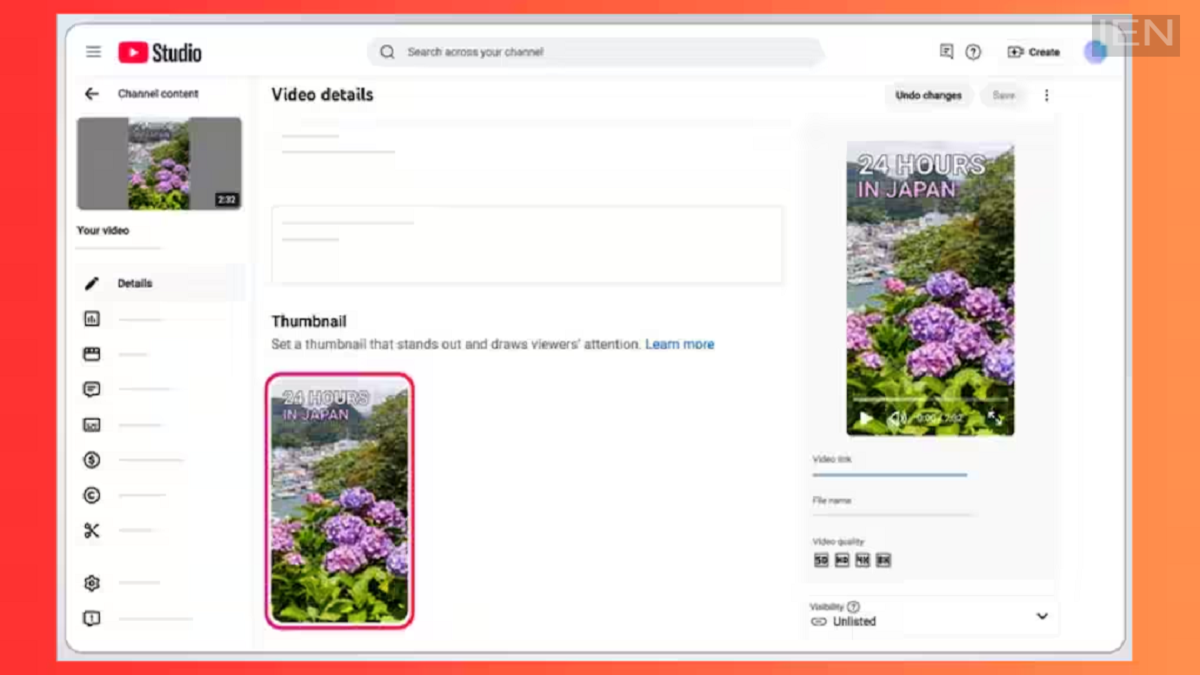
Creating thumbnails for YouTube videos used to be a laborious task, but YouTube has now simplified the process. You can now generate thumbnails using AI directly on the platform. Here are the details.
YouTube has made the thumbnail creation process much easier for its creators. Creators can now generate thumbnails for YouTube Shorts using a desktop—a feature previously limited to smartphones. Additionally, a new "Generate Thumbnails" feature has been added to YouTube Studio for long-form videos, allowing you to create thumbnails for your content. The company states that these updates will not only save creators time but also result in more attractive thumbnails for viewers.
Let’s look at the details.
YouTube announced these thumbnail features in a recent blog post. Previously, creating eye-catching thumbnails for YouTube videos required significant effort; now, creators can generate them with ease. The company has initially rolled out these features to creators in the YouTube Partner Program. As mentioned, these features apply to everything from long-form videos to Shorts. While currently available to YouTube Partner Program creators, the features will be rolled out to other creators in the future.
Shorts Thumbnails
With the new update, YouTube creators can now add thumbnails to Shorts via desktop. Previously, adding thumbnails to Shorts was only possible via mobile phones, but this functionality is now available on desktop as well. Users will have the option to create custom thumbnails for Shorts. When uploading a YouTube Short, users will see a new option presenting three automatically generated thumbnail frames, from which they can select one.
