
Windows 11: Now Your PC Will Become a Gaming Console, Windows 11 Gets Its Most Useful Feature..
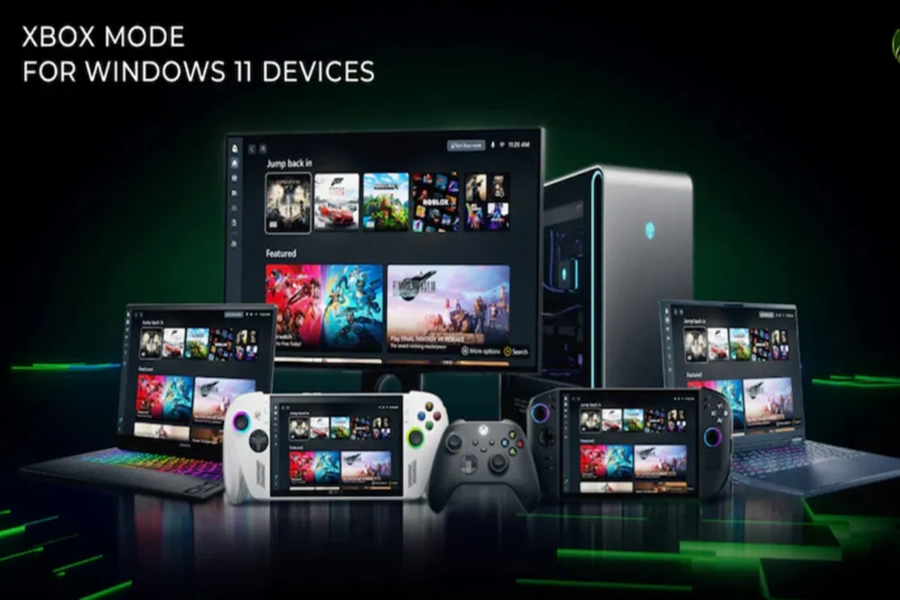
If you are a gamer, there is good news for you. Microsoft has started rolling out a new Xbox Mode for Windows 11 PCs, designed specifically for gamers. This feature will provide desktops, laptops, and tablets with a console-like gaming experience. The new interface has been designed with controllers in mind. Through it, libraries from Xbox Game Pass, Steam, and the Epic Games Store will be accessible in a single, centralized location. This will make gaming easier and more enjoyable than ever before.
**What is Xbox Mode, and why is it special?**
Xbox Mode is a new full-screen gaming interface developed for Windows 11. It was first introduced on the ROG Ally handheld device. Now, it is being released for Windows 11 PCs in select markets. Its design is inspired by the Xbox console, offering users a familiar and intuitive experience. This mode works particularly well when used with a controller; gamers can easily browse their game libraries and launch games instantly without needing a keyboard or mouse.
**How to use Xbox Mode**
If you wish to use Xbox Mode on your PC, you must first enable the automatic settings for Windows Update. To do this, go to Settings, open the Windows Update section, and toggle on the option labeled "Get the latest updates as soon as they are available." As soon as this update becomes available for your device, you will be able to install it. Once the update is received, Xbox Mode can be activated by navigating through the Windows Settings. Microsoft is currently rolling this out in a phased manner across select markets.
**Steam, Game Pass, and Epic—All in One Place**
The most significant feature of Xbox Mode is its aggregated game library. This means that games installed via Xbox Game Pass, Steam, the Epic Games Store, and other platforms will all appear within a single, unified interface. Users can select their preferred game directly using a controller and jump straight into the action. Returning to the standard Windows 11 desktop after finishing a game is also extremely easy. Microsoft states that this feature will be continuously improved based on user feedback to make the PC gaming experience even more fantastic.
Disclaimer: This content has been sourced and edited from TV9. While we have made modifications for clarity and presentation, the original content belongs to its respective authors and website. We do not claim ownership of the content.
