
Where should the speakers be located on a smart TV for the best sound quality? Considering these things when buying will be beneficial..
Smart TV Guide: When buying a smart TV, people usually focus on its size, brand, and picture quality. However, other features are essential in a smart TV. Besides features, you should also consider things like the speaker placement, whether the remote is smart, the types of connectivity ports available, and the sound technology. If you are planning to buy a new smart TV, this article can be helpful. We have highlighted some important things to consider when buying a smart TV.
Smart Remote Provides a Great Experience
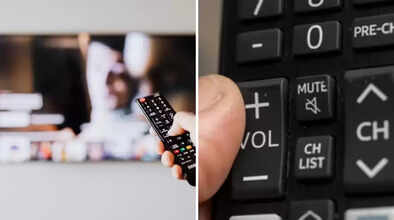
Along with smart TVs, their remotes have also become smart. They now come with new features like voice control, a keyboard, and a touchpad. A smart remote makes it easy to control the TV. You can also easily access apps and smart assistants. Therefore, when buying a smart TV, be sure to check the features offered by the remote.
Where are the Speakers Located on the TV?
In today's slim TVs, the speakers are often located at the bottom. This muffles the sound, and it doesn't reach the viewers directly, but instead travels towards the floor. This degrades the sound quality. If you want a loud and clear sound without using separate speakers, be sure to check the speaker placement. If you find an option where the speakers are located on the sides of the TV instead of the bottom, you should consider buying it.
Good Sound Quality is Essential
A great audio setup can significantly enhance your TV viewing experience. For this, you need to pay attention to a few key things. When buying a smart TV, be sure to check the wattage. The higher the wattage, the better the sound quality. Wattage indicates how powerful your speaker is and how loud it can be. This will ensure that you hear every sound, big or small, clearly.
Also, look for sound technologies like Surround Sound, Dolby Digital, and DTS Premium. These technologies deliver sound in a way that makes it seem like the sound is coming from all around you.
What Ports are Available for Connectivity? What you can watch and do on your TV depends on what and how many devices you can connect to it. This is made possible by the HDMI ports, audio ports, and other ports provided on the TV. These ports determine what you can view on your screen.
For example, HDMI ports transmit high-definition video and audio signals. This allows you to connect devices like Blu-ray players, gaming consoles, or laptops to your TV for excellent picture quality. Audio ports, such as headphone jacks or RCA jacks, allow you to connect external sound systems.
Disclaimer: This content has been sourced and edited from Navbharat Times. While we have made modifications for clarity and presentation, the original content belongs to its respective authors and website. We do not claim ownership of the content.
