
WhatsApp’s New ‘Strict Account Settings’: What It Is and How to Enable It
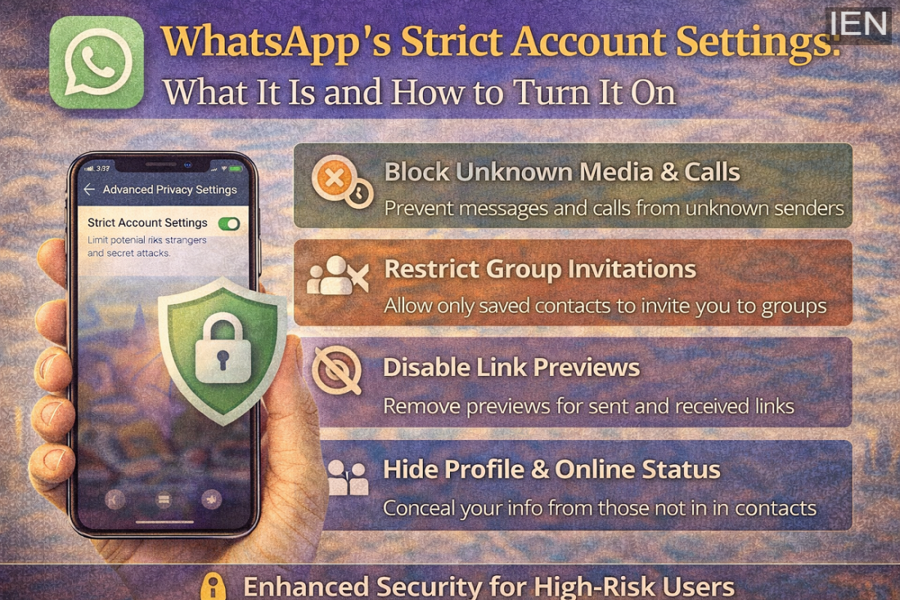
WhatsApp has introduced a new security feature called Strict Account Settings, designed to provide stronger protection for users who may face sophisticated hacking attempts. The feature works like a security lockdown mode, restricting how unknown contacts interact with your account and limiting potential ways attackers can reach you.
This security tool is particularly aimed at journalists, activists, public figures, and high-risk users, though anyone can enable it if they want stronger privacy protections.
Here’s everything you need to know about WhatsApp’s Strict Account Settings and how to activate it.
What Are WhatsApp’s Strict Account Settings?
Strict Account Settings is an advanced privacy mode that automatically tightens several security controls within the app. Once activated, the feature reduces the ways unknown users can interact with your account.
Some of the major protections include:
-
Blocking media and attachments from unknown contacts
-
Silencing calls from unknown numbers
-
Disabling link previews for messages
-
Restricting group invitations to saved contacts only
-
Hiding profile photo, online status, and About details from strangers
These restrictions reduce the chances of malicious links, suspicious files, or tracking attempts reaching your device.
What Happens When You Enable the Feature
Turning on Strict Account Settings triggers several automatic security changes within WhatsApp.
1. Two-Step Verification Is Activated
Two-step verification becomes active, adding an additional security layer that requires a PIN when registering your phone number again.
2. Security Notifications Stay Enabled
WhatsApp’s encryption security alerts remain permanently active. These notifications inform you if a contact’s encryption code changes, which could indicate that someone else has attempted to access their account.
3. Calls Are Routed Through WhatsApp Servers
Voice calls are routed through WhatsApp’s servers instead of connecting directly. This helps prevent attackers from identifying your IP address or location.
4. Link Previews Are Disabled
Previewing links in chats is turned off to prevent hidden tracking attempts that could expose your device information.
Why This Feature Isn’t Needed for Everyone
WhatsApp has clarified that most users are not targeted by advanced cyberattacks, which means standard security protections are already strong enough for everyday use.
The platform already uses the Signal Protocol for end-to-end encryption, ensuring that personal messages, calls, photos, and videos remain private.
However, Strict Account Settings is designed for individuals who may face higher-risk digital threats, where additional security restrictions are necessary.
How to Enable WhatsApp Strict Account Settings
Activating this feature only takes a few steps.
Follow these instructions:
-
Open WhatsApp on your phone.
-
Tap Settings.
-
Go to Privacy.
-
Select Advanced.
-
Turn on Strict Account Settings.
Once enabled, the additional privacy protections will be applied automatically.
Important Things to Know
-
This feature can only be enabled from your primary phone.
-
It cannot be turned on using WhatsApp Web or desktop apps.
-
Some convenience features may be limited when the mode is active.
WhatsApp intentionally reduces certain functionality so that security remains the top priority.
Final Thoughts
WhatsApp’s Strict Account Settings adds a powerful layer of protection for users who need stronger privacy controls. By limiting unknown contacts, disabling risky features, and strengthening encryption alerts, the setting helps reduce the chances of hacking attempts or digital surveillance.
For most users, standard WhatsApp security is already sufficient. But for those who want maximum privacy protection, enabling Strict Account Settings can provide extra peace of mind.
