
WhatsApp: You can use your old WhatsApp account with a new number; not a single chat will be deleted. Learn how..
These days, people prefer sending messages and making calls on WhatsApp instead of using regular calls or SMS. This platform allows you to not only send messages and make calls but also share important documents, photos, and videos. However, when it comes to changing your phone number, the biggest fear is that your old chats and data might be deleted.
But there's no need to worry. Very few people know that you can easily use your old WhatsApp account with a new number without creating a new account. Yes, there's a special feature in the app for this. Let's learn more about it today...
WhatsApp has a Change Number feature.
WhatsApp allows its users to change their phone numbers in their accounts. Using this feature, you can change your number while keeping all your chats, groups, and media files safe. The best part is that you don't even need to create a new account.
Not only that, your contacts will automatically receive a notification that you have changed your number. However, the new number will first be verified via OTP. The number will be updated only after the verification process is complete.
The easiest way to change your number on WhatsApp
If you want to use your old account with a new number, you need to follow a few simple steps.
First, open WhatsApp on your phone.
Then click on Settings.
iPhone users will find this option in the bottom right corner.
Now go to the Account section.
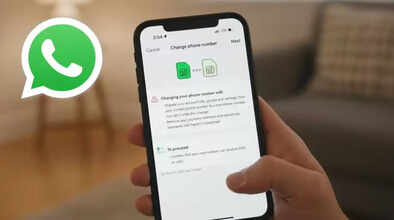
Then click on the Change Number option.
Click Next.
Enter your old number first, then enter your new number.
Then click Next again.
After entering the OTP received on the new number, the number will be updated.
Disclaimer: This content has been sourced and edited from Dainik Jagran. While we have made modifications for clarity and presentation, the original content belongs to its respective authors and website. We do not claim ownership of the content.
