
WhatsApp Blocked You? This New Trick Can Help You Find Out Without Guesswork
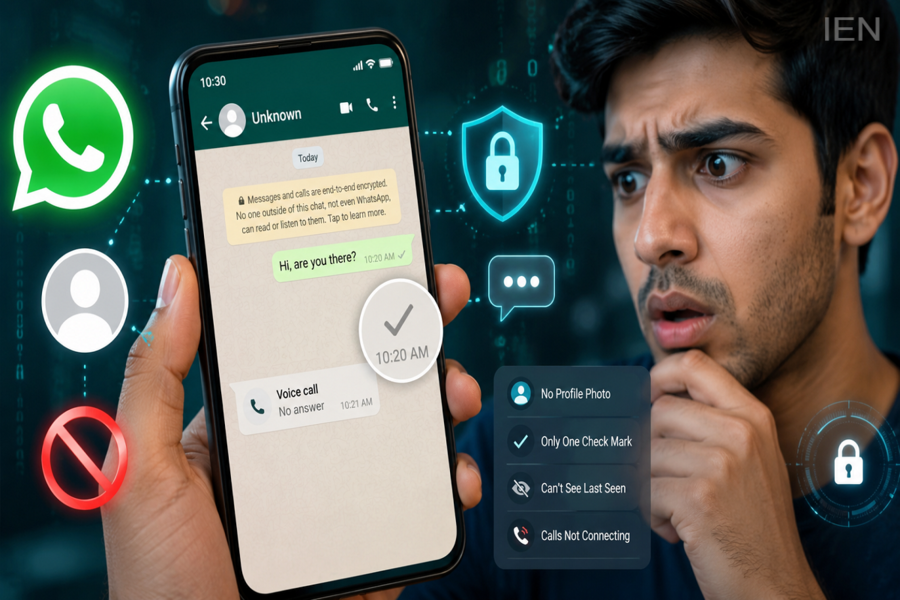
WhatsApp remains one of the world's most popular messaging platforms, connecting billions of users every day. While the app offers several privacy features, one question continues to puzzle many users: "Has someone blocked me on WhatsApp?"
Unlike some social media platforms, WhatsApp does not directly notify users when they are blocked. The company intentionally keeps this information private to protect user privacy and prevent unnecessary conflicts. However, several indicators can help users determine whether a contact may have blocked them.
Recently, users have been discussing a simple method that combines multiple WhatsApp signals to identify a possible block more accurately. While no single sign provides absolute confirmation, checking several indicators together can offer a strong clue.
Why WhatsApp Doesn't Tell You When You're Blocked
WhatsApp has designed its blocking feature to prioritize privacy.
When someone blocks a contact, the blocked person does not receive any notification, alert, or system message. This approach prevents users from being informed directly about another person's privacy decision.
As a result, users often have to rely on indirect signs to understand whether they have been blocked.
Sign 1: Your Messages Show Only One Check Mark
One of the most common indicators involves message delivery status.
Normally:
-
One grey check mark means the message has been sent.
-
Two grey check marks indicate successful delivery.
-
Two blue check marks show that the message has been read (if read receipts are enabled).
If all your messages to a specific contact consistently show only a single grey check mark for an extended period, it could suggest that the person has blocked you.
However, this alone is not proof because the recipient may have:
-
Switched off their phone
-
Uninstalled WhatsApp
-
Lost internet connectivity
-
Changed their number
Sign 2: You Can No Longer See Their Last Seen or Online Status
Another clue involves profile visibility.
If you previously could see a contact's "Last Seen" or "Online" status and suddenly can no longer view it, blocking may be one possible explanation.
That said, WhatsApp also allows users to hide these details through privacy settings. Therefore, the absence of a status update should not be treated as definitive evidence.
Sign 3: Profile Picture Stops Updating
When someone blocks you, you may stop seeing updates to their profile photo.
For example, if a contact changes their display picture but you continue seeing an older image for weeks or months, it could indicate a block.
In some cases, the profile photo may disappear entirely and be replaced by WhatsApp's default profile icon.
Again, users can manually remove profile photos or restrict visibility through privacy controls, so this sign alone is not conclusive.
Sign 4: WhatsApp Calls Do Not Connect
A stronger indicator involves voice and video calls.
If you repeatedly try calling a contact through WhatsApp and the call never connects, it may be a sign that you have been blocked.
Blocked users can initiate calls, but the recipient typically does not receive them.
However, network issues and device-related problems can also prevent calls from connecting.
Sign 5: You Cannot Add the Contact to a Group
This is often considered the most reliable method available to regular users.
Try creating a WhatsApp group and adding the contact.
If WhatsApp displays a message stating that you are not authorized to add the participant or that the action cannot be completed, there is a strong possibility that the person has blocked you.
Since group restrictions are directly linked to blocking functionality, many experts consider this one of the clearest indicators.
The Most Effective Way to Check
Rather than relying on a single sign, users should look for multiple indicators at the same time.
For example:
-
Messages show only one check mark.
-
No profile photo updates are visible.
-
Last Seen is unavailable.
-
Calls do not connect.
-
The contact cannot be added to a group.
When several of these signs appear together, the likelihood of being blocked becomes significantly higher.
Respecting Privacy Is Important
While curiosity is natural, experts advise users to respect others' privacy choices.
If someone has chosen to limit communication, repeatedly attempting to contact them through alternative accounts or methods may violate their preferences.
WhatsApp's blocking feature exists to give users greater control over their interactions and online experience.
Final Takeaway
WhatsApp does not provide an official notification when someone blocks you, but several clues can help you identify the possibility. Message delivery status, profile visibility, call behavior, and group invitation restrictions can collectively provide useful insights.
The group-addition method remains one of the strongest indicators, but no single sign guarantees confirmation. For the most accurate assessment, users should evaluate multiple signals together rather than relying on just one.
Disclaimer: WhatsApp's privacy features and interface may change over time. The indicators discussed above are based on currently available functionality and should not be considered absolute confirmation of a block in every situation.
