
What is the correct way to unplug your phone from charging? Most people make a mistake, which leads to damage..
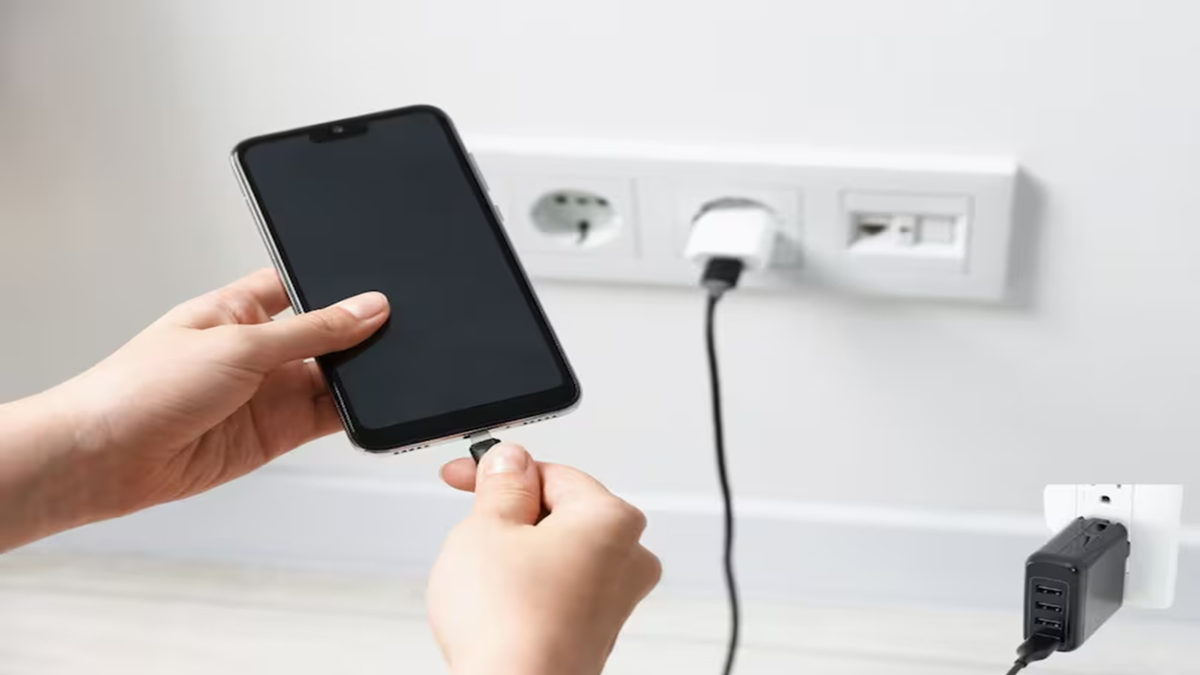
The habit of yanking the cable—holding it by the wire itself—after the phone is fully charged can damage both your charging port and the cable. Learn about the mistakes to avoid when unplugging your charger and the proper way to keep your phone's charging port safe for the long term.
Whether leaving for work or waking up in the morning, we often unplug the charging cable with one hand while still lying in bed, pulling it forcefully once the phone reaches 100% charge. While this daily habit—born of haste or laziness—may seem trivial, it can gradually loosen the phone's charging port and damage the cable or charger itself. Let’s explore how this seemingly minor error can harm your phone and its charging accessories.
Many people pull the phone towards themselves by grabbing the wire from a distance rather than holding the charger's main plastic head. Repeatedly yanking the cable this way can snap the ultra-fine copper wires inside. Additionally, the wire may loosen near the connector pin, leading to charging issues and an increased risk of sparking.
Removing the cable at an angle or bending it puts undue stress on the charging jack (such as the Type-C or Lightning port) inside the phone. Over time, the port can become loose. Consequently, even slight movement of the phone while charging can interrupt the process, often forcing you to hold the cable at a specific angle just to keep it charging.
Many people also have the habit of leaving the charger plugged into the wall socket day and night without turning off the switch after unplugging the phone. If the switch remains on, the adapter's internal circuitry remains under a constant electrical load. This can cause the charger to heat up and degrade its performance over time, potentially slowing down charging speeds. To keep both your mobile phone and charger in good condition for the long term, it is important to follow a few simple rules when plugging in or unplugging the cable. By incorporating these small precautions into your daily routine, you can ensure the charging port and cable remain in excellent shape.
Once charging is complete, hold the phone firmly with one hand; with the other, grasp the plastic part of the cable—the connector head—and pull the pin straight out. Never yank the cable, pull it at an angle, or pull on the wire itself. Doing this protects both the charging pin and the phone's port, ensuring they function correctly for a long time.
First, pull the charging pin straight out of the phone. Next, turn off the wall switch, then carefully remove the adapter from the socket by holding it with your fingers. Following this simple practice helps prevent the phone's charging port from becoming loose and keeps the charger's wire in good condition over the long run.
Disclaimer: This content has been sourced and edited from News18 Hindi. While we have made modifications for clarity and presentation, the original content belongs to its respective authors and website. We do not claim ownership of the content.
