
What is Bluetooth Tethering? Know when to use it
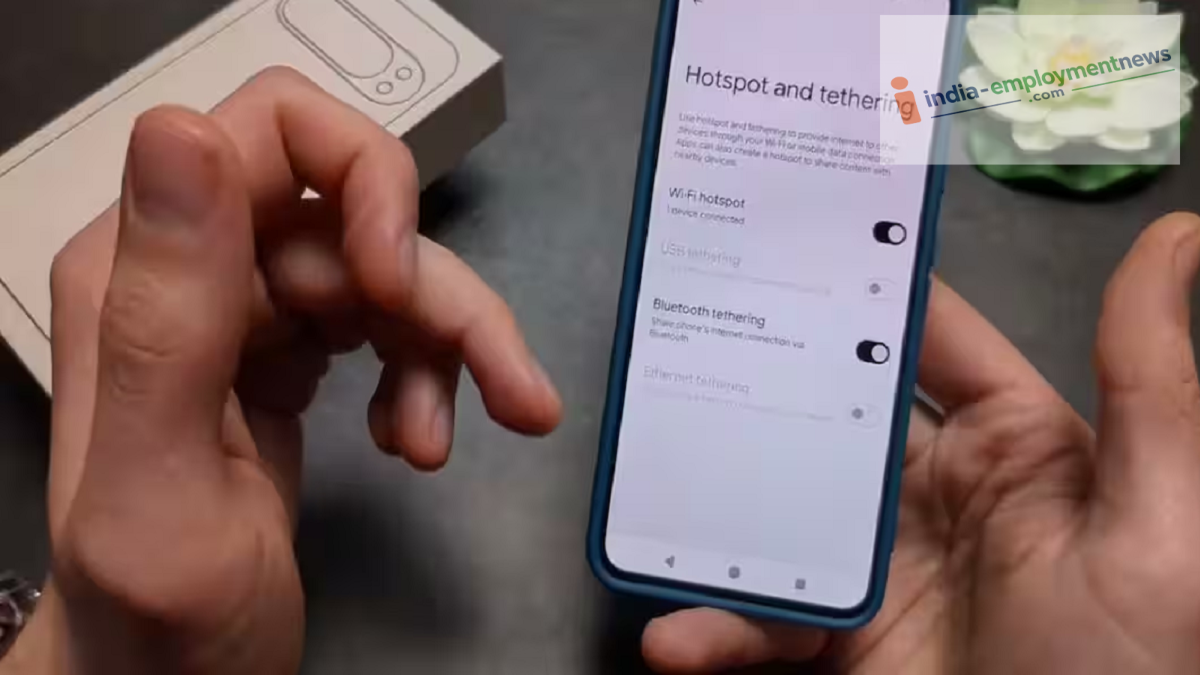
Bluetooth tethering allows you to share your phone’s internet connection with another device. Learn how this feature works and under what conditions it should be used.
Typically, a Wi-Fi hotspot is used to connect a laptop or another device to the internet via a smartphone. However, there is another method for sharing your phone’s internet known as Bluetooth tethering. In this process, the phone’s internet connection is transmitted to another device via Bluetooth. Android phones offer options to share mobile data using Wi-Fi, Bluetooth, or USB.
How does Bluetooth tethering work?
To use Bluetooth tethering, you first need to pair your phone with the other device via Bluetooth. Next, you activate the Bluetooth tethering feature within your phone’s settings. Once connected, the other device can utilize your phone’s internet connection.
On Android phones, you can usually find this option by navigating to Settings > Network & Internet (or Connections) > Hotspot & Tethering > Bluetooth Tethering. However, the specific names and locations of these settings may vary depending on the phone manufacturer.
How does it differ from a Wi-Fi hotspot?
It is worth noting that Bluetooth tethering speeds are generally slower than those of a Wi-Fi hotspot, making it more suitable for short-range use. On the upside, a Bluetooth connection may consume less power in certain situations. According to Motorola’s support documentation, Bluetooth tethering can be effective for nearby devices in environments crowded with Wi-Fi networks and consumes less power compared to a Wi-Fi hotspot.
In other words, if you need to download large files or stream video, a Wi-Fi hotspot is likely the better choice. However, Bluetooth tethering works well for tasks like checking emails, web browsing, or light online activity.
When should you use it?
Bluetooth tethering is a useful option when you need to connect your laptop or another device to the internet but prefer not to use a Wi-Fi hotspot. It is particularly convenient in locations where there are many competing Wi-Fi networks nearby. This method works effectively when the phone and the other device are in proximity and the internet is needed for light tasks, such as basic web browsing.
What should you keep in mind?
An active internet connection on the phone is required for Bluetooth tethering. While this is typically done using mobile data, some devices can also share a Wi-Fi connection via Bluetooth. Additionally, your mobile operator’s plan must allow tethering. Sharing the internet will consume your mobile data. It is advisable to turn off Bluetooth tethering once you are finished to avoid unnecessary data and battery consumption.
