
What information of yours is being shared on WhatsApp? Here’s how to check your privacy settings in 2 minutes..
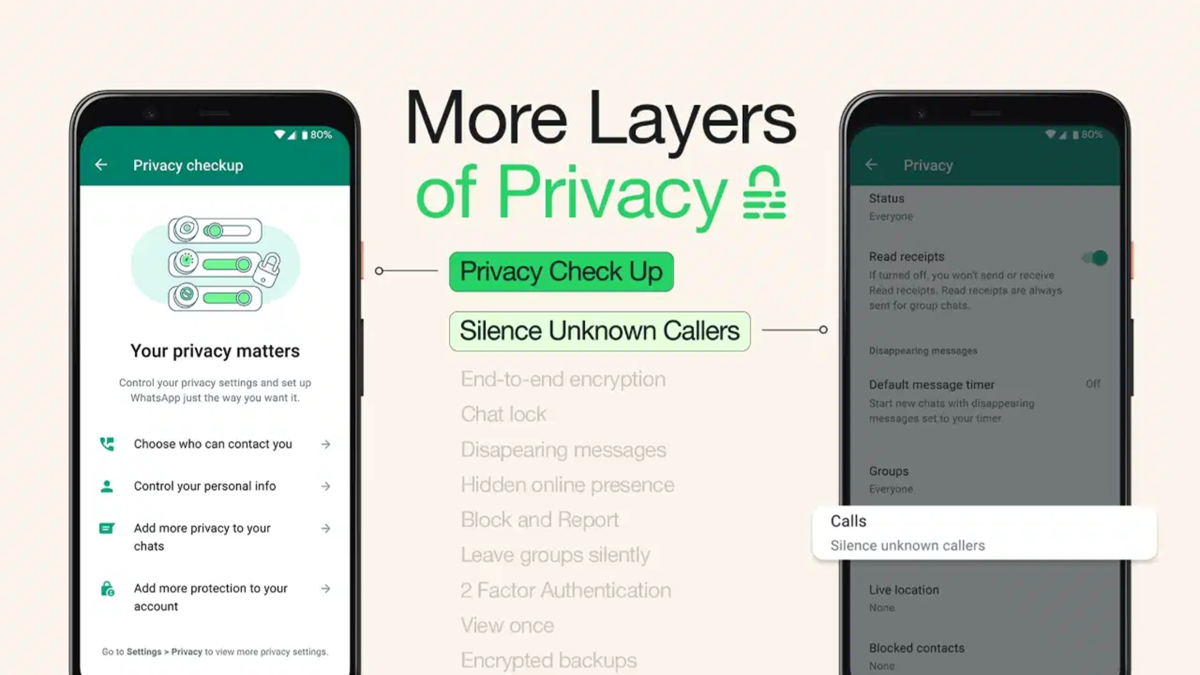
When using WhatsApp, certain information—such as your profile photo, 'last seen' status, online status, and status updates—may be visible to others. However, WhatsApp offers various privacy settings that allow users to control this information. If you wish to know who can view specific details, you can easily check and modify these preferences within the app's privacy settings. Here is how you can do it.
**Accessing Privacy Settings**
To review your privacy settings on WhatsApp, open the app and navigate to 'Settings'. From there, go to the 'Account' or directly to the 'Privacy' section to view your current configuration. Here, you can control who sees information related to your profile. By reviewing each setting individually, you can determine whether your details are visible to everyone, only your contacts, or selected individuals. You can also adjust these settings according to your preferences.
**Checking Profile Photo, 'Last Seen', and Online Status**
WhatsApp's privacy settings include options for your profile photo, 'last seen' status, and online status. These allow you to decide who can view your profile photo and who can see when you were last active. Privacy controls are also available for your online status. If you prefer not to share this information with everyone, you can adjust the visibility settings to suit your needs, giving you greater control over your personal data.
**Keeping Status, 'About', and Group Information Private**
Beyond just your profile photo and 'last seen' status, WhatsApp allows you to manage privacy settings for your 'About' section, status updates, and group interactions. With status privacy settings, you can choose who sees your status updates. Similarly, you can manage the visibility of the information in your 'About' section. Group settings also allow you to control who is permitted to add you to a group. It is important to check these settings periodically to ensure your personal information is shared exactly according to your preferences.
Silence Unknown Callers
WhatsApp’s "Silence Unknown Callers" feature prevents calls from unknown numbers from ringing on your phone. This means your phone will not ring continuously when such calls come in, thereby reducing the annoyance caused by unknown or unwanted calls. However, these calls do not disappear entirely; users can view them in the WhatsApp "Calls" tab and call back if necessary. This feature is particularly useful for users who do not wish to directly answer calls from unknown numbers.
How to enable the feature
Open WhatsApp and go to Settings > Privacy > Calls. Here, you will find the "Silence Unknown Callers" option. Once enabled, calls from unknown numbers will not ring on your phone, though details of these calls will still appear in your call list.
Disclaimer: This content has been sourced and edited from TV9. While we have made modifications for clarity and presentation, the original content belongs to its respective authors and website. We do not claim ownership of the content.
