
Viral Trick: Does This iPhone Storage-Saving Hack Actually Work? Find Out the Truth Behind This Viral Trick..
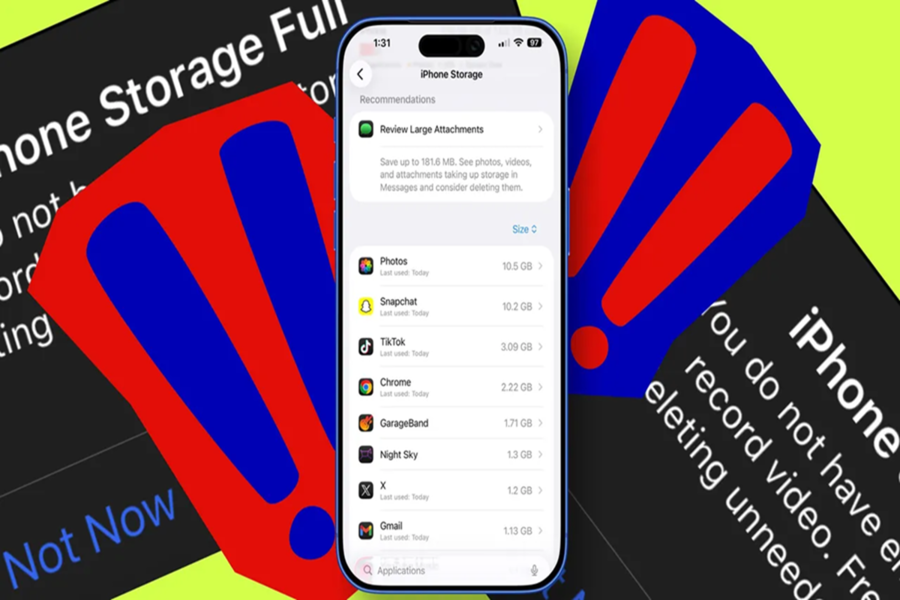
Running out of storage space on an iPhone is a very common problem. Often, we don't even realize it until the phone's storage is full. Recently, a new and unique trick for freeing up iPhone storage has been going viral across social media platforms.
This trick claims to clear storage by making the phone "time travel"—specifically, by setting the device's date forward to the year 2027. While it is true that this method does indeed free up storage space, it can prove to be extremely dangerous for your expensive device. Let's understand exactly what this trick entails and why you should avoid it.
**What is this Viral Trick?**
According to viral videos circulating online, if you disable your phone's internet connection (both Wi-Fi and mobile data) and navigate to the Settings menu to change the year to 2027, your storage space will be cleared significantly.
**How Does This Trick Work?**
When you advance your phone's date by three to four years, the iOS system interprets this as a significant passage of time. Consequently, it automatically deletes old cache files. This results in a sudden reduction in your system data usage. However, the potential risks associated with this method far outweigh any benefits.
**The Risks of Trying This Trick**
If you choose to adopt this shortcut, your iPhone could face the following major issues:
**iCloud Backups Will Be Corrupted:** Advancing the system time will completely disrupt your iPhone's entire backup infrastructure.
**WhatsApp and iMessage Backups Will Be Lost:** Your chat backups are guaranteed to be corrupted. There is absolutely no room for doubt here; this outcome is inevitable.
**Apps May Stop Working:** Every application possesses a security certificate. When you set the system date to 2027, the device's operating system will perceive that these apps have passed their expiration dates, potentially causing them to cease functioning.
**Risk of Software Crashes:** Your device will become severely confused, caught between the current reality and the future timeline. No one can predict how the phone will behave subsequently, or what specific technical malfunctions might arise. What to Do When Your Phone Storage Is Full?
Rather than risking damage to your phone by relying on shortcuts, it is better to adopt these safe methods:
Purchase iCloud Storage: If you own an iPhone, investing a small amount to acquire additional iCloud storage is the most prudent step to ensure the safety of your data.
Delete Unnecessary Apps: Take some time to review your phone. We often download numerous apps—prompted by Reels or promotional offers—that we never actually use. Delete them immediately.
Clean Up Your Gallery: Delete unnecessary photos, screenshots, and large videos.
The Takeaway
Stick to safe and legitimate methods when clearing storage space on your iPhone. Completely steer clear of the "time travel trick" circulating on social media; otherwise, you may end up regretting it later.
Disclaimer: This content has been sourced and edited from Amar Ujala. While we have made modifications for clarity and presentation, the original content belongs to its respective authors and website. We do not claim ownership of the content.
