
UPPCL Smart Meter Update: Here is how to check whether your prepaid meter has been converted to postpaid—find out now..
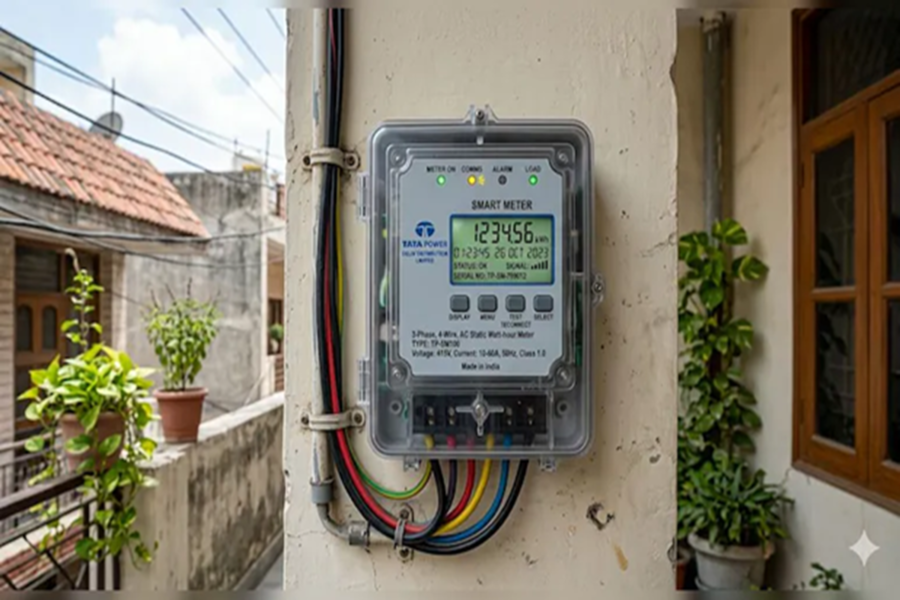
UPPCL Smart Meter Update: A major change regarding smart electricity meters has been implemented in Uttar Pradesh. The prepaid smart meters installed in several districts across the state are now being switched to postpaid mode. For a long time, consumers had been complaining about incorrect billing, rapid depletion of balance, and technical glitches associated with prepaid meters. Furthermore, consumers in several locations had also staged protests. In light of these complaints, the UP Power Corporation Limited (UPPCL) has decided to operate all smart meters in postpaid mode by May 2026. Consequently, many people are wondering whether their specific meter has been switched to postpaid mode and if the UPPCL app will still be required.
What is a Postpaid Electricity Meter?
With a postpaid electricity meter, the consumer consumes electricity first and pays the bill later. A bill is generated every month based on electricity consumption, which must be paid by a specified due date. Failure to make timely payments may result in late fees or even the disconnection of the electricity supply. In contrast, a prepaid meter requires the user to recharge it in advance; electricity consumption is then limited to the available balance.
How to Check via the App Whether Your Meter Has Switched to Postpaid Mode
The UPPCL Consumer App is the easiest way to check the status of your meter. You can follow these steps to check its current status:
Step 1: Download the App
If you do not have the app on your phone, download the UPPCL Consumer App from the Google Play Store or the Apple App Store.
Step 2: Log In
Register using your Account ID and mobile number. If you already have an existing account, log in using your ID and password.
Step 3: View Account Details
Now, click on the ‘My Account’ or ‘Account Summary’ option.
If your meter has been successfully switched to postpaid mode, you will see ‘Billing Mode: Postpaid’ displayed there.
Additionally, your electricity bill for the previous month will also be visible.
If the meter is still in prepaid mode, options such as ‘Current Balance’ or ‘Recharge’ will appear on the screen. How to Pay Your Electricity Bill Using the UPPCL App
Even if you have a postpaid meter, the UPPCL app remains highly useful. You can conveniently pay your electricity bills directly through this app.
Step 1: First, open the UPPCL Consumer App.
Step 2: Log in using your mobile number.
Step 3: Select the 'Pay Bill' option on the home screen.
Step 4: Enter your Consumer Number or Account Number.
Step 5: Your outstanding bill amount will appear on the screen.
Step 6: Now, click on 'Pay Now' and select your preferred payment method.
Step 7: Once the payment is complete, a 'Payment Successful' message will appear.
Disclaimer: This content has been sourced and edited from NDTV India. While we have made modifications for clarity and presentation, the original content belongs to its respective authors and website. We do not claim ownership of the content.
