
Tip: Is your balance draining rapidly after installing a smart meter? Change these 5 settings immediately, or your pocket will be emptied..
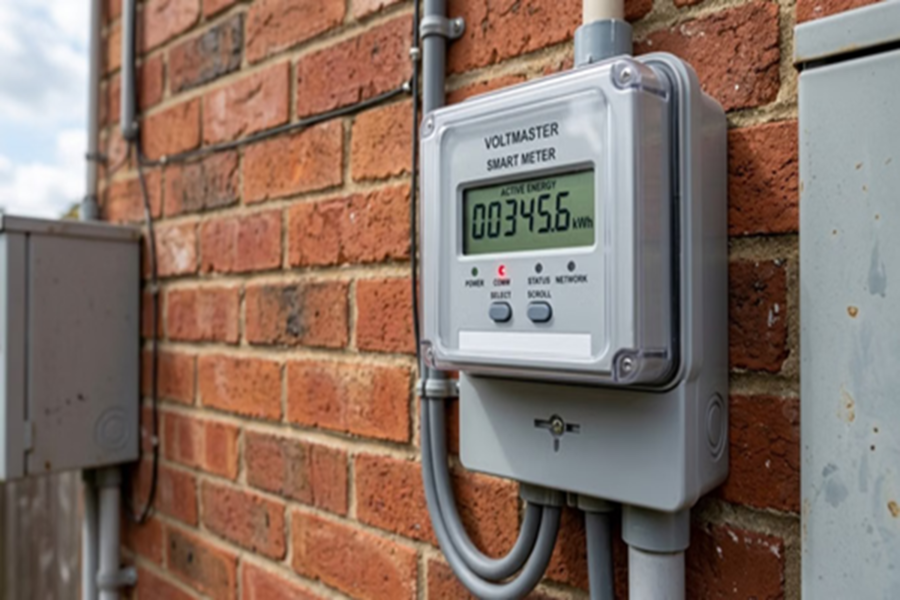
The era of smart meters is here, and the electricity department is rapidly rolling them out to every household. The biggest advantage of this digital meter is that it provides real-time data on your electricity consumption, allowing you to manage your expenses effectively. However, issues arise when users fail to check the essential settings and features after installation. The result? The balance depletes rapidly for no apparent reason. If you wish to avoid this problem, pay immediate attention to these five important points and settings.
1. Clarify Prepaid vs. Postpaid Status
In many states, electricity companies are converting prepaid meters to a postpaid system based on their operational policies. Therefore, first, clear up any confusion regarding your connection type. Log in to your electricity company's official app (such as the UPPCL customer app in UP), navigate to the 'Account Summary' section, and check the billing mode.
If it indicates 'Postpaid,' you will need to pay the bill at the end of the month. Conversely, if you see a 'Current Balance' or a 'Recharge' option on the screen, it means your meter is currently operating in prepaid mode.
2. Keep the 'Low Balance Alert' Enabled
A major concern with prepaid meters is that the power supply cuts off as soon as the balance runs out. To avoid this sudden disruption, immediately enable the 'Low Balance Alert' setting in the smart meter app. Keeping this feature on ensures you receive an SMS or app notification when your balance drops below a certain threshold, allowing you to recharge in time.
Additionally, make it a habit to open the app at least once a week to review your unit consumption and spending patterns, ensuring there are no last-minute surprises.
3. Prevent Electricity Wastage
Do you have any old refrigerators, air conditioners, or geysers at home? These aging appliances often consume twice as much electricity as newer models. Carefully examine the data graphs in the smart meter app; this will clearly reveal the times of day or night when your household's electricity consumption peaks. Use this data wisely and try making small changes to your habits; you will see your hefty bills start to drop.
4. Even 'switched-off' appliances can consume electricity
Appliances like TVs, Wi-Fi routers, set-top boxes, mobile chargers, and microwaves continue to consume electricity if left plugged into the socket, even when not in use. This is because they remain active in standby mode.
Simply put, an electric current continues to flow through them, resulting in continuous power consumption. When these appliances are not in use, make it a habit to switch them off completely—either by unplugging them from the main socket or turning off the switch—rather than just turning them off via the remote.
5. Keep an eye on the balance update after recharging
It is often observed that the smart meter balance does not update in the app immediately after a recharge. Instead of panicking in such a situation, wait for a while. If it still does not update, immediately register a complaint on the helpline number 1912 or reach out to the electricity department's help desk or app.
Most importantly—always keep your recharge receipt (whether online or offline) safe, as it serves as the only concrete proof of payment in the event of any technical glitch.
Disclaimer: This content has been sourced and edited from Amar Ujala. While we have made modifications for clarity and presentation, the original content belongs to its respective authors and website. We do not claim ownership of the content.
