
The easiest way to update the photo or signature on your PAN card—you can get it done right from your phone..
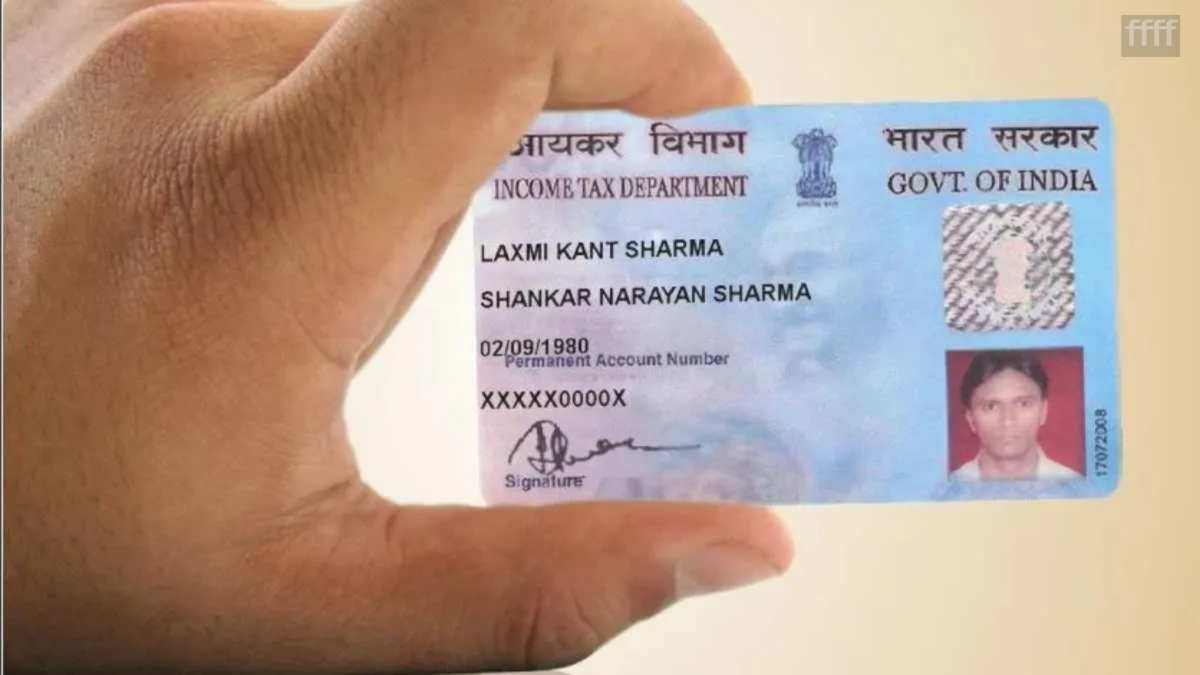
In today's times, the PAN card has become an essential government document used for a wide range of tasks, from banking to income tax-related matters. However, over time, the photograph or signature on the PAN card may become outdated, or the photo might not be as good as expected. In such situations, you do not need to get a brand-new PAN card made.
You can update the photograph and signature on your existing PAN card from the comfort of your home. All you need to do is submit an online correction request. The entire process can be completed online. First, you need to prepare the necessary documents and have scanned copies of your new photograph and signature ready. You will also be required to pay the prescribed fee while applying.
What should you keep ready beforehand?
Before applying to change the photograph or signature on your PAN card, keep the necessary documents ready. You may need documents such as an Aadhaar card or a driving license as proof of identity. Additionally, keep a digital copy of a new passport-sized photograph and a clear image of your new signature ready. Ensure the photograph and signature adhere to the size and format specifications mentioned on the portal.
The application process for corrections may involve Aadhaar-based authentication. Therefore, it is essential to keep the mobile number linked to your Aadhaar active, as an OTP may be required.
How to change the PAN photograph and signature online?
First, visit the NSDL PAN website.
Go to the 'Apply Online' section.
Select the 'Changes or Correction in existing PAN Data' option.
Select 'Individual' under the category and fill in the required basic details, such as your name and date of birth.
A token number will be generated after submitting the form.
Keep this number safe.
Now, click on 'Continue with PAN Application Form'.
Next, you will need to fill in the details related to the PAN application.
Where you see the option to submit scanned documents, select 'Submit Scanned images through e-Sign'.
If you also wish to receive a new physical PAN card along with the corrections, select 'Yes' for the relevant option.
After this, fill in the necessary details regarding your parents and proceed. After selecting the identity-related documents, upload digital copies of your new photograph and signature.
Ensure that both files adhere to the format and size specifications mentioned on the website.
Pay the fee after filling in all the details and uploading the documents.
Once the payment is complete, finish the authentication process by entering your Aadhaar number.
The application will be submitted after you enter the OTP received on the mobile number linked to your Aadhaar.
You will then receive an acknowledgement receipt; please keep it safe.
Disclaimer: This content has been sourced and edited from Amar Ujala. While we modified it for clarity and presentation, the original content belongs to its respective authors and website. We do not claim ownership of the content.
