
The Biggest Change Yet in X: Choose Your 'Timeline'—Your Way—and 'Snooze' Unwanted Posts..
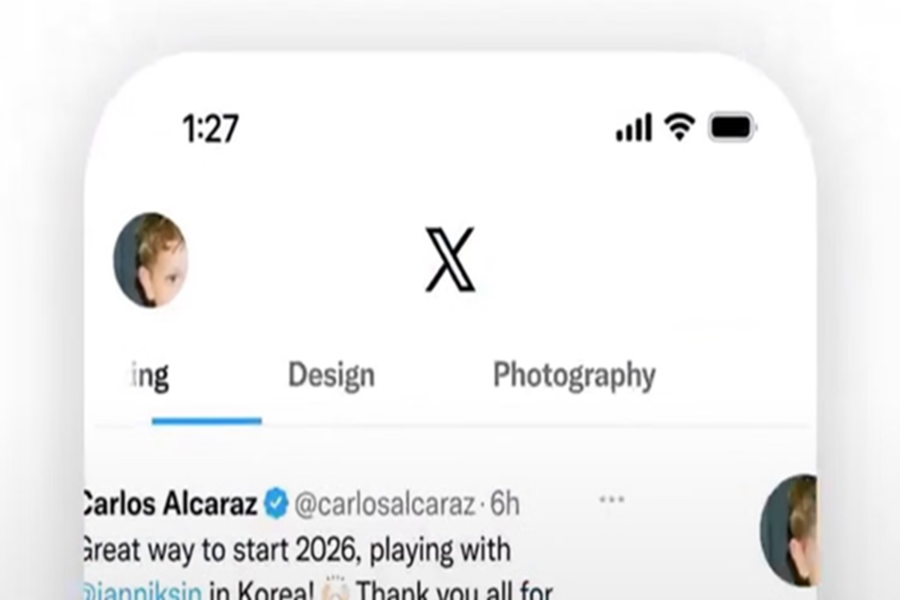
X has launched a new and impressive feature designed to enhance its users' experience. The company has named it 'Custom Timelines.' With the help of this feature, you will be able to pin topics of your choice to your home screen within the app. If you are an Apple user with an X Premium subscription, you can gain 'early access' to this feature, which will soon be rolled out for Android as well. On these timelines, you will see only the content that truly interests you. X's Head of Product, Nikita Bier, has described this as "one of the biggest changes to X." Let's explore what makes this new update so special for you.
What are 'Custom Timelines,' and how do they work?
X's new 'Custom Timelines' feature is essentially designed to give users complete control over their feeds. If you are a Premium user, you will see a new 'Add+' button located right next to your 'Following' tab, allowing you to customize your feed. Here, the company offers a selection of over 75 diverse topics—ranging from technology, robotics, and real estate to cooking, photography, and cinema. You can select your preferred topics from this list and pin them directly to your home screen.
X's proprietary 'Grok AI' is what makes this entire experience truly unique. According to the company, this feature relies entirely on Grok's intelligence, which possesses a deep understanding of social media algorithms as well as your personal preferences. This AI analyzes your past activity and interactions to ensure that your chosen timeline remains highly relevant and engaging for you. Interestingly, it prioritizes topics on which you already tend to read or 'like' a significant number of posts. All in all, this new update from X is highly reminiscent of the 'Custom Feeds' features found on Bluesky and Threads—platforms that have already proven to be quite popular among users.
'Snooze' Unwanted Topics for 24 Hours
Alongside Custom Timelines, X has also rolled out another useful tool called 'Snooze Topics.' Often, posts appear in the 'For You' tab that we would prefer not to see. Now, with the help of this tool, you can mute or 'snooze' any specific topic for 24 hours. This ensures that content you do not wish to view will no longer appear in your feed.
Who Currently Has Access to This Feature?
Currently, X has introduced the 'Custom Timeline' feature via early access, which is presently available only to iOS users holding a Premium subscription. Android subscribers will have to wait a little longer for this feature; however, the company states that the update will be rolled out for them very soon as well. On the other hand, the new 'Snooze' feature has already gone live for Premium users on both iOS and the web, allowing them to better manage their feeds starting right now.
Disclaimer: This content has been sourced and edited from Amar Ujala. While we have made modifications for clarity and presentation, the original content belongs to its respective authors and website. We do not claim ownership of the content.
