
Tech: Not getting full signal on your phone? Try these 5 things, and your network will improve in minutes..
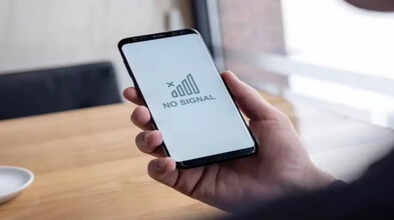
While discussions about 6G are underway, many parts of the country still lack proper 5G coverage. Poor mobile network connectivity remains a major problem. Issues like call drops, poor voice quality, slow internet, or frequent network disconnections significantly trouble people.
However, sometimes the problem isn't with the network provider, but with your device or the surrounding environment. If your mobile phone isn't getting a full signal, don't worry. You can fix this problem to a great extent by following some simple steps.
Airplane Mode
First, turn on airplane mode on your mobile phone for 10 to 15 seconds, then turn it off. This will reconnect your mobile to the network, and often the signal improves automatically with this trick.
Restart Your Phone
Not only airplane mode, but restarting your phone can also fix minor network-related issues. After restarting, the mobile connects to the nearest tower afresh, which improves signal strength.
Select the Correct Network Mode
Check your network mode in your mobile settings. Many areas in the country still have poor 5G or 4G coverage. In such cases, instead of keeping it on auto mode, manually set it to 4G or 3G. This can improve call and data quality.
Clean Your SIM Card
Sometimes dust or dirt can accumulate on the SIM card, leading to network problems. So, first turn off your mobile phone. Then remove the SIM card and clean it with a soft cloth.
Check Your Surroundings
It has been observed that signals often become weak inside buildings, basements, elevators, or between thick walls. In such situations, moving to an open area or near a window can improve network reception for making calls or using the internet.
Disclaimer: This content has been sourced and edited from Dainik Jagran. While we have made modifications for clarity and presentation, the original content belongs to its respective authors and website. We do not claim ownership of the content.
