
Tech: Instagram editing now available on MacBook, with support for 4K video as well..
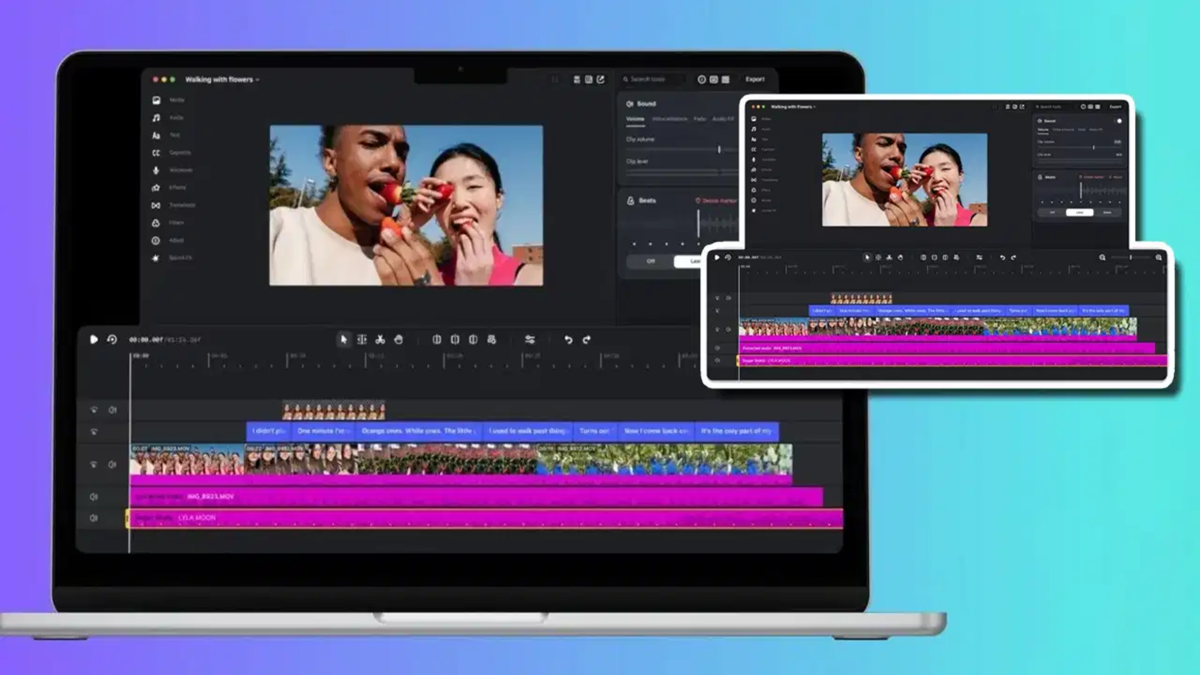
Instagram has launched a desktop version of its video creation and editing app, 'Edits,' for macOS. Mac users can now edit videos on a larger screen. The app includes several features designed to make video editing easier and more efficient, such as a multi-track timeline, keyframe controls, color grading tools, and the ability to use custom fonts and audio. Notably, users can export videos in up to 4K quality without any watermarks and post them directly to Instagram. According to the company, the number of 'Edits' users has surpassed 50 million, just over a year after its initial launch on mobile.
New Editing Tools in the 'Edits' App for Mac
According to Brett Westervelt, Product Lead for 'Edits,' the Mac version was developed specifically for creators who struggle to edit videos on a smartphone. Working with multiple clips simultaneously or making precise adjustments on a small phone screen can be difficult. With the larger screen of a Mac, combined with the use of a keyboard and mouse, creators can now edit their videos with much greater ease.
The app features a multi-track timeline, allowing users to work on several video clips at once. It also includes keyframe controls for managing transitions and other adjustments. Furthermore, a visual waveform for audio is provided, enabling creators to time their video cuts and edits to the beat of the music. Users can set their own custom keyboard shortcuts, or even import shortcuts used in other popular video editing applications.
For color grading, the app offers color wheels, log conversion, tone curves, and the option to import custom LUTs, allowing users to tailor the color and overall look of their videos to their preference.
Use Your Own Fonts and Audio
Creators using 'Edits' on Mac will have access to Instagram’s library of licensed and royalty-free audio. They can also import their own custom fonts and audio. The app includes an automatic captioning feature that supports multiple languages, with no specified limit on usage.
Videos, assets, and text styles previously saved in the mobile app will sync with the Mac version, meaning users won’t need to recreate their existing creative resources.
The app also offers the option to integrate AI agents via the Model Context Protocol (MCP), which can help streamline certain video editing tasks.
Post Videos Directly to Instagram
Instagram has simplified the video publishing process; users can post videos directly from the app once editing is complete. This includes the ability to add account tags and location tags. 'Edits' also supports publishing 'Trial Reels.' For creators who share the same video across multiple platforms, the app provides options for both vertical and horizontal video formats. Videos can be exported in up to 4K quality, free of any watermarks.
'Edits' is Free, but with a Requirement for Mac Users
The desktop version of 'Edits' is available as a free download from the 'Edits' website. Currently, it is exclusive to macOS and requires a Mac equipped with an Apple Silicon processor—specifically, models featuring an M1 chip or later. There is no version currently available for Windows users. Additionally, to sync projects and post videos directly to Instagram, users must sign in with their Instagram account.
Disclaimer: This content has been sourced and edited from TV9. While we have made modifications for clarity and presentation, the original content belongs to its respective authors and website. We do not claim ownership of the content.
