
Tech Explained: What Is iPhone's Lockdown Mode? Find Out How Enabling It Turns Your Phone into an Impenetrable Fortress..
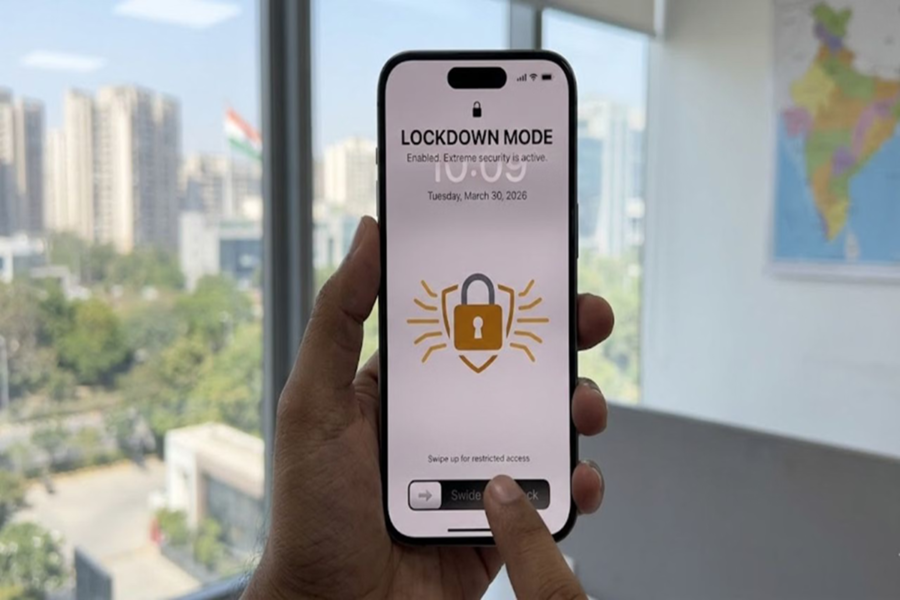
Security features have long been the iPhone's greatest strength. Whenever Android and iPhone are compared, the iPhone is consistently regarded as superior in terms of security. However, in recent times, cyberattacks targeting iPhones have also been on the rise. Consequently, Apple has once again begun educating its users about the iPhone's security features. Making a bold claim, Apple has stated that keeping a specific feature enabled reduces the risk of hacking to a negligible level. Let's explore which security feature on the iPhone renders it virtually impenetrable.
Mobile Apps
In recent times, numerous reports of cyberattacks targeting iPhones have surfaced. In light of this, Apple has brought this particular feature back into the spotlight. The company asserts that when "Lockdown Mode" is enabled, hacking the device becomes extremely difficult. Let us provide you with a detailed breakdown of this Apple security feature.
What is Lockdown Mode?
Lockdown Mode is an advanced security feature for the iPhone. It was introduced in 2022 and was designed specifically for users who face a heightened risk of being targeted by hackers. According to Apple, there have been no reported instances of iPhones being hacked among users who have enabled this feature. Interestingly, records spanning the last four years (2022 to 2026) show no reports of any device being compromised among users who kept this mode enabled.
How Does This Feature Work?
As soon as Lockdown Mode is enabled, several of the phone's functions become restricted. Suspicious calls and messages are blocked, and messages containing unknown attachments cannot be opened. Scripts from suspicious websites are also blocked. In this manner, the device shifts to a heightened level of security, making it significantly more difficult for hackers to launch an attack.
Not Ideal for Every User
Utilizing this feature may prove somewhat challenging for average users. This is because, when enabled, several apps and features may either cease to function correctly or operate under limited capacity. If you enable this feature on your iPhone, it automatically activates on your Apple Watch and other connected devices as well. For this very reason, this mode is intended for those who are willing to endure a minor inconvenience in exchange for enhanced security.
How to Enable It?
To turn on Lockdown Mode, go to the Settings app on your iPhone. Then, open the Privacy & Security section. Scroll down, tap on Lockdown Mode, and select "Turn On Lockdown Mode."
In this era of technology, security is the most powerful weapon. If you hold a high-profile position or are deeply concerned about the safety of your data, Apple's "Lockdown Mode" is nothing short of a godsend for you.
Disclaimer: This content has been sourced and edited from Amar Ujala. While we have made modifications for clarity and presentation, the original content belongs to its respective authors and website. We do not claim ownership of the content.
