
Smartphone Tips: Do you charge your phone overnight? Learn why 100% charging is "poison" for your smartphone..
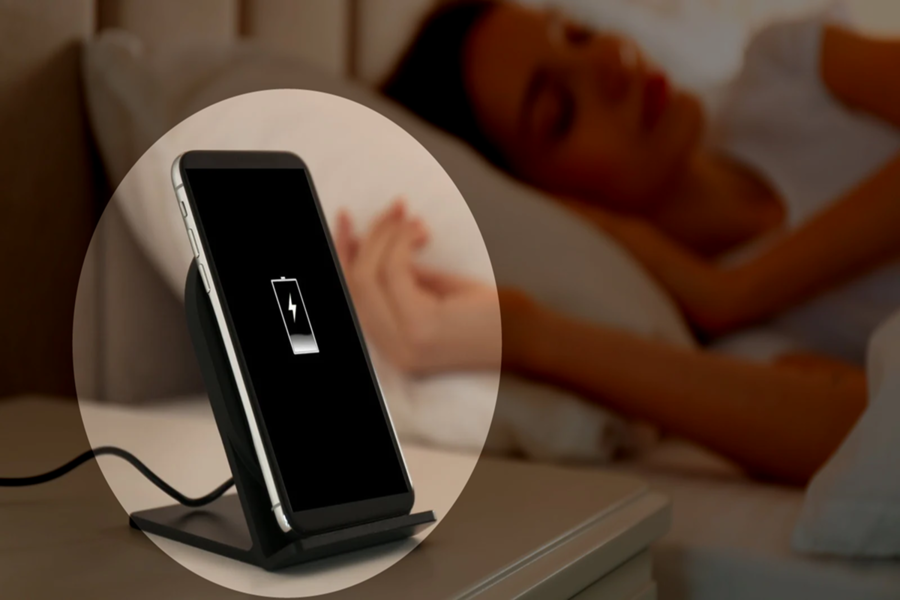
Most people use smartphones. But there's a habit you have that's shortening your phone's lifespan, and you might not even be aware of it. Phones are expensive, so they must function properly for years. If you're wondering what this common habit is that's harming our phones, it's charging them to 100 percent. However, this can be avoided. Let's find out why charging your phone to 100 percent is a bad habit and how to avoid it.
Why is 100 percent charging dangerous?
You might be surprised to learn this, but charging your phone to 100% is very bad for its battery health. Most people always plug in their phones before going to sleep at night. They also charge their phones in the car, at their desk, or with a power bank in their purse or jacket pocket. But this constant effort to keep your phone at 100% charge is not good for your phone at all.
This directly affects the phone's temperature. Newer smartphones have safety features to prevent overcharging, but constantly being at 100% charge causes the phone to overheat. This puts stress on the lithium-ion battery and reduces its lifespan.
To what percentage should you charge your phone?
Whether you have an iPhone or an Android, stop charging your phone to 100%. According to technology experts, charge your phone to 80%. This can be easily done on newer phone models, as they have an option to set a charging limit. This will help extend your smartphone's battery life. Fully charging your phone's battery every time gradually degrades it, and eventually, its capacity decreases. Many experts suggest that keeping the battery charge between 20% and 80% is best.
How to set a charge limit on an iPhone?
Newer iPhone models have Optimized Battery Charging and Charge Limit features. To access this, go to Settings and then to Battery. Now, for the Charge Limit, you'll get an option between 80% and 100%. Setting this option to 100% automatically enables Optimized Battery Charging. When "Optimized Battery Charging" is enabled, your iPhone will stop charging beyond 80% in certain situations.
How to set a charge limit on Android phones?
Follow these steps for Android phones:
Open your phone's Settings. Then search for "Battery" or "Battery and device care."
Look for options like "Battery health," "Charging optimization," or "Protect battery."
Enable the feature to optimize charging and set the maximum charge percentage.
Disclaimer: This content has been sourced and edited from Navbharat Times. While we have made modifications for clarity and presentation, the original content belongs to its respective authors and website. We do not claim ownership of the content.
