
Smart TVs have multiple HDMI ports that look similar, but using the wrong one will not provide the best picture quality..
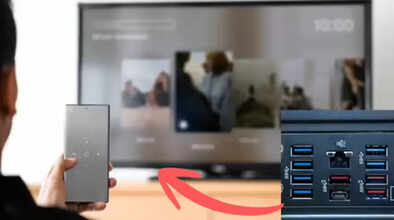
HDMI Port Types: If you think all HDMI ports on the back of your TV or gaming console are the same, you're completely wrong. All the HDMI ports on the back of your TV are different. Using the wrong port can result in lower picture quality and input lag (a delay between your action and its execution). Using the wrong HDMI port prevents you from getting the full benefit of your TV's features. If you want the best performance from your TV or gaming setup, you need to use the correct HDMI port. HDMI ports can also degrade over time. Let's learn more about this in detail.
How are HDMI 2.0 and HDMI 2.1 different?
Modern TVs nowadays come with HDMI 2.0 and HDMI 2.1 ports. For your information, HDMI 2.0 ports support 4K resolution and refresh rates up to 60Hz. On the other hand, HDMI 2.1 ports can support 4K resolution up to 120Hz. These ports also support 8K resolution. For gaming enthusiasts, HDMI 2.1 also offers special gaming features like Variable Refresh Rate (VRR) and Auto Low Latency Mode (ALLM).
Connect your gaming console to the HDMI 2.1 port.
For example, if you connect your PlayStation 5 to an HDMI 2.0 port, the game will run, but you will only be able to play at a maximum of 60fps. However, if you connect the same console to an HDMI 2.1 port, you will get a gaming experience of up to 120fps. Input lag will also be reduced.
What do ARC and eARC mean?
That covers which port does what. Besides this, there's another common confusion among people. Very few people know about the ARC or eARC labels on their TVs' ports. Many people think these ports are only for audio devices and cannot be used for anything else. ARC stands for Audio Return Channel. It sends audio from the TV to a soundbar or AV receiver. Nowadays, people use built-in apps on their TVs like Netflix, YouTube, or Prime Video. In such cases, the ARC port sends the audio from the TV to your sound system through the same HDMI cable.
eARC is very useful
The eARC (Enhanced Audio Return Channel) port further enhances this feature. It supports high-quality audio formats like Dolby Atmos and DTS: :X without significant compression. The eARC port is often also an HDMI 2.1 port. This means you can use it not only for audio but also for high-bandwidth video signals.
How to check the port
Before connecting your gaming console or high-end streaming device to your TV, be sure to check your TV's manual. This will tell you which port is HDMI 2.1.
Disclaimer: This content has been sourced and edited from Navbharat Times. While we have made modifications for clarity and presentation, the original content belongs to its respective authors and website. We do not claim ownership of the content.
