
Smart Meter Alert: Electricity Bills Will Now Be Sent to Your Mobile Number, Not the App—Learn How to Update Your Number..
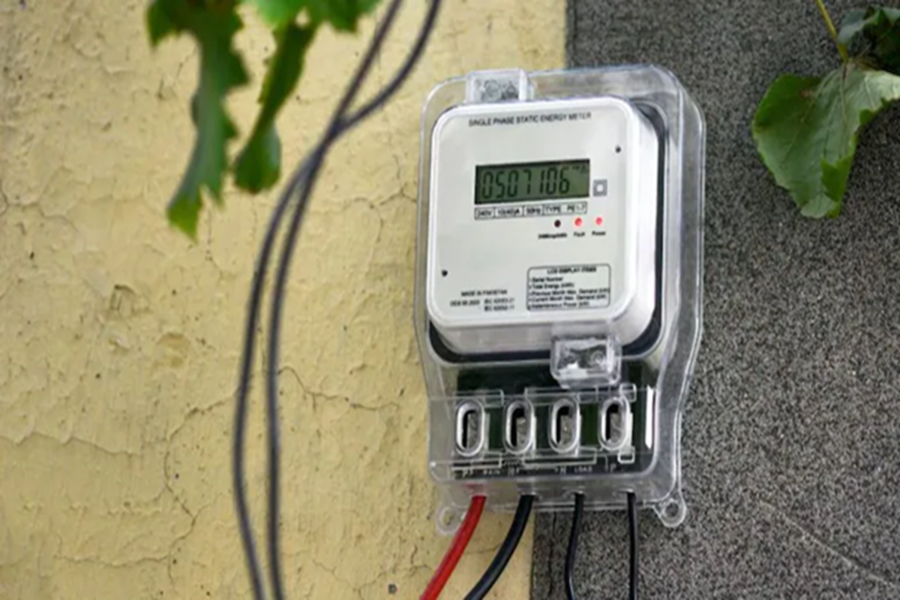
Smart Meter Alert: A major change has taken place for millions of electricity consumers in Uttar Pradesh who are using smart meters. The smart meters that previously operated on a prepaid system are now being switched over to a postpaid mode. This means consumers will no longer need to recharge their meters in advance as they did before; instead, an electricity bill will be sent to them every month. However, along with this change, another important development has emerged.
Electricity bills will no longer be available solely on the app; instead, they will be sent directly to consumers' mobile numbers via SMS and WhatsApp. Consequently, if an outdated or incorrect mobile number is linked to your electricity connection, you may face difficulties in receiving your bill. For this reason, UPPCL has urged consumers to update their mobile numbers as soon as possible. Here is how you can update your number from the comfort of your home:
**Your Mobile Number Is Now Crucial**
Previously, smart meter consumers could access information regarding their electricity consumption, account balance, and recharge history by visiting the UPPCL app. However, following the implementation of the postpaid system, all billing-related information will now be transmitted directly to the consumer's mobile number. This implies that if your mobile number is not up to date, you will not receive your electricity bill on time. This could lead to various complications, such as late fees, outstanding dues, and even disconnection of electricity services.
**How to Update Your Mobile Number from Home**
UPPCL has provided consumers with the facility to update their mobile numbers online. Consumers can utilize either the official website or the mobile app to do so.
**How to Change Your Number via the Website**
To change your mobile number through the website, you must first log in to the UPPCL portal.
Next, navigate to the 'Profile' section and select the 'Mobile Number' option.
Enter your correct mobile number in the designated field.
You will then receive a One-Time Password (OTP) on your mobile device.
Once you complete the verification process, your mobile number will be successfully updated.
If you prefer using the app, you can also easily add or update your mobile number by visiting the 'Manage My Account' section within the UPPCL mobile application.
**Receive Your Electricity Bill on WhatsApp**
If, for any reason, you do not receive your electricity bill via SMS, consumers can also access their bill through the WhatsApp Chatbot service. To do so:
Send a 'Hi' message to the DISCOM's official WhatsApp number.
Next, select your preferred language and click on the 'View Bill Amount' option.
Enter your Customer ID. Upon doing this, you will instantly receive your bill details.
DISCOM WhatsApp Numbers:
Purvanchal Vidyut Vitran Nigam – 8010968292
Madhyanchal Vidyut Vitran Nigam – 7669003409
Pashchimanchal Vidyut Vitran Nigam – 7859804803
Dakshinanchal Vidyut Vitran Nigam – 8010957826
KESCO – 8287835233
What to do if you do not receive your bill?
If you do not receive your bill or encounter any other issue, consumers can call the helpline number 1912. Additionally, from May 15 to June 30, 2026, "Smart Meter Complaint Camps" will be organized at the offices of the Electricity Department; you may visit these camps to register your grievances.
Disclaimer: This content has been sourced and edited from NDTV India. While we have made modifications for clarity and presentation, the original content belongs to its respective authors and website. We do not claim ownership of the content.
