
Railways: Find out where your train is right now! Here are easy ways to check live train status..
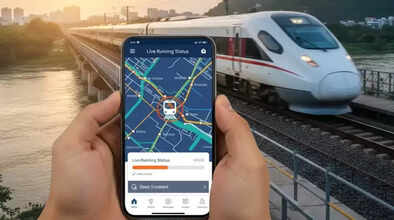
Trains are one of the most essential modes of transport in India, allowing you to travel long distances easily and affordably. However, it can also be a challenging experience, especially when trains are running late. Instead of panicking and worrying about reaching your destination, tracking the live running status of your train is a much better option. Fortunately, several apps and websites are available for this purpose. You can see in real-time where the train is currently located and when it will arrive. Here, we will tell you about different ways to check your train's live running status online.
Through the National Train Enquiry System (NTES) website:
The National Train Enquiry System (NTES) is the official portal of Indian Railways for addressing various train-related queries. To track the live running status of your train using this portal, follow these steps:
Go to the official NTES website.
Select "Spot Your Train" from the list of options in the left panel.
Enter the train name or number in the given field and select the correct option from the dropdown list.
Now, select your trip's start date, and the live running status of the train will be displayed below, along with a detailed route map.
Using the NTES mobile app:
There is also an official NTES app for both Android and iOS devices, which can be used to track the live running status of your train. To do this:
Install the NTES app from the App Store or Google Play Store.
Open the app and select "Spot Your Train".
Type your train name or number and tap on "Show Instances".
Your train will now appear on the screen. Tap on it to get a detailed view of the route map.
Using the RailOne app:
The Centre for Railway Information Systems (CRIS) recently launched the RailOne app for Android and iOS. This is a super app that brings together the public services of the Ministry of Railways on a single platform. You can also check the live running status using this app. To do this:
Install the RailOne app from the App Store or Google Play Store. Complete a one-time registration using your mobile number or log in with your existing credentials.
Now, select the Track Your Train option on the home screen.
Enter the train name or number. You can also select the travel date and boarding station to refine the results.
The train details will be displayed on the screen. Select Current Movement to view the route map in real time.
Via IVRS
IVRS (Interactive Voice Response System) is one of the oldest but most reliable methods to check the live running status of a train. All you need to do is call a number, dial the correct numbers according to the prompts, and get the details. To find out the live running status of your train using IVRS, follow these steps:
Dial 139 from your phone.
Listen to the voice prompts and select the correct option to check the live running status of the train.
Enter the train number using your phone's keypad.
IVRS will then provide you with the real-time running status of your train.
Disclaimer: This content has been sourced and edited from Dainik Jagran. While we have made modifications for clarity and presentation, the original content belongs to its respective authors and website. We do not claim ownership of the content.
