
Passport: What is the online method for updating the address in your passport, and what things should you keep in mind?
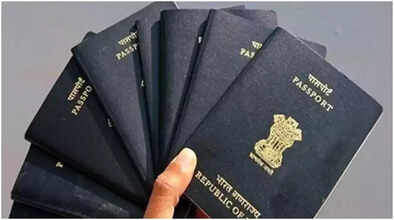
Often, we have to change our address for one reason or another. In such cases, people tend to postpone updating their address in their important documents. While this may seem boring and somewhat troublesome, it is extremely important. One of the most crucial documents is the passport, and it's essential to have your address updated in it. If your passport doesn't have your updated address, you might face unnecessary delays during immigration or visa applications while traveling abroad.
Therefore, it's crucial to always keep your address updated in your passport. After updating your address, the passport office issues you a new booklet. Your passport number remains the same, but the passport will have your new address. Here's how to update your address in your passport.
How to change your address in your passport online?
First, you need to visit the official Passport Seva website. Then, click on the Passport Re-issue service. Here, you need to select the 'Change of personal particulars' option. Now, carefully fill in your new home address. This includes providing information such as house number, street, and PIN code.
Address proof must be uploaded.
To update your address in your passport, you will need to upload a valid address proof. For this, you can provide documents such as an Aadhaar card, Voter ID card, electricity, water, or gas bill, bank passbook or statement, or a registered rent agreement. Make sure that the supporting document has the same address that you are providing for your passport. After this, you need to pay the fee.
Appointment and Verification Process
After filling out the online form and paying the fee, book an appointment at the Passport Seva Kendra office. On the day of the appointment, carry your original documents and photocopies. Basic information will be verified there.
Sometimes, police verification is also required for the new address. This usually happens when you move to a new city or state. Once the verification process is complete, you can also track the process of changing your address in your passport online.
What to keep in mind when updating your address in your passport?
Before updating your address in your passport, keep your supporting documents ready. First, update your address on your Aadhaar card. This will make it much easier to change your address in your passport. Along with this, keep photocopies and original copies of all the supporting documents you are submitting for the address change in your passport.
While filling out the online form, carefully enter the spelling and PIN code. Also, before uploading the supporting documents, ensure they are clear and all the information is legible. Make sure to upload the documents in the correct format.
Disclaimer: This content has been sourced and edited from Dainik Jagran. While we have made modifications for clarity and presentation, the original content belongs to its respective authors and website. We do not claim ownership of the content.
