
No more stress about drafting WhatsApp messages! AI will generate replies for you—find out how..
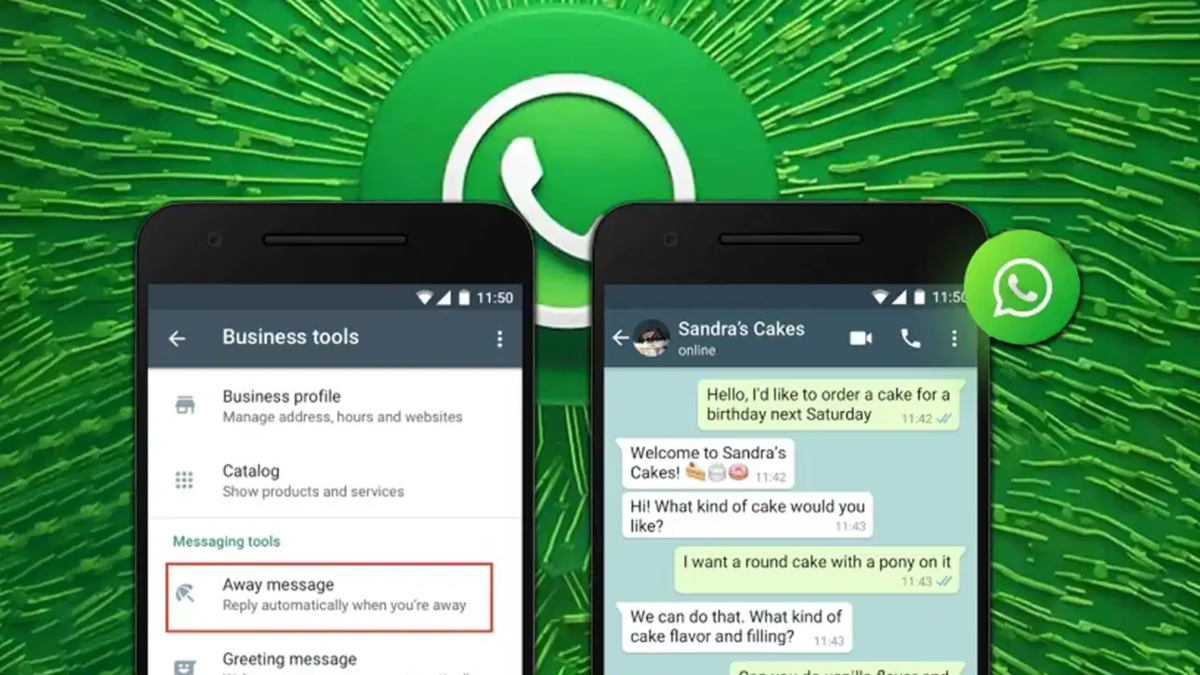
Do you receive a flood of WhatsApp messages throughout the day—from friends, the office, or family? Replying to everyone is difficult and time-consuming. Now, AI (Artificial Intelligence) is here to eliminate this hassle. AI acts like a computer brain that generates replies on your behalf. Imagine receiving a message while you are asleep or in class; AI can automatically send a well-crafted response without you needing to type a thing. Here is how it works...
The simple solution to this problem is WhatsApp's auto-reply feature. Once enabled, it automatically sends a pre-written message to the sender whenever you are busy. Since it is sent in your own words, the recipient won't even realize that you didn't type the message yourself.
Where can you find this feature?
Auto-reply is not available on standard WhatsApp; it is a feature of the WhatsApp Business app, which can be downloaded from the Play Store or App Store. It is widely used by shopkeepers, freelancers, and small business owners. It is best to use a separate number for this. If you wish to use your existing number, make sure to back up your chats first.
How to set it up on Android phones:
Open the WhatsApp Business app and create your business profile.
Tap the three dots in the top-right corner of the screen.
Go to 'Business Tools'.
Select 'Away Message' or 'Greeting Message'.
How to set it up on iPhones:
Open the WhatsApp Business app.
Tap 'Settings' at the bottom right.
Go to 'Business Tools'.
Select 'Away Message' or 'Greeting Message'.
Toggle on the 'Send Away Message' switch.
Write the message: Keep the reply short and direct—for example, "Hello, I am currently busy. I will speak to you after 6 PM." Select the timing: You can decide whether the message is sent at all times, on specific dates, or only outside of business hours. Choose recipients: You can decide whether to send messages to everyone, only to new numbers, or to specific selected contacts. Save: Don't forget to press 'Save' at the end.
What is the difference between the two messages?
A 'Greeting Message' is sent when a new person contacts you for the first time. An 'Away Message' is sent when you are unavailable. You can keep both enabled simultaneously if you wish.
How do I enable auto-reply on a business account?
If you want your business account to automatically respond to customers, the 'Meta Business Agent' option is available for select business accounts. To set this up, open the 'Tools' tab in WhatsApp Business and look for the 'AI agent' option. Then, follow the on-screen instructions. Once setup is complete, go to 'Your AI agent' and use the 'AI replies' option to determine which chats the AI should respond to.
This feature is currently available only in select countries and for specific business accounts. If you do not see the 'AI agent' option, your account may not yet have access to it.
Therefore, before enabling the feature, consider whether you need AI assistance merely for drafting responses or for automatically sending replies to customers. It is also important to review AI-generated responses to ensure that incorrect information is not sent out.
Disclaimer: This content has been sourced and edited from TV9. While we have made modifications for clarity and presentation, the original content belongs to its respective authors and website. We do not claim ownership of the content.
