
New Aadhaar App: The new app has amazing features like offline verification and face unlock..
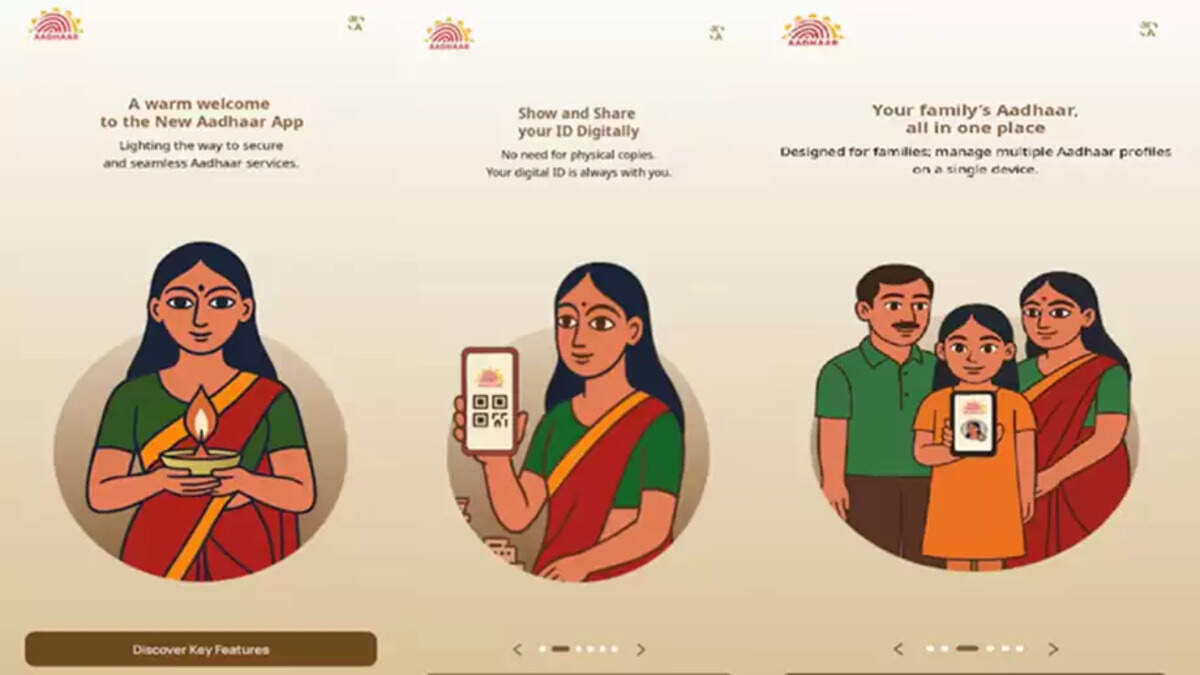
UIDAI has launched a new app for Aadhaar verification. Users can now verify their Aadhaar offline, eliminating the need to provide a photocopy of their original Aadhaar. This means that their Aadhaar identity will be validated through this app without the need to show their original or a photocopy. The app aims to provide users with offline verification while also making Aadhaar usage more secure. This new app gives users the freedom to share their Aadhaar information as they see fit.
Offline Verification with the New Aadhaar App
UIDAI has launched a new Aadhaar app. This new app offers many benefits to users. It will be used for offline verification, eliminating the need to show your physical Aadhaar card. Aadhaar copies are often requested at various locations, such as hotel entry, society gate entry, and events. The new app now allows your Aadhaar card to be stored on your smartphone.
What's Special About the New App?
According to UIDAI, the new Aadhaar app provides instant access to your Aadhaar card smartly.
This new app also features face unlock and biometric lock features, ensuring Aadhaar information remains secure even if your phone is lost or stolen.
The app also offers a multi-profile feature, allowing you to create up to five Aadhaar profiles on a single device. This eliminates the need to carry Aadhaar cards for all family members in your pocket.
Compared to the old app, users enjoy greater control, greater security, and greater convenience.
The app features QR-based verification, allowing verification even in areas with poor network connectivity.
The app automatically displays all updated information. If you update your mobile number or address, the update will automatically appear in the app.
The app also allows you to share your Aadhaar information with a single tap.
How to Use the Aadhaar App
The Aadhaar App can be downloaded from the Google Play Store and App Store.
After downloading, select your registered mobile number.
Send the SMS requested by the app.
The face authentication process begins here; complete it.
After authentication is complete, set a 6-digit password for security.
Note that your Aadhaar profile will be created on the mobile device in which you have inserted the SIM card of your registered mobile number.
Also note that only one Aadhaar profile can be active on one device at a time. The old profile will be automatically deleted when you log in to another device.
Disclaimer: This content has been sourced and edited from NDTV India. While we have made modifications for clarity and presentation, the original content belongs to its respective authors and website. We do not claim ownership of the content.
