
Navigation Will Work Even Without Internet or Mobile Data: Here’s How to Use Offline Maps
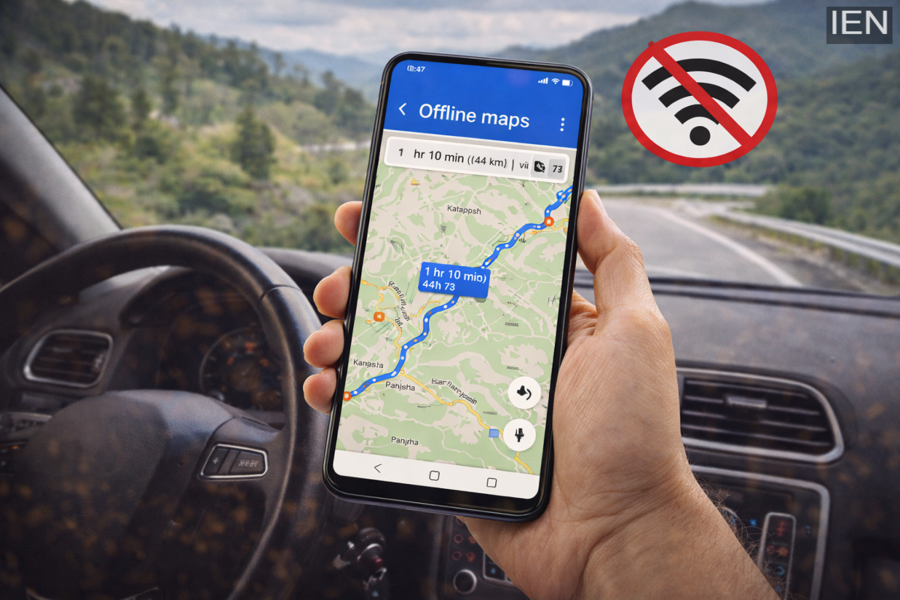
Navigation apps have become an essential part of daily life. Whether you are booking a cab, exploring a new city, or planning a road trip, map apps help you find the right route quickly. However, problems arise when mobile internet becomes slow or completely unavailable.
This situation is quite common in hill stations, remote areas, underground parking, highways, or during long road trips where network signals can suddenly disappear. In such situations, Offline Maps become a lifesaving feature. With offline maps, you can continue navigating and following directions even without internet access.
Here is a complete guide explaining what offline maps are, how they work, how to download them, and their benefits.
What Are Offline Maps?
Offline maps allow users to download the map of a specific area on their smartphone in advance. Once the map is downloaded, you can access directions and view roads in that area without using mobile data or Wi-Fi.
Many popular navigation apps offer this feature, including:
-
Google Maps
-
Apple Maps
-
Several third-party navigation apps
However, some features such as real-time traffic updates or live route changes may be limited when using offline maps.
How Do Offline Maps Work?
When you download a map for a particular region, the app stores important information about that location directly on your phone. This data includes:
-
Roads and streets
-
Landmarks
-
Navigation routes
-
Location data
Even without internet access, your smartphone can still determine your location using GPS signals, which do not require mobile data. The navigation app then uses the stored map data to provide turn-by-turn directions.
This means you can continue navigating normally even if your internet connection disappears.
How to Download Offline Maps
Downloading offline maps is very simple, especially in Google Maps. Follow these steps:
Method 1: Download by Searching a Location
-
Open Google Maps on your phone.
-
Search for the city, town, or region you want to download.
-
Tap the More options or the location name at the bottom.
-
Select Download Offline Map.
-
Confirm the selected area and tap Download.
Method 2: Select Your Own Map Area
-
Open Google Maps.
-
Tap your profile picture in the top-right corner.
-
Select Offline Maps.
-
Tap Select your own map.
-
Adjust the rectangular box to cover the area you want.
-
Tap Download.
Once the download is complete, the map will be saved on your phone and available for offline use.
Benefits of Offline Maps
Offline maps offer several advantages, especially for travelers and road trip enthusiasts.
1. Reliable Navigation Without Network
Even when there is no mobile signal, navigation continues to work smoothly.
2. Saves Mobile Data
Offline maps reduce mobile data usage since the map information is already stored on the device.
3. Better Battery Management
Because the phone is not constantly using internet data, battery consumption is lower.
4. Helpful for International Travel
When traveling abroad, offline maps can help you avoid expensive roaming charges.
5. Useful During Emergencies
In emergency situations where the internet is unavailable, offline maps can help you find routes and important locations quickly.
Important Things to Keep in Mind
While offline maps are extremely useful, there are a few limitations to remember:
-
Real-time traffic updates are not available offline.
-
Road closures or live changes may not be reflected immediately.
-
The downloaded map covers only the selected area, so for long journeys it is better to download multiple regions in advance.
-
Maps need to be updated periodically to ensure accuracy.
Conclusion
Offline maps are one of the most useful features of modern navigation apps. By downloading maps in advance, you can ensure smooth navigation even in places where the internet is unavailable.
Whether you are planning a road trip, traveling through remote areas, or visiting another country, using offline maps can save mobile data, reduce roaming charges, and make your journey more convenient.
Before your next trip, make sure to download the required map areas in advance so that your navigation continues without interruption—even without internet. 📍📱
