
Millions of users are thrilled! Your laptop will now become an AI PC, thanks to Microsoft's solution...
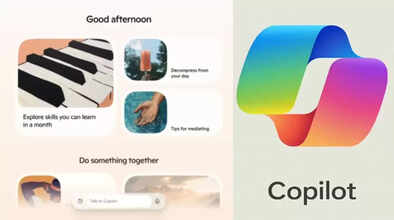
Microsoft Windows 11 PC AI: Tech giant Microsoft recently discontinued Windows 10 support for millions of PCs worldwide. Shortly thereafter, the company transformed Windows 11 into a full-fledged AI platform. The Copilot feature on every PC allows users to voice commands, understand tasks displayed on the screen, and take direct action on files. Starting with Hey Copilot and extending to Vision and Actions, this update equips users with voice, visual, and automation tools.
Copilot will now speak, see, and act.
Microsoft has integrated Copilot even more deeply into Windows 11. It can now be activated by voice with the "Hey Copilot" command. Users can ask questions and complete tasks without touching the keyboard. Saying "Goodbye" will end the session. According to research, voice Copilot usage is twice as common as text.
Copilot Vision provides real-time visual guidance.
The Copilot Vision feature analyzes the content on the screen and guides the user step-by-step. Whether it's using a tool or the entire workflow of a task, Vision illustrates everything. Saying "Show me how" highlights and provides visual instructions. For those who prefer to type, text input and output support is also coming soon.
Work directly on files with Copilot Actions.
The experimental feature Copilot Actions allows users to take direct action on files. It can sort photos, extract text from PDFs, and automatically edit files within the system. Each action remains under user control—whether it's paused, checked, or manually overridden. Copilot is now even smarter with new shortcuts in File Explorer.
A single Copilot will connect to every service.
Copilot can now connect to services like OneDrive, Outlook, Gmail, Google Drive, and Calendar. With just a single command, it can search and provide your emails, contacts, and appointments. Its integration with Microsoft Office apps is so deep that AI-generated content can be exported directly to Word, Excel, or PowerPoint. Furthermore, system settings can also be controlled from Copilot.
Security and User Control A Microsoft Priority
Microsoft has placed security at the center of every new feature in Copilot. Powerful features like Copilot Actions will be disabled by default. Users will have to decide when and how to use them. Each step will be visible, possible, and approval-based. The company's Secure Future Initiative is part of this responsible AI rollout.
Disclaimer: This content has been sourced and edited from TV9. While we have made modifications for clarity and presentation, the original content belongs to its respective authors and website. We do not claim ownership of the content.
