
MacBook vs. Windows: Should you buy an Apple MacBook or a Windows laptop—which is the better choice?
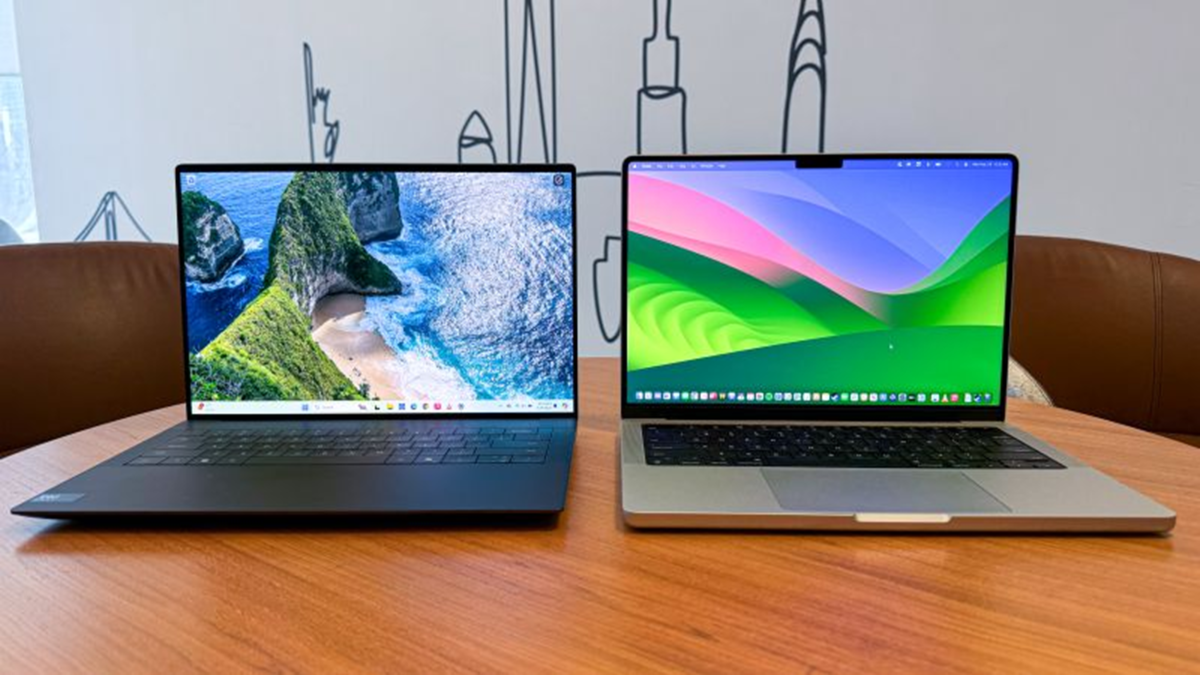
Apple MacBooks are known for their premium design, powerful performance, and long battery life, while Windows laptops offer a wide range of options to suit various budgets, designs, and specific needs. Recent advancements in processor and chip technology have made the competition between the two even more compelling. When purchasing a laptop, looking solely at the price or specifications is not enough; it is equally important to consider the intended use. Whether for office work, academics, video editing, programming, or gaming, there are numerous options available in the market.
Design and Build Quality
Apple MacBooks are renowned for their premium build quality and attractive design. Their metal-body construction not only looks stunning but also feels exceptionally sturdy. The hinge mechanism on a MacBook is robust, allowing the lid to be opened with one hand and adjusted to your preferred viewing angle. Furthermore, the keyboard and trackpad are well-suited for those who spend long hours working on their devices.
On the other hand, Windows laptops offer a much wider variety of designs and construction materials. Depending on your budget, you can choose anything from an affordable plastic-bodied laptop to a premium model with a metal chassis. Brands like Dell, HP, Lenovo, ASUS, and Microsoft offer laptops with diverse designs and features. A major advantage of the Windows ecosystem is the availability of various form factors—ranging from standard laptops to 2-in-1 models, touchscreen devices, and units that can function like tablets. Some models even support the use of a digital pen. In contrast, MacBooks are available exclusively in a traditional laptop design. Therefore, if you are looking for a wider range of design choices and usage styles, Windows laptops might be the better option for you.
Performance and Processors
When comparing MacBooks and Windows laptops, it is essential to pay close attention to the processor. Apple uses its own M-series and A-series chips in its MacBooks, designed to efficiently handle processing, graphics, and other tasks within a single chip. This helps strike an optimal balance between performance and power consumption. Models like the MacBook Air are well-suited for everyday tasks, such as studying, office work, web browsing, and light photo or video editing. Conversely, the MacBook Pro is a better choice for tasks requiring higher processing power, including professional video editing, programming, and other creative work.
Windows laptops primarily feature processors from Intel and AMD. Many high-performance models include dedicated graphics cards from NVIDIA or AMD, offering a wider range of options for gaming and graphics-intensive tasks. Recently, some Windows laptops have begun incorporating Qualcomm’s Snapdragon processors, which are designed with a focus on low power consumption and improved battery life. Ultimately, both platforms deliver strong performance for general use. However, certain MacBook models excel in creative fields like video editing, while Windows laptops offer greater variety in terms of gaming capabilities and hardware configurations. The ideal choice depends on the specific laptop model, processor, RAM, and graphics specifications.
macOS vs. Windows 11
MacBooks run on Apple’s macOS, while most modern Windows laptops operate on Windows 11. Both operating systems are user-friendly, though they function differently. macOS is known for its clean interface and consistent user experience; menus and controls remain largely uniform across various applications, making it easier for new users to navigate the system. Furthermore, being Unix-based, macOS is also useful for many tasks related to development and programming.
Windows 11 offers support for a wide range of software and devices. It features a modern interface, complete with a Start menu, a taskbar, and various useful settings. However, the design and usability of software can vary significantly between different developers. Additionally, some legacy system tools remain, which may occasionally make it difficult for new users to locate specific settings. If you prefer a consistent and straightforward user experience, you might find macOS more appealing. Conversely, if you require a broader selection of software and greater flexibility to customize how you work within the system, Windows 11 is an excellent choice.
Multiple Windows
Windows 11 provides several features for window management. You can arrange two or more windows on your screen simultaneously; the "Snap Layouts" feature makes it easy to divide the screen into different sections. For instance, you can work with a web browser open on one side and a document on the other. Switching between open applications is seamless. Furthermore, Windows includes useful features for users who work with multiple monitors. macOS also offers options for using multiple apps at once and organizing windows, including features like "Mission Control" and "Split View." However, if you are accustomed to the way Windows allows you to arrange multiple windows to your preference, the approach in macOS might feel a bit different. Consequently, users who frequently work with multiple windows—such as office professionals or those who constantly switch between spreadsheets, web browsers, and documents—may find a Windows laptop to be more convenient.
Which laptop should you choose?
To decide between a MacBook and a Windows laptop, first consider what you will be using the laptop for. If you own an iPhone or iPad, engage in video editing or other creative tasks, and are looking for a premium design combined with good battery life, then a MacBook might be the right choice for you. On the other hand, if you are into gaming, want options across various price ranges, are interested in a touchscreen or 2-in-1 device, or prefer better integration with an Android phone, then a Windows laptop might be a better fit for your needs. Both platforms are excellent choices for office work, studies, and general everyday use.
Disclaimer: This content has been sourced and edited from Dainik Jagran. While we have made modifications for clarity and presentation, the original content belongs to its respective authors and website. We do not claim ownership of the content.
