
mAadhaar App Discontinued: Top 10 Features of the New Aadhaar App and How to Get Started
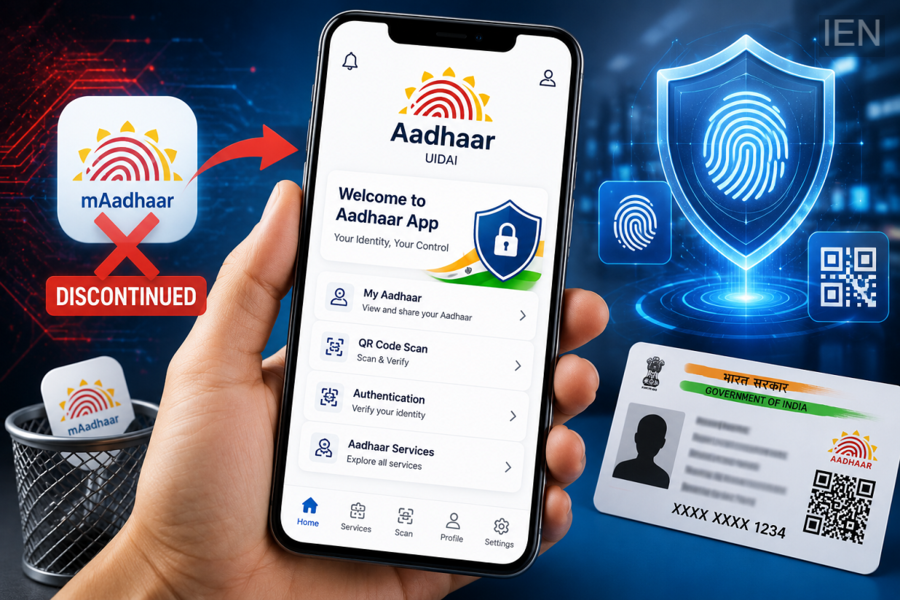
The Unique Identification Authority of India (UIDAI) has officially retired the mAadhaar app, marking the beginning of a new chapter in India's digital identity ecosystem. From June 30, the older application has stopped functioning, and users are being encouraged to switch to the newly launched Aadhaar App, which comes with enhanced security, an improved interface, and several advanced digital services.
Anyone attempting to open the old mAadhaar application will now see a notification stating that the service has been discontinued. UIDAI has advised users to uninstall the previous app and download the new Aadhaar App from the official app store to continue using Aadhaar-related digital services.
The new application has been designed to offer a smoother, safer, and more convenient experience while giving users greater control over their digital identity.
Why Has UIDAI Replaced the mAadhaar App?
According to UIDAI, the new Aadhaar App introduces upgraded technology and stronger security measures to meet evolving digital requirements. The application aims to simplify identity verification while protecting users' personal information through modern authentication methods.
The transition is also expected to improve the overall user experience with faster navigation, better performance, and additional digital services.
Top 10 Features of the New Aadhaar App
1. Enhanced Security
The new app includes multiple layers of security to protect Aadhaar information from unauthorized access.
2. Biometric Authentication
Depending on device compatibility, users can securely log in using fingerprint or facial recognition, reducing the need for repeated password entry.
3. QR Code-Based Verification
The app supports secure QR code scanning, making Aadhaar verification quicker and more reliable for eligible services.
4. Digital Aadhaar Access
Users can securely view and manage their Aadhaar profile directly within the application without carrying physical documents.
5. Improved User Interface
The redesigned interface is easier to navigate, allowing users to access services more efficiently.
6. Faster Authentication Process
The app has been optimized to deliver quicker identity verification and smoother performance compared to the previous version.
7. Better Privacy Controls
Users receive greater control over how their Aadhaar information is accessed and shared.
8. Secure Identity Sharing
Where applicable, users can securely share Aadhaar-related details without exposing unnecessary personal information.
9. Regular Security Updates
UIDAI will continue improving the application through periodic updates that introduce new features and strengthen security.
10. Future-Ready Digital Services
The new platform has been developed to support additional Aadhaar-based digital services that may be introduced in the future.
How to Download the New Aadhaar App
Switching to the updated application is simple.
Follow these steps:
-
Open the Google Play Store or Apple App Store.
-
Search for the official Aadhaar App.
-
Confirm that the publisher is UIDAI (Unique Identification Authority of India).
-
Download and install the application.
-
Launch the app after installation.
Always verify the publisher before downloading to avoid unofficial applications.
How to Set Up the New Aadhaar App
After installation, complete the setup in a few simple steps:
-
Open the application.
-
Enter the mobile number linked with your Aadhaar.
-
Verify your identity using the OTP received on your registered mobile number.
-
Add your Aadhaar profile by following the on-screen instructions.
-
Enable available security options such as PIN, fingerprint, or facial authentication, depending on your smartphone.
-
Start accessing Aadhaar services securely.
Important Things Users Should Remember
Before switching to the new application, users should keep a few precautions in mind:
-
Download only the official Aadhaar App released by UIDAI.
-
Do not install similar-looking apps from unknown developers.
-
Ensure that your Aadhaar-linked mobile number is active for OTP verification.
-
Keep the app updated to receive the latest features and security improvements.
What This Means for Aadhaar Users
The discontinuation of the mAadhaar app means users can no longer rely on the older platform for digital Aadhaar services. The new Aadhaar App is now the primary mobile application for managing Aadhaar-related functions and digital identity verification.
With stronger privacy protection, modern authentication methods, and a more intuitive design, the upgraded application is expected to deliver a safer and more convenient experience for millions of Aadhaar holders across India.
Users who have not yet switched are advised to install the new Aadhaar App at the earliest to continue accessing UIDAI's digital services without interruption.
