
Laptop: Don't clean your laptop screen with this; it will get damaged. Here's how to clean the screen properly..
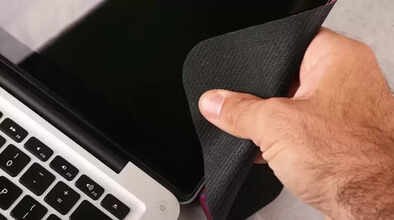
Cleaning a laptop screen might seem straightforward, but even a small mistake in the cleaning process can cause permanent damage to the display. Today, when we spend so much time in front of screens for work, streaming, and gaming, dust, fingerprints, stains, and smudges accumulate quickly. Many people use water, tissues, or just any cleaner, but the monitor's coating is very delicate. That's why knowing the right method is crucial for both the lifespan and clarity of your laptop screen. This feature article explains the entire process in simple terms, covering what to use, what to absolutely avoid, and how to make your screen look brand new in just a few minutes.
Turn off your laptop and let it cool down.
Cleaning should always be done on a screen that is turned off and not warm. Stains and dust are more visible on a dark screen, and it also reduces static charge, making it easier to remove dust. If the battery is removable, it's best to remove it as well.
Microfiber Cloth is the best option.
Never use tissues, kitchen paper, napkins, or a piece of cloth on the screen. These leave tiny scratches on the surface. A clean, soft microfiber cloth is the best and safest option. Gently wipe the screen in light, circular motions. Applying too much pressure can damage the display.
Only Distilled Water will work.
Most household cleaners contain ammonia, alcohol, and other chemicals that can damage the screen's anti-glare and protective coating. If there's only dust on the screen, a dry microfiber cloth will suffice. For stubborn stains, use distilled water. Apply a small amount to the cloth. Remember, never spray directly onto the screen. Use a slightly damp cloth, not a wet one. Advertisement
You can also use a special screen cleaning solution.
Nowadays, alcohol-free, ammonia-free screen cleaners are available in the market that are specifically designed for LCD/LED/OLED displays. These are safe, but the rule remains the same: apply it to the cloth, not directly to the screen.
Clean with the keyboard away from the screen.
Many people don't notice water or moisture dripping down while cleaning the screen, which can get into the keyboard. Always keep the cloth only slightly damp to avoid the risk of dripping.
Clean with a light touch.
Do not rub the screen while wiping it. Light strokes will remove the stains. If a stubborn spot remains, take a slightly damp cloth and only stroke over that particular stain.
Never use these things:
Glass cleaner (like Colin)
Alcohol, hand sanitizer, ammonia
Tissues, paper towels
Vinegar or baking soda mixture
Too much water
