
Is your Wi-Fi speed slow? Here’s how you can boost your internet speed using the 'Accelerate' option..
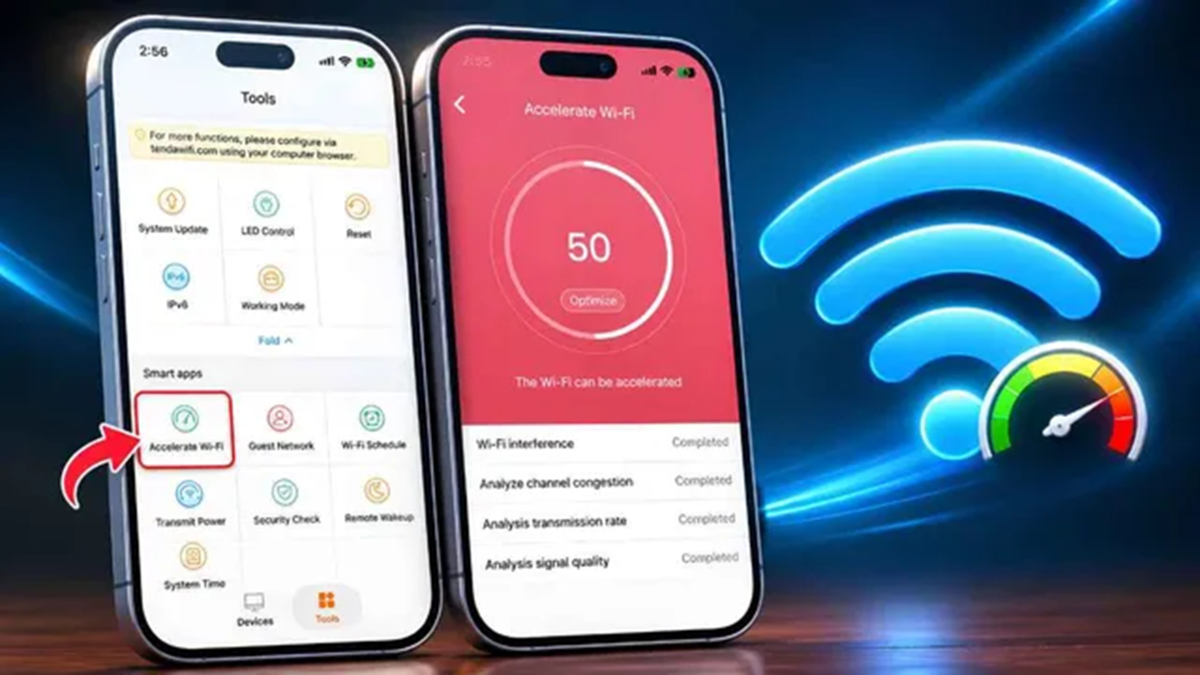
Nowadays, whether at home or in the office, many people rely on Wi-Fi for internet access. Fast internet has become essential for everything—from watching online videos and playing games to making video calls and handling work-related tasks. However, even with a good internet plan, Wi-Fi speeds can sometimes become slow.
In such situations, users may face issues like video buffering or slow website loading. Fortunately, you can often mitigate this problem by using a specific feature found within your Wi-Fi router's app. This feature is called "Accelerate Speed," and it is included in many modern Wi-Fi routers.
What is the "Accelerate" option?
Many Wi-Fi router apps include a feature labeled "Accelerate" or "Network Acceleration" (the exact name may vary depending on the router model). This feature helps optimize the use of your available network connection.
It can improve the stability of your internet connection and, in some cases, even boost your speed. For instance, in the app for Tenda Wi-Fi routers, this feature is called "Accelerate Wi-Fi"; once activated, it initiates a speed optimization process, resulting in improved Wi-Fi performance. Note that this option might be labeled differently depending on the manufacturer.
How do you use the "Accelerate" feature?
If you are using a Tenda Wi-Fi router, follow these steps:
First, install the corresponding app on your phone.
Open the app and complete the login process.
Select your Wi-Fi network from the options provided.
Tap on the "Tools" option (usually found at the bottom).
From there, select "Accelerate Wi-Fi."
Once you do this, your Wi-Fi will be optimized.
Disclaimer: This content has been sourced and edited from Dainik Jagran. While we have made modifications for clarity and presentation, the original content belongs to its respective authors and website. We do not claim ownership of the content.
