
IRCTC Tatkal Ticket Tips: These Account Settings Can Improve Your Chances of Getting a Confirmed Ticket
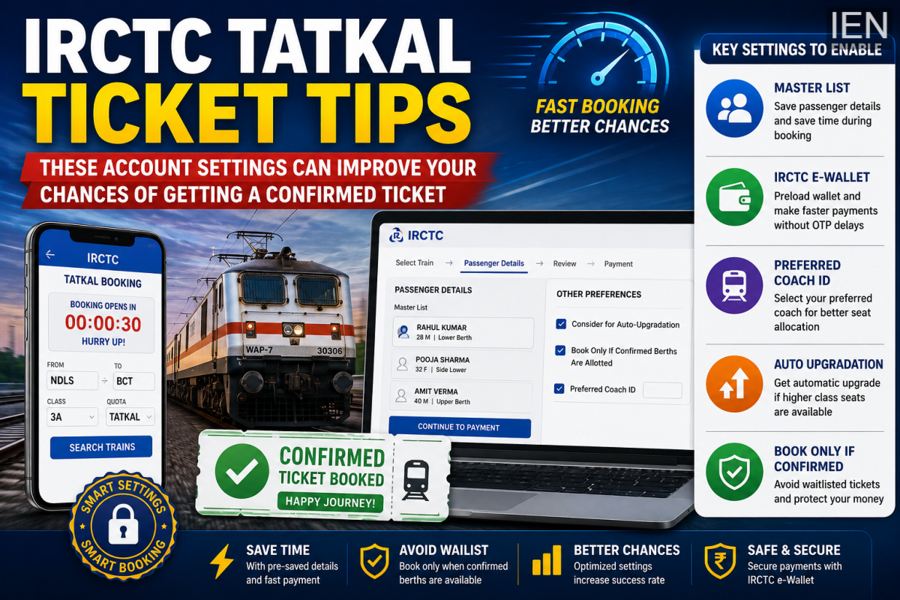
Booking a confirmed Tatkal ticket often feels like a race against time. Thousands of passengers compete for a limited number of seats every day, and even a few seconds of delay can mean the difference between a confirmed berth and a waiting list ticket. However, many travelers are unaware that IRCTC offers several built-in features that can significantly speed up the booking process.
By configuring a few important account settings before Tatkal booking opens, passengers can reduce booking time, avoid payment delays, and improve their chances of securing a confirmed ticket.
Why Every Second Matters During Tatkal Booking
Tatkal tickets are among the most sought-after railway reservations in India. Since seats are allocated on a first-come, first-served basis, delays caused by entering passenger details, completing payments, or selecting preferences can result in missing out on available seats.
IRCTC provides tools that help automate several steps of the booking process, allowing users to complete reservations much faster when the Tatkal window opens.
Save Passenger Details Using the Master List Feature
One of the most useful features for frequent travelers is the Master List option.
Instead of entering passenger information every time you book a ticket, the Master List allows you to store details such as:
-
Passenger name
-
Date of birth
-
Gender
-
Berth preference
-
Senior citizen details
When booking a Tatkal ticket, you can simply select saved passengers instead of manually filling out information. This can save valuable seconds during the booking process.
How to Create a Master List
-
Open the IRCTC app or website.
-
Go to My Account.
-
Select My Master List.
-
Click Add Passenger.
-
Enter passenger details and save them.
Once created, these details can be used instantly during future bookings.
Activate and Fund Your IRCTC e-Wallet
Payment failures and OTP delays are among the biggest reasons travelers lose Tatkal tickets.
IRCTC's e-Wallet helps overcome this problem by allowing users to make payments directly through a preloaded wallet without waiting for banking OTP verification in many cases.
Benefits of IRCTC e-Wallet
-
Faster payment processing
-
Reduced risk of transaction failures
-
No dependency on banking server response times
-
Smoother checkout experience during peak booking hours
How to Set Up the e-Wallet
-
Log in to your IRCTC account.
-
Navigate to the IRCTC e-Wallet section.
-
Complete registration using the required identification details.
-
Add funds based on your expected travel expenses.
Keeping sufficient balance in the wallet before Tatkal booking day can save precious time.
Use Preferred Coach Selection
Passengers who frequently travel in specific coaches can take advantage of the Preferred Coach feature.
This option allows users to indicate their preferred coach while booking. The system can prioritize seat allocation based on the selected preference if availability permits.
For example, travelers can choose coaches such as:
-
S1, S2, S3 (Sleeper Class)
-
A1, A2 (AC 2-Tier)
-
B1, B2 (AC 3-Tier)
How to Enable Preferred Coach
-
Select your train and travel class.
-
Proceed to the passenger details page.
-
Scroll to Other Preferences.
-
Enable Preferred Coach ID.
-
Enter your desired coach number.
While this feature does not guarantee a specific coach, it can improve seat allocation preferences.
Turn On Auto Upgradation
Auto Upgradation is another useful feature that many travelers overlook.
If a higher travel class has vacant seats available, the system may automatically upgrade eligible passengers without charging additional fare in certain cases.
This can provide a more comfortable journey if lower classes are fully occupied.
How to Enable It
-
Open the passenger details page.
-
Locate the Other Preferences section.
-
Select Consider for Auto Upgradation.
The system will automatically evaluate upgrade opportunities whenever available.
Choose "Book Only If Confirmed Berths Are Allotted"
One of the most practical settings for Tatkal bookings is the Book Only If Confirmed Berths Are Allotted option.
Many travelers accidentally end up with waiting-list Tatkal tickets after payment has already been processed. By enabling this setting, the booking will only proceed if confirmed seats are available.
Benefits
-
Avoids unwanted waiting-list tickets
-
Prevents unnecessary blocking of travel funds
-
Provides immediate clarity on seat availability
This feature can be particularly useful during peak travel seasons when Tatkal quotas sell out within minutes.
Can These Settings Guarantee a Confirmed Tatkal Ticket?
While no feature can guarantee a confirmed Tatkal reservation, these tools can significantly improve booking efficiency and reduce delays caused by manual data entry or payment issues.
Combining a pre-filled Master List, a funded IRCTC e-Wallet, Preferred Coach selection, Auto Upgradation, and the Confirmed Berth option can help users complete bookings much faster than those relying on manual processes.
For frequent railway travelers, taking a few minutes to configure these settings in advance could make a substantial difference when competing for highly sought-after Tatkal tickets.
