
iPhone Tips: Even a switched-off iPhone can be tracked; if you don't know this amazing trick, learn it here..
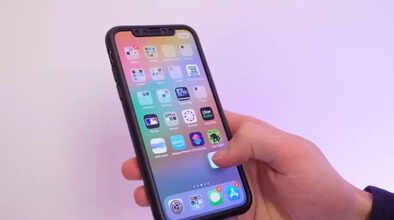
People often misplace their phones. If the phone's battery dies and it switches off, finding it becomes a problem. Apple has solved this problem. With the Find My feature on Apple iPhones, you can track your iPhone even after it's turned off. This technology works using Bluetooth signals, nearby Apple devices, and the Find My network. This allows you to receive the device's last known location.
Turn on this setting today!
iPhone users should turn on Find My iPhone today. To do this, go to Settings. Tap your name, then go to Find My and turn on Find My iPhone. Once this is enabled, the location data can be relayed even if the battery dies or the phone is turned off. There's another important option in the Find My settings: Find My Network. Turning this on allows your iPhone to connect to nearby Apple devices (both new and old) via Bluetooth to continuously update its location.
Check the location instantly from another device.
If your phone is lost, open the Find My app on another iPhone, iPad, or Mac, or log in directly to iCloud.com. As soon as a connection is established with the device, you will see its last known location on the map. This will give you an idea of where your device is. Activating Lost Mode in the Find My app immediately locks your device remotely, and a custom message appears on the screen. You can also add an alternative contact number to this message.
Receive a notification as soon as your iPhone turns on
Also, turn on "Notify When Found" in the Find My app. This will send you an instant notification as soon as your iPhone turns on again or connects to a network. This saves you the trouble of constantly checking the map.
Disclaimer: This content has been sourced and edited from Amar Ujala. While we have made modifications for clarity and presentation, the original content belongs to its respective authors and website. We do not claim ownership of the content.
