
Instagram Reels Remix Explained: How to Create Duet-Style Videos Like TikTok
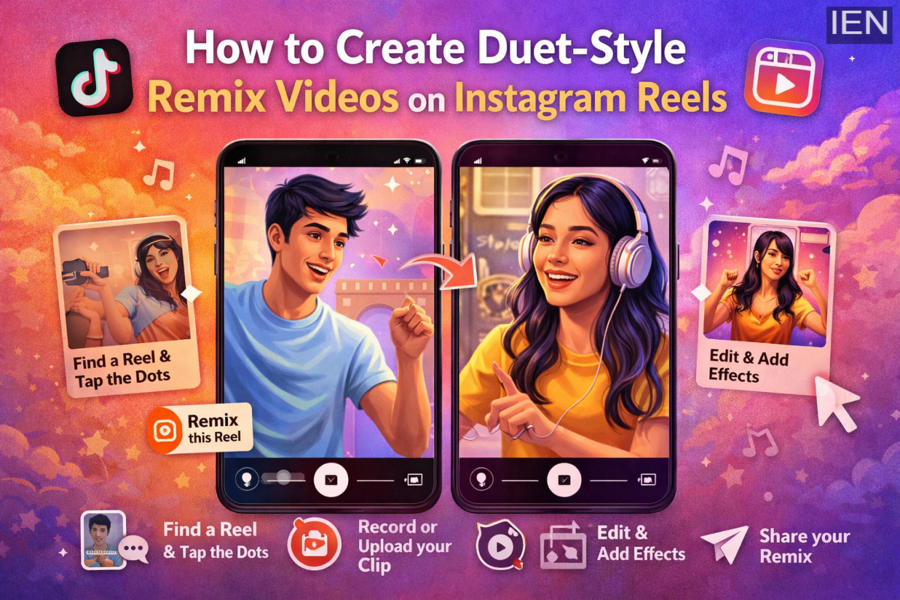
Instagram’s Reels Remix feature has made short-form video creation more interactive and collaborative than ever. If you’ve ever used TikTok’s popular Duet option, Instagram Remix works in a very similar way. It allows users to create a new Reel alongside an existing one, making it easy to react, collaborate, perform, mimic, dance, sing, or add your own twist to trending content.
For creators, influencers, and everyday users, Remix can be a fun way to boost engagement and connect with others on the platform. Whether you want to respond to a viral clip, join a trend, or create entertaining split-screen content, the feature offers a simple and creative format.
If you have been wondering how to make a Remix video on Instagram Reels, here is a complete and easy-to-follow guide.
What Is Instagram Reels Remix?
Instagram introduced Remix for Reels as a way for users to interact directly with other people’s short videos. Instead of simply liking, commenting, or sharing a Reel, you can now create your own video next to the original clip.
This feature is especially useful for:
- Reaction videos
- Dance challenges
- Singing duets
- Comedy responses
- Collaboration content
- Trend participation
In short, Remix gives creators more ways to be seen and helps content spread more organically across Instagram.
How to Remix Instagram Reels
Creating a Remix video on Instagram is fairly simple. You do not need advanced editing skills or third-party apps. Just follow the steps below:
1. Open Instagram and Find the Reel
Start by opening the Instagram app and going to the Reel you want to remix. This could be a creator’s trending video, a friend’s clip, or any Reel that allows Remix.
2. Tap the Three-Dot Menu
Once you have selected the Reel, tap the three dots usually visible on the screen. This opens a menu of options related to that Reel.
3. Select “Remix This Reel”
From the menu, choose the “Remix this Reel” option.
If the original creator has allowed remixing, Instagram will open the Remix editor automatically.
4. Record or Upload Your Side of the Video
After entering the Remix screen, you will see the original Reel displayed on one side, while the other side is reserved for your video.
Here, you can either:
- Record a new video live, or
- Upload a pre-recorded clip from your gallery
This gives you flexibility depending on the type of content you want to create.
5. Tap the Arrow to Continue
Once your recording or upload is complete, tap the arrow button to move to the next editing screen.
Edit Your Remix Before Posting
Instagram gives users several tools to customize their Remix before publishing it.
You can make your Reel more polished and engaging by using features such as:
- Filters and visual effects
- Audio volume controls
- Voice-over recording
- Layout or side-switching options
- Additional edits for better timing and presentation
These tools help you create a more professional and entertaining short video without needing separate editing software.
6. Share Your Remix Reel
Once your video is ready, tap the Share button to publish it on Instagram.
Your Remix will then appear as a new Reel on your profile and can also be discovered by others through Instagram’s Reels feed.
How to Enable or Disable Remix on Your Reels
Instagram also gives users control over whether others can remix their content.
Enable Remix on Your Reel
If you want people to create Remix videos using your Reel, you can turn the option on for eligible videos.
This is especially useful if you are:
- A content creator
- Running a challenge
- Encouraging audience participation
- Building engagement on your account
Disable Remix on Your Reel
If you prefer not to allow others to use your Reel in Remix format, you can switch the feature off.
To do this, open your Reel, tap the three-dot menu, and choose the relevant setting to disable remixing.
This gives users privacy and content control, especially if they do not want their videos repurposed by others.
Can You Remix Older Reels?
One thing to keep in mind is that Remix support may not be available for every older Reel by default. In many cases, the feature is mainly linked to newer uploaded Reels, although users may be able to manually enable remixing for eligible content.
So if you want your older videos to be remixable, it is worth checking the settings on each Reel individually.
Why Instagram Remix Matters for Creators
Instagram Reels Remix is more than just a fun editing tool. It also plays a major role in increasing reach, encouraging collaboration, and helping content go viral.
For creators, it can:
- Increase audience interaction
- Encourage user-generated content
- Help join trending conversations
- Make collaborations easier
- Improve discoverability on Reels
In a platform driven by short-form video, features like Remix make content creation faster, more social, and more engaging.
Final Take
If you enjoy creating short videos, Instagram Reels Remix is one of the easiest ways to make your content more interactive. Much like TikTok’s Duet feature, it allows you to add your own reaction, performance, or creative angle to someone else’s Reel in just a few taps.
Whether you want to entertain, collaborate, or simply experiment with a new content style, Remix can be a powerful tool for growing your presence on Instagram.
