
If your phone overheats in summer, never make these mistakes; it could increase the damage and the risk of the phone exploding..
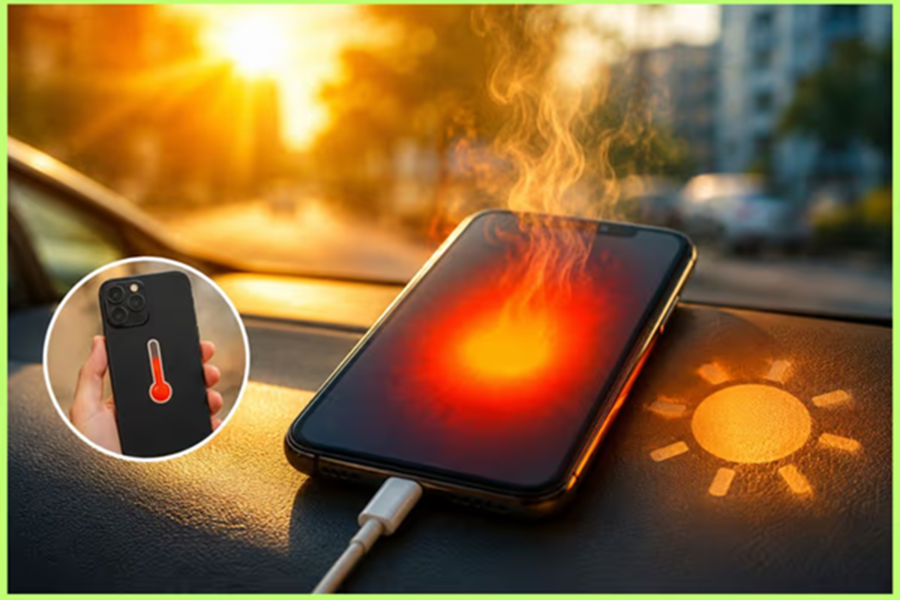
Smartphone overheating is a common issue during the summer season. Several factors can contribute to this, such as using the phone in direct sunlight, downloading large files, prolonged gaming, video streaming, continuous usage, or using a fast charger. Additionally, wireless charging, using a mobile hotspot, operating in areas with poor network coverage, and having too many apps running in the background can also cause overheating. However, people often make mistakes when their phone heats—mistakes that can prove dangerous for both the device and the battery. If your phone is getting excessively hot, it is important to keep a few things in mind.
What should you avoid doing if the phone heats up?
Do not plug it in to charge.
If the phone is already hot, do not make the mistake of immediately plugging it in to charge. Charging puts extra strain on the battery, which can cause the temperature to rise further. Let the phone cool down first, then charge it.
Do not place the phone in the fridge, freezer, or directly in front of an AC
When a phone heats up, many people place it in an air-conditioned room, while others put it in the fridge or freezer to cool it down quickly. This is a major mistake. Sudden temperature changes can cause moisture to accumulate inside the phone, increasing the risk of damage to internal components.
Do not ignore warning messages.
Many smartphones display an overheating warning on the screen when they get too hot. In such situations, screen brightness may decrease, charging might stop, and certain features could be disabled. Never ignore this warning. If your phone displays such an alert, stop using it immediately.
Do not let too many apps run in the background.
When multiple apps are open simultaneously, the processor works continuously. This can cause the phone to overheat. Close background apps when they are not needed, and regularly remove unnecessary files and apps.
What should you do if the phone heats up?
First, stop using the phone for a while.
If necessary, switch off the phone for 10–15 minutes.
Turn off features like Wi-Fi, Bluetooth, and GPS, and lower the screen brightness.
If the phone has a case on it, remove it so that heat can dissipate easily.
Keep these points in mind as well:
Do not use faulty chargers or cables.
Damaged USB cables, generic (local) chargers, or defective batteries can be major causes of overheating. Always use company-certified chargers and high-quality cables.
Do not play games or watch videos while charging.
Many people play games or watch videos while their phone is charging. Doing so puts simultaneous strain on both the processor and the battery. This causes the phone to heat up rapidly and can negatively affect battery health.
Do not use the phone in direct sunlight.
Using the phone in the sun for extended periods causes its temperature to rise quickly. Leaving the phone exposed to sunlight—especially on a car dashboard, a bike mount, or in an open area—can be dangerous.
Disclaimer: This content has been sourced and edited from TV9. While we have made modifications for clarity and presentation, the original content belongs to its respective authors and website. We do not claim ownership of the content.
