
How to Use WhatsApp’s New Voice Message Player on iPhone: Step-by-Step Guide
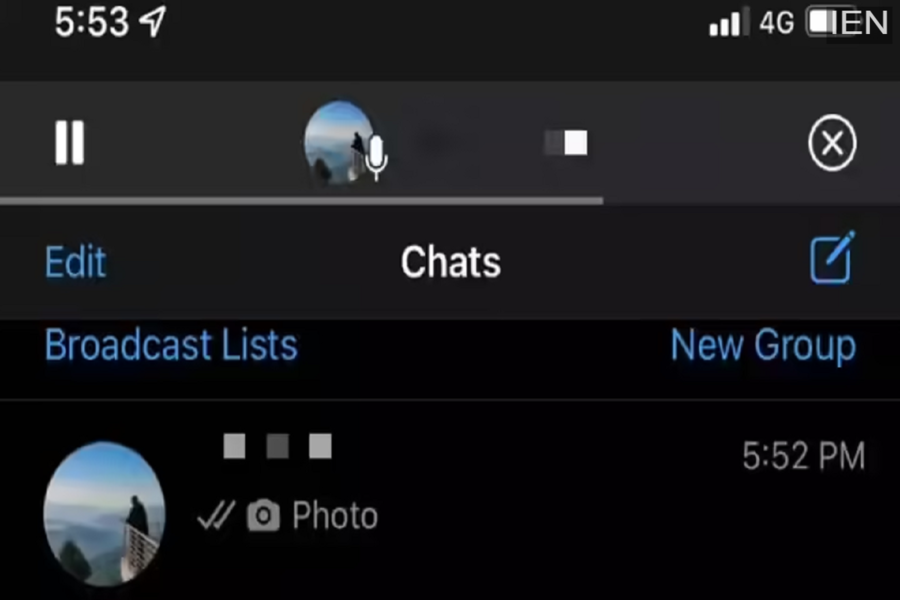
WhatsApp has rolled out a new and highly useful voice message player feature for users on Apple iPhone, making it easier to listen to voice notes while multitasking within the app. With this update, users no longer need to stay inside a single chat to finish listening to an audio message.
Earlier, WhatsApp voice messages would automatically stop playing the moment a user exited the chat or switched to another conversation. This limitation often disrupted conversations, especially when users needed to browse other chats or reply to messages while listening. The new voice message player solves this issue by allowing audio playback to continue even when users move away from the original chat.
What Is WhatsApp’s New Voice Message Player?
The new voice message player is a floating audio bar that appears at the top of the WhatsApp screen once a voice note starts playing. This compact player allows users to:
-
Continue listening while scrolling through chats
-
Switch between conversations without interrupting playback
-
Pause or resume the voice message anytime
This feature significantly improves usability for people who receive long voice messages or rely heavily on audio communication.
Who Can Use This Feature?
As of now, the new voice message player is available only for iOS users. WhatsApp has confirmed that the feature is still under development for Android devices and may roll out later. To access this feature on iPhone, users must ensure they have WhatsApp version 22.4.75 or newer installed.
Why This Update Is Important
Voice messages are one of the most widely used communication tools on WhatsApp. The ability to listen to them while navigating through the app makes conversations more flexible and efficient. Whether you’re replying to another chat, checking messages, or browsing contacts, the new player ensures uninterrupted audio playback.
How to Use WhatsApp’s New Voice Message Player on iPhone
Follow these simple steps to use the new feature:
-
Open WhatsApp on your Apple iPhone.
-
Tap on the individual or group chat where you received the voice message.
-
Tap the Play icon on the voice message to start listening.
-
Once the voice note starts playing, exit the chat by going back to the chat list or opening another conversation.
-
You will now see a new audio player bar at the top of the WhatsApp screen.
-
Use the Play/Pause button on the player to control playback.
-
To stop and remove the player, tap the Cancel (X) button.
Key Benefits of the New Voice Player
-
Seamless multitasking within WhatsApp
-
No interruption when switching chats
-
Better control over long voice notes
-
Improved overall messaging experience
Final Thoughts
WhatsApp’s new voice message player is a small but impactful update that enhances how users interact with audio messages. By allowing playback across chats, the platform has addressed a long-standing user request. iPhone users can already enjoy this feature, while Android users may need to wait a bit longer for its arrival.
