
How to Use Instagram’s ‘Take a Break’ Feature: Step-by-Step Guide to Manage Screen Time
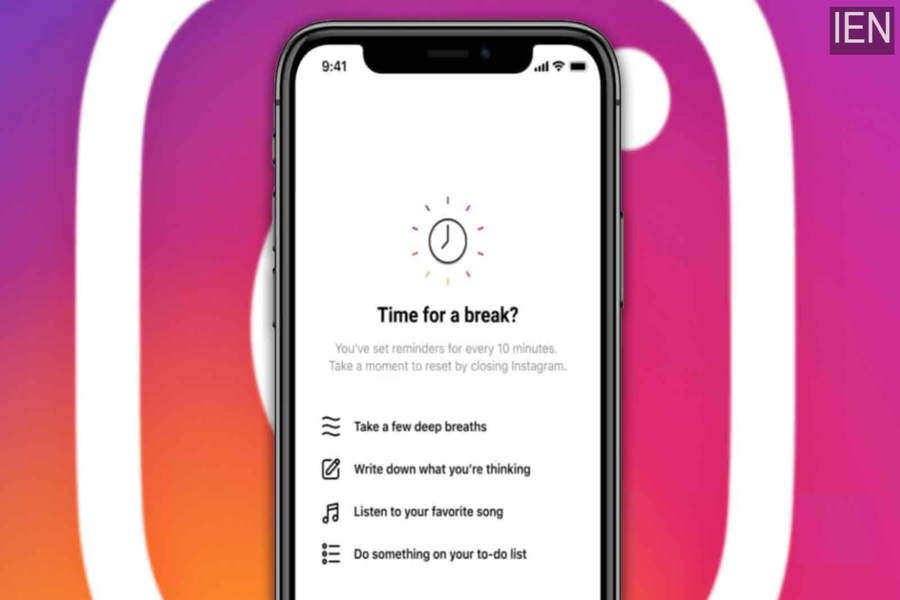
Social media has become an inseparable part of daily life, and Instagram is among the most widely used platforms across the world. While scrolling through reels, stories, and posts can be entertaining, excessive usage often leads to screen fatigue, reduced productivity, and mental stress. Keeping this concern in mind, Instagram introduced a special wellness-focused feature called ‘Take a Break’.
Initially rolled out in select countries such as the US, UK, Canada, and Australia, Instagram has now expanded the ‘Take a Break’ feature to users globally, including India. This tool is designed to gently remind users to pause their scrolling habits after spending a certain amount of time on the app.
What Is Instagram’s ‘Take a Break’ Feature?
As the name suggests, the ‘Take a Break’ feature sends reminders prompting users to step away from Instagram when they have been scrolling continuously for a long period. These reminders encourage healthier digital habits and help users manage their screen time more effectively.
The feature works alongside Instagram’s existing time management tools, such as:
-
Daily Time Limit, which alerts users once they reach their chosen usage limit
-
Notification mute options, which reduce distractions after prolonged use
Together, these tools aim to promote mindful social media usage rather than forcing strict restrictions.
Availability of the ‘Take a Break’ Feature
At present, the ‘Take a Break’ feature is available for iOS (iPhone) users. However, Instagram has officially confirmed that the feature will be rolled out to Android users as well, making it accessible to a wider audience in the near future.
How to Enable and Use ‘Take a Break’ on Instagram
If you want Instagram to remind you when it’s time to pause, follow these simple steps:
Step 1:
Open the Instagram app on your smartphone.
Step 2:
Tap on the three-line menu icon located at the top-right corner of the screen.
Step 3:
From the menu options, select “Your activity.”
Step 4:
At the top of the screen, tap on the “Time” tab to view your usage insights.
Step 5:
Look for the option “Set a reminder to take breaks” and tap on it.
Step 6:
Choose the time interval after which you want Instagram to remind you to take a break. You can select the duration based on your comfort and usage habits.
Once enabled, Instagram will automatically send reminders whenever you reach the selected scrolling limit.
Why Should You Use the ‘Take a Break’ Feature?
Using this feature offers several benefits:
-
Helps reduce excessive screen time
-
Encourages healthier social media habits
-
Improves focus and productivity
-
Supports mental well-being
-
Reduces social media burnout
Instead of completely cutting off access, the feature promotes balance by nudging users to pause and reset.
Instagram’s Focus on Digital Well-Being
With features like ‘Take a Break’, Instagram is clearly moving towards a more responsible and user-centric approach. These tools allow users to stay in control of their digital behavior without compromising their experience on the platform.
If you often find yourself scrolling endlessly, enabling this feature could be a simple yet effective step toward better screen-time management.
